Làm thế nào để sử dụng Seedream 4.5 API trên PoYo: Hướng dẫn phát triển đầy đủ
Tìm hiểu cách tích hợp Seedream 4.5 API được cung cấp bởi công nghệ ultra 4K của ByteDance vào ứng dụng của bạn. Hướng dẫn từng bước với các ví dụ mã cho việc tạo hình ảnh cấp chuyên nghiệp.
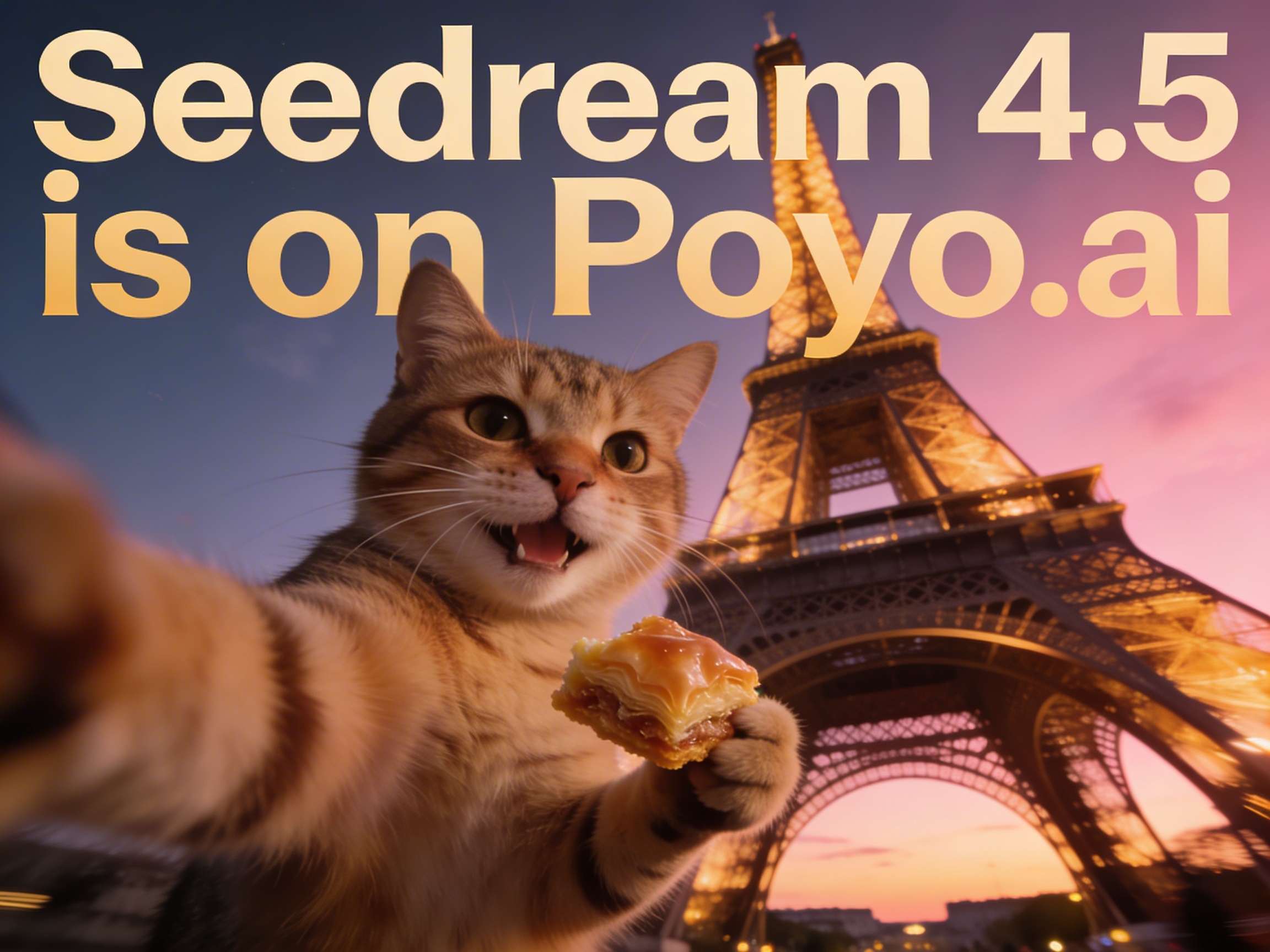
Seedream 4.5 API, được trang bị công nghệ tạo hình ảnh ultra ByteDance của 4K, cung cấp việc tạo nội dung trực quan cấp chuyên nghiệp tại Các khoản tín dụng 5 cho mỗi lần tạo, về USD $0.025 trên PoYo. Hướng dẫn này hướng dẫn bạn thông qua việc thực hiện logic chiếu sáng tiên tiến, độ chính xác văn bản chuyên nghiệp và chất lượng chụp ảnh thương mại bằng cách sử dụng PoYo của API.
Seedream 4.5 Mô hình tổng quan
Seedream 4.5 là một mô hình tạo hình ảnh AI tiên tiến được phát triển bởi ByteDance, cung cấp ultra 4K Các khả năng độ phân giải với chất lượng đầu ra chuyên nghiệp. PoYo.ai, mô hình này xuất sắc trong:
- Ultra 4K: Tạo hình ảnh rõ ràng, chi tiết lên đến 4096x4096 pixel
- Tính chính xác văn bản chuyên nghiệp: Định nghĩa văn bản tiên tiến với kiểu chữ hoàn hảo
- Lý luận chiếu sáng thông minh: Các tính toán ánh sáng và bóng tối tinh vi
- Chất lượng chụp ảnh thương mại: Sơ cấu và độ chính xác màu sắc cấp studio
- Tỷ lệ nhiều khía cạnhGiúp cho: 1:1, 4:3, 3:4, 16:9, 9:16, 3:2, 2:3, 21:9
Mô hình chi tiết trang
Hãy đến thăm Seedream 4.5 API trang mô hình đến:
- Khu chơi tương tác: Kiểm tra API trực tiếp trong trình duyệt của bạn
- Những ví dụ sống động: Xem các lần tạo mẫu và các yêu cầu
- Tài liệu API: Các tham chiếu tham số toàn diện
- Thông tin về giá: Tỷ lệ hiện tại (5 tín dụng = $0.025 cho mỗi hình ảnh)
- Các tiêu chuẩn hiệu suất: So sánh tốc độ và chất lượng
Bắt đầu với Seedream 4.5 API
Bước 1: Thiết lập tài khoản PoYo của bạn
Đầu tiên, tạo tài khoản PoYo của bạn và lấy giấy chứng nhận API của bạn:
- Đăng ký tại PoYo.ai
- Tạo khóa API của bạn trong bảng điều khiển
- Thêm tín dụng vào tài khoản của bạn (Seedream 4.5 chi phí 5 tín dụng cho mỗi lần tạo)
- Khám phá mô hình trên Seedream 4.5 trang chi tiết
Bước 2: Lắp đặt các phụ thuộc cần thiết
# For Node.js/JavaScript
npm install axios

# For Python
pip install requests

# For cURL (no installation needed)
Tạo ra văn bản hình ảnh cơ bản
JavaScript/Node.js Thực hiện
const axios = require('axios');

const generateImage = async (prompt, size = '16:9') => {
  try {
    const response = await axios.post(
      'https://api.poyo.ai/api/generate/submit',
      {
        model: 'seedream-4.5',
        callback_url: 'https://your-domain.com/callback', // Optional webhook
        input: {
          prompt: prompt,
          size: size, // Options: '1:1', '4:3', '3:4', '16:9', '9:16', '3:2', '2:3', '21:9'
          n: 1
        }
      },
      {
        headers: {
          'Authorization': `Bearer YOUR_API_KEY`,
          'Content-Type': 'application/json'
        }
      }
    );

    console.log('Task ID:', response.data.data.task_id);
    console.log('Created:', response.data.data.created_time);
    return response.data.data;
  } catch (error) {
    console.error('Error generating image:', error.response?.data || error.message);
  }
};

// Example usage with professional photography prompt
generateImage('Professional commercial product photography of luxury watch with cinematic lighting and golden ratio composition', '16:9');
Thực hiện Python
import requests
import json

def generate_image(prompt, api_key, size='16:9'):
    url = "https://api.poyo.ai/api/generate/submit"

    payload = {
        "model": "seedream-4.5",
        "callback_url": "https://your-domain.com/callback",  # Optional webhook
        "input": {
            "prompt": prompt,
            "size": size,  # Options: '1:1', '4:3', '3:4', '16:9', '9:16', '3:2', '2:3', '21:9'
            "n": 1
        }
    }

    headers = {
        "Authorization": f"Bearer {api_key}",
        "Content-Type": "application/json"
    }

    try:
        response = requests.post(url, json=payload, headers=headers)
        response.raise_for_status()

        result = response.json()['data']
        print(f"Task ID: {result['task_id']}")
        print(f"Created: {result['created_time']}")
        return result

    except requests.exceptions.RequestException as e:
        print(f"Error generating image: {e}")
        return None

# Example usage with ultra 4K quality
api_key = "YOUR_API_KEY"
result = generate_image("Ultra high-quality 4K commercial photography of modern architecture with perfect lighting", api_key, '21:9')
Thực hiện cURL
curl -X POST "https://api.poyo.ai/api/generate/submit" \
  -H "Authorization: Bearer YOUR_API_KEY" \
  -H "Content-Type: application/json" \
  -d '{
    "model": "seedream-4.5",
    "callback_url": "https://your-domain.com/callback",
    "input": {
      "prompt": "Professional e-commerce product photography with cinematic color grading and natural proportions",
      "size": "4:3",
      "n": 1
    }
  }'
Các tính năng tiên tiến của Seedream 4.5
1. Tiếng nói chính xác chuyên nghiệp
Seedream 4.5 xuất sắc trong việc tạo ra văn bản sắc nét và kiểu chữ với độ chính xác cấp thương mại:
const generateTextRichImages = async () => {
  const textPrompts = [
    "Professional corporate signage with 'PoYo API' text in modern sans-serif font",
    "Technical diagram with precise mathematical equations and clear labels",
    "Branded marketing poster with sharp typography and commercial quality text"
  ];

  for (const prompt of textPrompts) {
    const result = await generateImage(prompt, '16:9');
    console.log(`Generated professional text image: ${prompt}`);
  }
};

// Generate images with perfect text rendering
generateTextRichImages();
2. Logic chiếu sáng tiên tiến
Sử dụng động cơ chiếu sáng cách mạng của Seedream 4.5 để chất lượng chụp ảnh thương mại:
def generate_commercial_photography(product_name, api_key):
    prompt = f"Professional commercial photography of {product_name} with cinematic color grading, realistic lighting, natural proportions, and strong 3D depth for e-commerce catalog"

    payload = {
        "model": "seedream-4.5",
        "input": {
            "prompt": prompt,
            "size": "1:1",  # Perfect for e-commerce
            "n": 1
        }
    }

    return generate_image_with_payload(payload, api_key)

# Generate commercial-quality product photos
products = ["luxury skincare bottle", "premium headphones", "artisan coffee package"]
for product in products:
    result = generate_commercial_photography(product, "YOUR_API_KEY")
3. Tích hợp hợp lý hóa
Seedream 4.5 hiểu các thuật ngữ chụp ảnh chuyên nghiệp và kỹ thuật tạo thành:
const compositionPrompts = [
  "Professional portrait with golden ratio composition and background blur",
  "Landscape photography using rule of thirds with diagonal composition",
  "Commercial product shot with dramatic lighting and cinematic framing",
  "Architectural photography with leading lines and symmetrical balance"
];

const generateWithComposition = async (prompt, technique) => {
  const enhancedPrompt = `${prompt}, ${technique}, ultra 4K resolution, professional photography quality`;

  const response = await axios.post(
    'https://api.poyo.ai/api/generate/submit',
    {
      model: 'seedream-4.5',
      input: {
        prompt: enhancedPrompt,
        size: '16:9',
        n: 1
      }
    },
    {
      headers: {
        'Authorization': `Bearer YOUR_API_KEY`,
        'Content-Type': 'application/json'
      }
    }
  );

  return response.data.data;
};
4. Ultra 4K Khả năng ra
Tạo hình ảnh độ phân giải cao phù hợp với sử dụng thương mại:
def generate_4k_content(description, api_key, aspect_ratio='16:9'):
    prompt = f"Ultra high-resolution 4K quality {description}, professional commercial photography standards, enhanced visual refinement, print-ready quality"

    payload = {
        "model": "seedream-4.5",
        "input": {
            "prompt": prompt,
            "size": aspect_ratio,
            "n": 1
        }
    }

    headers = {
        "Authorization": f"Bearer {api_key}",
        "Content-Type": "application/json"
    }

    response = requests.post("https://api.poyo.ai/api/generate/submit", json=payload, headers=headers)
    return response.json()['data']

# Generate 4K quality images for different use cases
use_cases = [
    ("billboard advertisement design", "21:9"),
    ("magazine cover photography", "3:4"),
    ("desktop wallpaper", "16:9"),
    ("social media post", "1:1")
]

for description, size in use_cases:
    result = generate_4k_content(description, "YOUR_API_KEY", size)
    print(f"Generated 4K {description} in {size} format")
Việc chỉnh sửa hình ảnh với Seedream 4.5
Chuyển đổi hình ảnh sang hình ảnh
const editImage = async (imageUrls, editPrompt, size = '16:9') => {
  try {
    const response = await axios.post(
      'https://api.poyo.ai/api/generate/submit',
      {
        model: 'seedream-4.5-edit',
        callback_url: 'https://your-domain.com/callback', // Optional
        input: {
          prompt: editPrompt,
          image_urls: imageUrls, // Array of reference image URLs (max 5)
          size: size,
          n: 1
        }
      },
      {
        headers: {
          'Authorization': `Bearer YOUR_API_KEY`,
          'Content-Type': 'application/json'
        }
      }
    );

    return response.data.data;
  } catch (error) {
    console.error('Error editing image:', error.response?.data || error.message);
  }
};

// Example: Enhance product photography with professional lighting
const result = await editImage(
  ['https://example.com/product-photo.jpg'],
  'Enhanced commercial photography with professional studio lighting, cinematic color grading, and ultra 4K quality',
  '1:1'
);
Kiểm tra tình trạng lần tạo
Kiểm tra tình trạng bằng tay
const checkTaskStatus = async (taskId) => {
  try {
    const response = await axios.get(
      `https://api.poyo.ai/api/generate/status/${taskId}`,
      {
        headers: {
          'Authorization': `Bearer YOUR_API_KEY`
        }
      }
    );

    return response.data.data; // Returns the task data
  } catch (error) {
    console.error('Error checking status:', error.message);
    return null;
  }
};

const pollForResult = async (taskId, maxAttempts = 30) => {
  for (let attempt = 0; attempt < maxAttempts; attempt++) {
    const taskData = await checkTaskStatus(taskId);

    if (!taskData) break;

    console.log(`Status: ${taskData.status}`);

    if (taskData.status === 'finished') {
      console.log('Ultra 4K image generated successfully!');
      if (taskData.files && taskData.files.length > 0) {
        console.log('Image URL:', taskData.files[0].file_url);
        console.log('File type:', taskData.files[0].file_type);
      }
      return taskData;
    } else if (taskData.status === 'failed') {
      console.error('Generation failed:', taskData.error_message);
      return null;
    }

    // Status is 'processing'
    await new Promise(resolve => setTimeout(resolve, 3000)); // Wait 3 seconds
  }

  console.error('Maximum polling attempts reached');
  return null;
};

// Complete workflow example
const completeGeneration = async (prompt, size = '16:9') => {
  // Step 1: Submit generation request
  const generation = await generateImage(prompt, size);

  if (!generation) return null;

  // Step 2: Poll for results
  const result = await pollForResult(generation.task_id);

  return result;
};
Python Kiểm tra tình trạng
import time

def check_task_status(task_id, api_key):
    url = f"https://api.poyo.ai/api/generate/status/{task_id}"

    headers = {
        "Authorization": f"Bearer {api_key}",
        "Content-Type": "application/json"
    }

    try:
        response = requests.get(url, headers=headers)
        response.raise_for_status()

        return response.json()['data']
    except requests.exceptions.RequestException as e:
        print(f"Error checking status: {e}")
        return None

def wait_for_completion(task_id, api_key, max_attempts=30):
    for attempt in range(max_attempts):
        task_data = check_task_status(task_id, api_key)

        if not task_data:
            break

        print(f"Status: {task_data['status']}")

        if task_data['status'] == 'finished':
            print("Ultra 4K image generated successfully!")
            if task_data.get('files') and len(task_data['files']) > 0:
                print(f"Image URL: {task_data['files'][0]['file_url']}")
                print(f"File type: {task_data['files'][0]['file_type']}")
            return task_data
        elif task_data['status'] == 'failed':
            print(f"Generation failed: {task_data.get('error_message', 'Unknown error')}")
            return None

        time.sleep(3)  # Wait 3 seconds

    print("Maximum attempts reached")
    return None

# Complete workflow
def complete_image_generation(prompt, api_key, size='16:9'):
    # Step 1: Submit request
    task_result = generate_image(prompt, api_key, size)

    if not task_result:
        return None

    # Step 2: Wait for completion
    final_result = wait_for_completion(task_result['task_id'], api_key)

    return final_result
Việc xử lý lỗi và các thực hành tốt nhất
Việc xử lý lỗi toàn diện
const robustImageGeneration = async (prompt, size = '16:9', retries = 3) => {
  for (let attempt = 0; attempt < retries; attempt++) {
    try {
      const response = await axios.post(
        'https://api.poyo.ai/api/generate/submit',
        {
          model: 'seedream-4.5',
          input: {
            prompt: prompt,
            size: size,
            n: 1
          }
        },
        {
          headers: {
            'Authorization': `Bearer YOUR_API_KEY`,
            'Content-Type': 'application/json'
          },
          timeout: 30000 // 30 second timeout
        }
      );

      return response.data.data;

    } catch (error) {
      if (error.response) {
        // Server responded with error status
        const status = error.response.status;
        const message = error.response.data?.message || 'Unknown error';

        console.error(`API Error (${status}): ${message}`);

        // Don't retry for certain errors
        if (status === 401 || status === 403) {
          throw new Error('Authentication failed. Check your API key.');
        }

        if (status === 400) {
          throw new Error(`Bad request: ${message}`);
        }

      } else if (error.request) {
        console.error('Network error:', error.message);
      } else {
        console.error('Request setup error:', error.message);
      }

      // If this was the last attempt, throw the error
      if (attempt === retries - 1) {
        throw error;
      }

      // Wait before retrying (exponential backoff)
      const delay = Math.pow(2, attempt) * 1000;
      console.log(`Retrying in ${delay}ms... (Attempt ${attempt + 1}/${retries})`);
      await new Promise(resolve => setTimeout(resolve, delay));
    }
  }
};
Các trường hợp sử dụng thương mại
Sâm ảnh sản phẩm thương mại điện tử
const generateProductPhotos = async (productName, variations = []) => {
  const basePrompt = `Professional e-commerce product photography of ${productName}`;

  const scenarios = [
    'with clean white background and studio lighting',
    'with lifestyle setting and natural lighting',
    'with dramatic shadows and commercial quality',
    'with 360-degree view perspective'
  ];

  const results = [];

  for (const scenario of scenarios) {
    const fullPrompt = `${basePrompt} ${scenario}, ultra 4K resolution, commercial photography standards`;

    try {
      const generation = await generateImage(fullPrompt, '1:1');
      const result = await pollForResult(generation.task_id);

      if (result) {
        results.push({
          scenario: scenario,
          imageUrl: result.files[0].file_url,
          taskId: result.task_id
        });
      }
    } catch (error) {
      console.error(`Failed to generate ${scenario}:`, error.message);
    }
  }

  return results;
};

// Generate product photos for e-commerce
const productPhotos = await generateProductPhotos('luxury smartphone');
Tiếp thị và quảng cáo
def generate_marketing_assets(campaign_theme, brand_colors="", sizes=['1:1', '16:9', '9:16']):
    assets = []

    for size in sizes:
        # Determine format based on size
        format_type = {
            '1:1': 'social media post',
            '16:9': 'banner advertisement',
            '9:16': 'mobile story format',
            '21:9': 'wide banner',
            '4:3': 'display advertisement'
        }.get(size, 'general format')

        prompt = f"Professional {format_type} design for {campaign_theme}, {brand_colors}, cinematic quality, commercial photography standards, ultra 4K resolution"

        try:
            result = generate_image(prompt, "YOUR_API_KEY", size)
            if result:
                final_result = wait_for_completion(result['task_id'], "YOUR_API_KEY")
                if final_result:
                    assets.append({
                        'format': format_type,
                        'size': size,
                        'image_url': final_result['files'][0]['file_url'],
                        'task_id': final_result['task_id']
                    })
        except Exception as e:
            print(f"Failed to generate {format_type}: {e}")

    return assets

# Generate complete marketing campaign assets
campaign_assets = generate_marketing_assets(
    "luxury travel experience campaign",
    "gold and deep blue color scheme",
    ['1:1', '16:9', '9:16', '21:9']
)
Những lời khuyên về tối ưu hóa hiệu suất
1. Prompt Kỹ thuật cho Seedream 4.5
- Sử dụng thuật ngữ chuyên nghiệp: “photography thương mại”, “cinematic lighting”, “ultra 4K”
- Định thành: “giới số vàng”, “ quy tắc của phần ba”, “lượng hình dạng”
- Bao gồm các hướng dẫn về chất lượng: “đơn nghề nghiệp”, “định luật thương mại”, “đơn sẵn sàng in”
- Sử dụng các tính năng tiên tiến: “đối ưu hóa hình ảnh”, “đối ưu logic ánh sáng”
// Optimized prompt structure
const buildOptimizedPrompt = (subject, style, quality, composition) => {
  return `${subject}, ${style}, ${quality}, ${composition}, ultra 4K resolution, commercial photography standards, enhanced visual refinement`;
};

// Examples
const prompts = [
  buildOptimizedPrompt(
    "luxury watch product photography",
    "professional studio lighting with cinematic color grading",
    "commercial grade quality",
    "golden ratio composition with background blur"
  ),
  buildOptimizedPrompt(
    "modern architecture visualization",
    "dramatic natural lighting with realistic shadows",
    "print-ready 4K quality",
    "diagonal composition with leading lines"
  )
];
2. Sắc chọn tỷ lệ quan điểm
Chọn tỷ lệ hình ảnh tối ưu cho trường hợp sử dụng của bạn:
const aspectRatioGuide = {
  '1:1': 'Social media posts, profile pictures, product shots',
  '4:3': 'Traditional displays, presentations, desktop wallpapers',
  '3:4': 'Mobile screens, portrait photography, book covers',
  '16:9': 'Video thumbnails, wide banners, landscape photography',
  '9:16': 'Mobile stories, vertical videos, smartphone wallpapers',
  '3:2': 'Classic photography, print media, photo frames',
  '2:3': 'Portrait prints, magazine covers, book layouts',
  '21:9': 'Ultra-wide banners, cinema displays, panoramic shots'
};

const selectOptimalRatio = (useCase) => {
  const ratioMap = {
    'social_media': '1:1',
    'youtube_thumbnail': '16:9',
    'instagram_story': '9:16',
    'website_banner': '21:9',
    'product_catalog': '1:1',
    'magazine_cover': '2:3',
    'landscape_photo': '3:2'
  };

  return ratioMap[useCase] || '16:9';
};
3. Sử lý tập hợp cho dòng công việc thương mại
class Seedream45Client {
  constructor(apiKey, options = {}) {
    this.apiKey = apiKey;
    this.baseURL = 'https://api.poyo.ai';
    this.concurrentRequests = options.concurrentRequests || 5;
  }

  async generateImageBatch(prompts, options = {}) {
    const { size = '16:9', maxRetries = 3 } = options;

    // Process in batches to avoid overwhelming the API
    const batches = this.chunkArray(prompts, this.concurrentRequests);
    const allResults = [];

    for (const batch of batches) {
      const batchPromises = batch.map(prompt =>
        this.generateSingleImage(prompt, size, maxRetries)
      );

      try {
        const batchResults = await Promise.all(batchPromises);
        allResults.push(...batchResults.filter(result => result !== null));
      } catch (error) {
        console.error('Batch processing error:', error);
      }

      // Wait between batches to respect rate limits
      await new Promise(resolve => setTimeout(resolve, 1000));
    }

    return allResults;
  }

  async generateSingleImage(prompt, size, maxRetries) {
    try {
      const generation = await this.submitGeneration(prompt, size);
      if (!generation) return null;

      const result = await this.waitForCompletion(generation.task_id);
      return result;
    } catch (error) {
      console.error(`Failed to generate image for prompt: ${prompt.substring(0, 50)}...`, error);
      return null;
    }
  }

  chunkArray(array, chunkSize) {
    const chunks = [];
    for (let i = 0; i < array.length; i += chunkSize) {
      chunks.push(array.slice(i, i + chunkSize));
    }
    return chunks;
  }
}

// Usage example
const client = new Seedream45Client('YOUR_API_KEY', { concurrentRequests: 3 });

const commercialPrompts = [
  'Professional luxury car photography with cinematic lighting',
  'High-end fashion photography with commercial quality',
  'Premium food photography with perfect composition',
  'Corporate headshot with professional studio lighting'
];

const results = await client.generateImageBatch(commercialPrompts, {
  size: '4:3',
  maxRetries: 2
});
Các cân nhắc về việc triển khai sản xuất
1. API Quản lý khóa
// Environment-based configuration
const config = {
  apiKey: process.env.POYO_API_KEY,
  baseURL: process.env.POYO_API_URL || 'https://api.poyo.ai',
  timeout: parseInt(process.env.API_TIMEOUT) || 30000,
  retries: parseInt(process.env.API_RETRIES) || 3
};

// Validate configuration
if (!config.apiKey) {
  throw new Error('POYO_API_KEY environment variable is required');
}
2. Việc giám sát và ghi chép
import logging
from datetime import datetime

# Configure logging
logging.basicConfig(level=logging.INFO)
logger = logging.getLogger(__name__)

class Seedream45Monitor:
    def __init__(self):
        self.generation_stats = {
            'total_requests': 0,
            'successful_generations': 0,
            'failed_generations': 0,
            'total_credits_used': 0
        }

    def log_generation_request(self, prompt, size, task_id):
        logger.info(f"Generation request submitted - Task: {task_id}, Size: {size}, Prompt: {prompt[:50]}...")
        self.generation_stats['total_requests'] += 1

    def log_generation_success(self, task_id, image_url):
        logger.info(f"Generation completed successfully - Task: {task_id}, URL: {image_url}")
        self.generation_stats['successful_generations'] += 1
        self.generation_stats['total_credits_used'] += 5  # Seedream 4.5 costs 5 credits

    def log_generation_failure(self, task_id, error_message):
        logger.error(f"Generation failed - Task: {task_id}, Error: {error_message}")
        self.generation_stats['failed_generations'] += 1

    def get_stats(self):
        success_rate = (self.generation_stats['successful_generations'] /
                       max(self.generation_stats['total_requests'], 1)) * 100

        return {
            **self.generation_stats,
            'success_rate': f"{success_rate:.2f}%",
            'average_cost': self.generation_stats['total_credits_used'] /
                          max(self.generation_stats['successful_generations'], 1)
        }

# Usage
monitor = Seedream45Monitor()

def generate_with_monitoring(prompt, api_key, size='16:9'):
    try:
        # Submit generation
        result = generate_image(prompt, api_key, size)
        if result:
            monitor.log_generation_request(prompt, size, result['task_id'])

            # Wait for completion
            final_result = wait_for_completion(result['task_id'], api_key)

            if final_result and final_result.get('files'):
                monitor.log_generation_success(
                    result['task_id'],
                    final_result['files'][0]['file_url']
                )
                return final_result
            else:
                monitor.log_generation_failure(result['task_id'], "No files in result")
                return None

    except Exception as e:
        monitor.log_generation_failure("unknown", str(e))
        return None

# Generate stats report
stats = monitor.get_stats()
print(f"Generation Statistics: {stats}")
Kết luận
Seedream 4.5 API trên PoYo cung cấp chất lượng siêu 4K chưa từng có với độ chính xác văn bản chuyên nghiệp, logic chiếu sáng tiên tiến và tiêu chuẩn chụp ảnh thương mại. Bằng cách theo hướng dẫn này, bạn có thể tích hợp các khả năng mạnh mẽ này vào ứng dụng của mình và tạo nội dung trực quan cấp chuyên nghiệp phù hợp cho thương mại điện tử, quảng cáo và sử dụng thương mại.
Sự kết hợp của công nghệ cách mạng của ByteDance với cơ sở hạ tầng đáng tin cậy của PoYo đảm bảo kết quả phù hợp, chất lượng cao cho các dòng công việc sản xuất của bạn.
Để biết các tính năng tiên tiến hơn và tài liệu API đầy đủ, hãy truy cập Văn bản chính thức Seedream 4.5 API.
Sẵn sàng để bắt đầu xây dựng với chất lượng ultra 4K? Nhận khóa API của bạn và bắt đầu tạo ra với Seedream 4.5 ngay hôm nay.
Bạn cần giúp đỡ với việc thực hiện? cộng đồng nhà phát triển hoặc xem thêm Các hướng dẫn API cho các kỹ thuật tiên tiến.


