
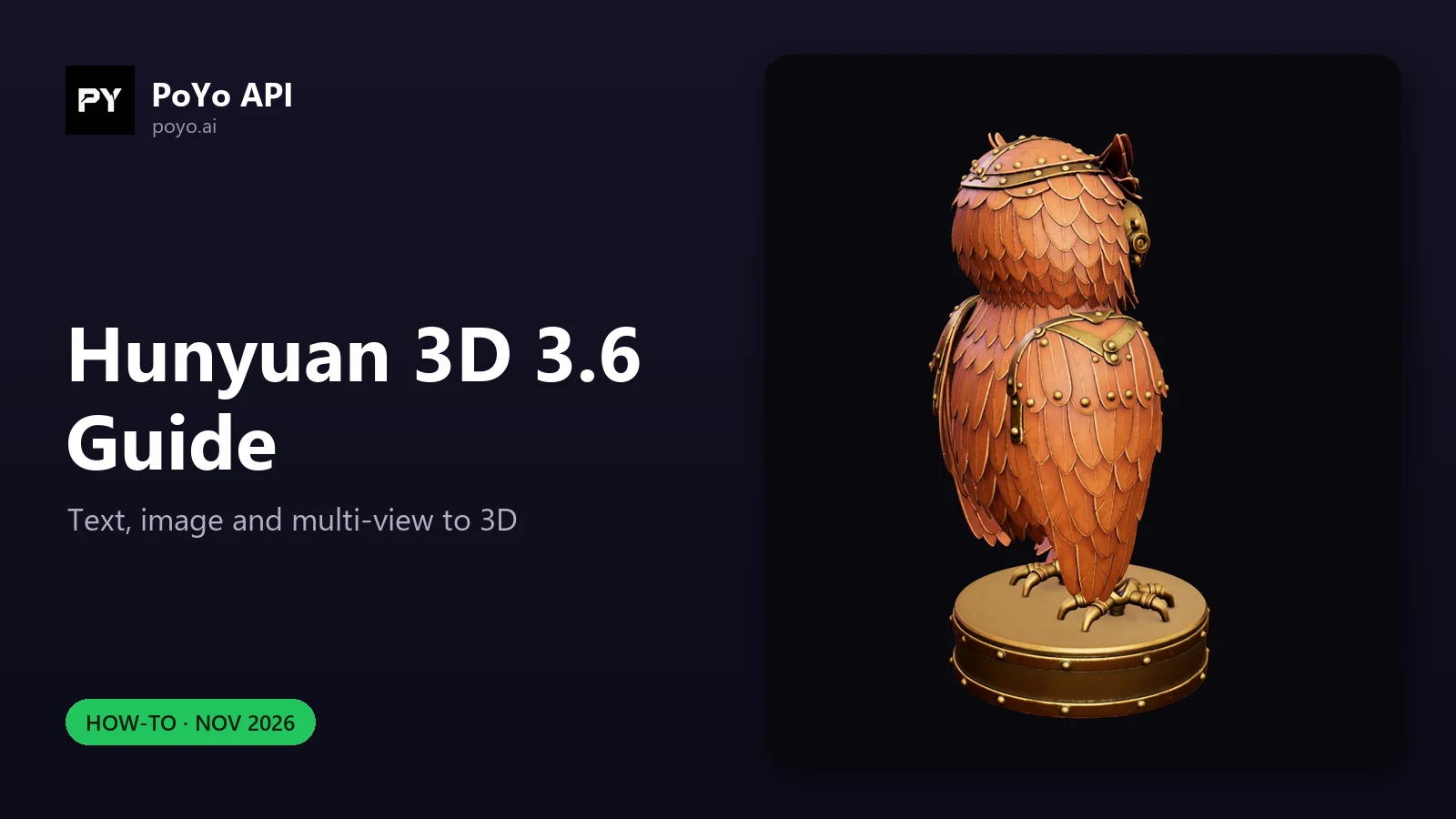
이 Hunyuan 3D 3.6 API 가이드는 API 키 준비부터 GLB 다운로드까지 안내합니다. 모든 요청은 하나의 엔드포인트로 가며, 두 모델 ID hunyuan-3d/v3.6/text-to-3d 또는 hunyuan-3d/v3.6/image-to-3d 중 하나를 지정해 비동기 작업으로 실행됩니다. 아래에는 text to 3D, image to 3D, 최대 8개 뷰의 멀티뷰 입력, PBR, 면 수, 텍스처 크기, 지오메트리 전용 모드에 쓸 수 있는 동작하는 JSON 본문과 Python, Node 폴링 코드가 있습니다. 먼저 Hunyuan 3D 3.6 모델 페이지의 Playground에서 시험해 보세요.
Hunyuan 3D 3.6 API 호출 흐름
Authorization: Bearer $POYO_API_KEY와 함께POST https://api.poyo.ai/api/generate/submit을 호출합니다. JSON 본문에는model,input, 그리고 선택 사항인 최상위callback_url을 넣습니다.- 응답은 상태가
not_started인data.task_id를 반환합니다. 제출 성공이 곧 모델 완성은 아닙니다. status가finished또는failed가 될 때까지GET https://api.poyo.ai/api/generate/status/{task_id}를 폴링하거나 웹훅을 기다립니다.data.files를 읽습니다. GLB(file_type: "3d")가 먼저 오고, 텍스처 작업이면 OBJ ZIP(file_type: "3d",.zip), 마지막으로 PNG 미리보기(file_type: "image")가 옵니다.
모든 응답에는 비즈니스 code가 있습니다. HTTP 상태와 함께 확인하세요. 일부 유효성 검사 오류는 HTTP 200과 함께 본문에 code: 400을 반환합니다.
cURL로 Text to 3D
curl https://api.poyo.ai/api/generate/submit \
  -H "Authorization: Bearer $POYO_API_KEY" \
  -H "Content-Type: application/json" \
  -d '{
    "model": "hunyuan-3d/v3.6/text-to-3d",
    "callback_url": "https://your-domain.com/callback",
    "input": {
      "prompt": "A battle-worn dwarf blacksmith in a layered leather apron over chainmail, riveted steel pauldrons, a braided beard with iron rings, holding a forging hammer in one hand",
      "enable_pbr": true
    }
  }'
prompt와 enable_pbr만 지정하면 기본값으로 텍스처 모델을 얻습니다. 목표 면 수 2,000,000, 4K JPEG 텍스처, metallic, roughness, normal 맵입니다. 대상, 파트, 재질, 색상을 묘사하세요. 프롬프트는 1~1,024자입니다.
그다음 작업을 확인합니다.
curl https://api.poyo.ai/api/generate/status/YOUR_TASK_ID \
  -H "Authorization: Bearer $POYO_API_KEY"
입력 모드별 JSON 본문
스타일을 적용한 Text to 3D. style은 text to 3D 전용이며 qinghuaci(청화백자), china_style, sculpture, cartoon, cyberpunk 중에서 고릅니다. 프롬프트를 그대로 따르려면 생략하세요.
{
  "model": "hunyuan-3d/v3.6/text-to-3d",
  "input": {
    "prompt": "A round teapot with a dragon-shaped spout, a curled handle and a lid knob shaped like a lotus bud",
    "style": "qinghuaci",
    "enable_pbr": true,
    "texture_format": "png"
  }
}
정면 뷰 1장으로 Image to 3D. image_urls에는 이미지를 정확히 1장 넣습니다. JPG, PNG 또는 WEBP, 변당 128~5000 px, 10 MB 미만, 공개 URL이어야 합니다. 객체 전체가 프레임에 들어오고 배경이 단색인 깔끔한 정면 뷰를 사용하세요.
{
  "model": "hunyuan-3d/v3.6/image-to-3d",
  "input": {
    "image_urls": ["https://storage.poyo.ai/models/hunyuan-3d-3-6/examples/input-steampunk-owl-front-8ab04096913b.png"],
    "enable_pbr": true
  }
}
사진의 조명과 그림자를 텍스처에 남기려면 "bake_lighting": true를 추가하세요. 기본값은 엔진에서 다시 조명할 수 있는, 조명이 없는 알베도 텍스처입니다.
멀티뷰 Image to 3D, 최대 8개 뷰. 정면 뷰는 image_urls에 그대로 두고, 이름 있는 뷰 필드 7개 중 원하는 것을 추가합니다. 필드마다 JPG 또는 PNG 1장입니다. 모든 뷰는 같은 객체를 보여야 합니다.
{
  "model": "hunyuan-3d/v3.6/image-to-3d",
  "input": {
    "image_urls": ["https://example.com/owl-front.png"],
    "back_image_url": "https://example.com/owl-back.png",
    "left_image_url": "https://example.com/owl-left.png",
    "right_image_url": "https://example.com/owl-right.png",
    "top_image_url": "https://example.com/owl-top.png",
    "bottom_image_url": "https://example.com/owl-bottom.png",
    "left_front_image_url": "https://example.com/owl-left-front.png",
    "right_front_image_url": "https://example.com/owl-right-front.png",
    "enable_pbr": true,
    "ao_strength": 0.5
  }
}
추가 뷰가 하나만 있어도 작업이 멀티뷰 생성과 그 가격으로 전환됩니다. ao_strength(0~1, 기본값 0)는 앰비언트 오클루전을 설정하며 텍스처가 있는 멀티뷰 작업에만 적용됩니다.
면 수와 텍스처 크기. face_count는 1,000~2,000,000을 받습니다. 기본적으로 모델은 이 값을 목표로 보고 객체에 맞게 조정하며, face_strict_mode: true는 정확한 수를 강제합니다. texture_resolution은 2k, 4k, 8k이고, seamless_texture: true는 세밀한 텍스처 디테일 대신 이음새를 줄입니다.
{
  "model": "hunyuan-3d/v3.6/image-to-3d",
  "input": {
    "image_urls": ["https://example.com/sneaker-front.png"],
    "face_count": 200000,
    "face_strict_mode": true,
    "texture_resolution": "2k",
    "texture_format": "webp",
    "enable_pbr": true
  }
}
마지막 디테일보다 파일 크기가 중요한 웹 뷰어와 AR에 맞는 구성입니다.
지오메트리만. generate_type: "Geometry"는 텍스처 없는 화이트 모델을 반환합니다. GLB와 PNG 미리보기만 있고 OBJ ZIP은 없습니다. 이 작업에서는 텍스처 옵션이 무시되므로 생략하세요.
{
  "model": "hunyuan-3d/v3.6/text-to-3d",
  "input": {
    "prompt": "A carved wooden chess knight with a flowing mane, flared nostrils and a ringed round base",
    "generate_type": "Geometry",
    "face_count": 300000,
    "face_strict_mode": true
  }
}
Python으로 작성한 제한 시간 있는 폴링 루프
requests가 설치된 백엔드에서 실행하세요. HTTP 오류와 비즈니스 오류를 확인하고, 작업이 실패하면 멈추며, 30분이 지나면 포기합니다. 타임아웃은 "같은 task ID를 나중에 다시 확인"하라는 뜻이지 "다시 제출"하라는 뜻이 아닙니다. 두 번째 제출은 두 번째로 과금되는 생성입니다.
import os
import time
import requests

BASE = "https://api.poyo.ai"
s = requests.Session()
s.headers["Authorization"] = "Bearer " + os.environ["POYO_API_KEY"]

def checked(resp):
    resp.raise_for_status()
    body = resp.json()
    if body.get("code") != 200:
        raise RuntimeError(f"PoYo error {body.get('code')}: {body.get('error')}")
    return body["data"]

task = checked(s.post(BASE + "/api/generate/submit", json={
    "model": "hunyuan-3d/v3.6/image-to-3d",
    "input": {
        "image_urls": ["https://example.com/owl-front.png"],
        "enable_pbr": True,
    },
}, timeout=60))
task_id = task["task_id"]
print("task", task_id, flush=True)

deadline = time.monotonic() + 30 * 60
while time.monotonic() < deadline:
    task = checked(s.get(f"{BASE}/api/generate/status/{task_id}", timeout=60))
    if task["status"] == "failed":
        raise RuntimeError(task.get("error_message") or "generation failed")
    if task["status"] == "finished":
        break
    time.sleep(15)
else:
    raise TimeoutError("still running, poll again later: " + task_id)

print("charged", task.get("credits_amount"), "credits")
for f in task["files"]:
    name = f["file_url"].rsplit("/", 1)[-1]
    with s.get(f["file_url"], stream=True, timeout=300) as r:
        r.raise_for_status()
        with open(name, "wb") as out:
            for chunk in r.iter_content(1 << 20):
                out.write(chunk)
    print("saved", f["file_type"], name)
다운로드는 스트리밍으로 받으세요. 출시일 테스트에서 텍스처 GLB는 72 MB와 82 MB, OBJ ZIP은 49 MB와 55 MB였습니다.
Node로 같은 흐름 구현
Node 18 이상, 의존성 없음:
const BASE = "https://api.poyo.ai";
const headers = {
  Authorization: `Bearer ${process.env.POYO_API_KEY}`,
  "Content-Type": "application/json",
};

async function call(path, init = {}) {
  const res = await fetch(BASE + path, { ...init, headers });
  const body = await res.json();
  if (!res.ok || body.code !== 200) {
    throw new Error(`PoYo error ${body.code}: ${JSON.stringify(body.error)}`);
  }
  return body.data;
}

const { task_id } = await call("/api/generate/submit", {
  method: "POST",
  body: JSON.stringify({
    model: "hunyuan-3d/v3.6/text-to-3d",
    input: {
      prompt: "An armored knight with a long cape, a kite shield and a sword",
      enable_pbr: true,
    },
  }),
});

const deadline = Date.now() + 30 * 60 * 1000;
let task;
while (Date.now() < deadline) {
  task = await call(`/api/generate/status/${task_id}`);
  if (task.status === "failed") throw new Error(task.error_message);
  if (task.status === "finished") break;
  await new Promise((r) => setTimeout(r, 15000));
}
if (task?.status !== "finished") throw new Error(`poll again later: ${task_id}`);

const glb = task.files.find((f) => f.file_url.endsWith(".glb"));
console.log(glb.file_url);
프로덕션에서는 callback_url을 권장합니다. 작업이 finished 또는 failed가 되면 PoYo가 작업 데이터를 해당 URL로 POST하며, X-Webhook-Signature에 HMAC-SHA256으로 서명합니다. 서명 규칙과 키 엔드포인트는 3D 웹훅 문서에 있습니다.
처리해야 할 유효성 검사 규칙과 오류
| 제출 전 확인 | 이유 |
|---|---|
prompt는 1~1,024자, 공백만은 안 됨 | text to 3D 필수 항목 |
image_urls에는 URL 정확히 1개 | 추가 이미지는 배열이 아니라 이름 있는 뷰 필드에 넣습니다 |
| 뷰 이미지는 JPG 또는 PNG, 128~5000 px | WEBP는 정면 뷰에서만 허용됩니다 |
face_count는 1,000~2,000,000 사이의 정수 | 범위를 벗어난 값은 거부됩니다 |
image to 3D에 style 금지, text to 3D에 뷰 필드 금지 | 필드는 모델별로 다르며, 알 수 없는 필드는 거부됩니다 |
code | 조치 |
|---|---|
| 400 | 본문을 수정하세요. 그대로 재시도하지 마세요 |
| 401 | API 키를 확인하세요 |
| 402 | 크레딧을 충전하세요. 아무것도 생성되지 않았습니다 |
| 429 | 잠시 기다렸다가 제출을 재시도하세요 |
| 500, 502, 503 | 백오프하며 재시도하세요. task_id가 반환되었다면 다시 제출하지 말고 그것을 폴링하세요 |
결과 불러오기
GLB는 three.js, Blender, Unity(glTF 임포터 사용), 대부분의 웹 뷰어에서 바로 불러올 수 있고, OBJ ZIP에는 OBJ를 선호하는 툴을 위한 OBJ, MTL, 텍스처 맵이 들어 있습니다. 테스트에서 지오메트리 전용 GLB는 1,999,996 삼각형에 버텍스 노멀이 없었으므로, 셰이딩 전에 three.js에서 geometry.computeVertexNormals()를 호출하거나 DCC 툴에서 노멀을 다시 계산하세요.
첫 청구액 계산 방식
가격은 생성마다 고정이며 모델 ID, generate_type, 뷰 필드 유무로 정해집니다. 1크레딧 = $0.005입니다.
| 요청 | 크레딧 | USD |
|---|---|---|
| Text to 3D, 텍스처 포함 | 400 | $2.00 |
Text to 3D, Geometry | 160 | $0.80 |
| Image to 3D, 뷰 1장, 텍스처 포함 | 280 | $1.40 |
Image to 3D, 뷰 1장, Geometry | 120 | $0.60 |
| Image to 3D, 추가 뷰 포함, 텍스처 포함 | 400 | $2.00 |
Image to 3D, 추가 뷰 포함, Geometry | 160 | $0.80 |
enable_pbr, texture_resolution: "8k", 사용자 지정 face_count는 가격을 올리지 않습니다. 청구액은 상태 응답의 credits_amount에 표시됩니다. 출시일 실행에서 세 작업은 표와 같이 400, 280, 160크레딧이 청구되었습니다. 배치 예산과 다른 3D 모델과의 비교는 Hunyuan 3D 3.6 API 가격 가이드를 참고하세요. 모델 개요와 출시일 결과는 Hunyuan 3D 3.6 API 개요부터 읽어 보세요. 시작점으로 쓸 깔끔한 정면 뷰가 필요하다면 GPT Image 2.6 같은 이미지 모델로 같은 API 키를 사용해 만들 수 있습니다.
자주 묻는 질문
Python에서 Hunyuan 3D 3.6 API를 어떻게 호출하나요?
Bearer 키로 JSON 본문을 https://api.poyo.ai/api/generate/submit에 POST하고 data.task_id를 저장한 뒤, 위 루프처럼 finished가 될 때까지 /api/generate/status/{task_id}를 폴링하세요.
Hunyuan 3D 3.6 API에 여러 뷰를 보내려면 어떻게 하나요?
정면 뷰는 image_urls에, 나머지 각도는 각자의 필드에 넣으세요: back_image_url, left_image_url, right_image_url, top_image_url, bottom_image_url, left_front_image_url, right_front_image_url. 합쳐서 최대 8장입니다.
Hunyuan 3D 3.6 API에서 PBR 재질을 얻으려면 어떻게 하나요?
Normal(텍스처) 작업에 enable_pbr: true를 설정하세요. metallic, roughness, normal 맵을 추가 비용 없이 받을 수 있습니다.
Hunyuan 3D 3.6 API 모델의 파일 크기를 줄이려면 어떻게 하나요?
face_count를 낮추고(정확한 수가 필요하면 face_strict_mode: true) texture_resolution: "2k"를 사용하세요. 기본값은 2,000,000면입니다.
Hunyuan 3D 3.6 API는 FBX나 STL을 반환하나요? PoYo에서는 반환하지 않습니다. 작업은 GLB, 텍스처 모델용 OBJ ZIP, PNG 미리보기를 반환하므로, 다른 형식은 자체 파이프라인에서 변환하세요.
Hunyuan 3D 3.6 API 요청이 code 400으로 실패한 이유는 무엇인가요?
대개 잘못된 모델 ID에 필드를 넣었거나(예: image to 3D에 style), image_urls에 URL이 두 개 이상이거나, 값이 범위를 벗어난 경우입니다. error.message를 읽고 본문을 수정한 뒤 다시 제출하세요.