

Omni Reference is useful when a prompt alone cannot identify the exact character, product, movement, or environment you need. The key is to give each reference a separate job: one establishes the subject, another the scene, and a video may guide motion. Adding assets without resolving contradictions can make the task less clear.
This tutorial follows PoYo's Kling 4.0 endpoint, checked October 24, 2026. Official creator-app capabilities and provider-specific API fields should be verified separately.
Map the asset to the right field
| Asset role | PoYo field | Prompt reference |
|---|---|---|
| Image appearance, scene, product, or style | reference_image_urls | @Image1, @Image2 |
| Motion, performance, or camera reference | reference_video_urls | @Video1, @Video2 |
| One subject shown in several images | kling_elements[].element_input_urls | @Element1, @Element2 |
| One subject defined by a video | kling_elements[].element_input_video_urls | @Element1, @Element2 |
| Exact opening composition | One image_urls entry in reference mode | Establishes the first frame |
Image-defined subjects require two to four images of the same subject, with a frontal view first. A video-defined subject contains one video. Use one form per subject, not both. Reference numbering follows the order within each array; @Element1 is not an object name that the API invents automatically.
A recorded two-image example
PoYo's conservatory sample assigns the adult naturalist to the first reference and the glasshouse environment to the second. The request specifies the raincoat, satchel and lantern as identity anchors, then describes a camera progression from close detail to a wider reveal.
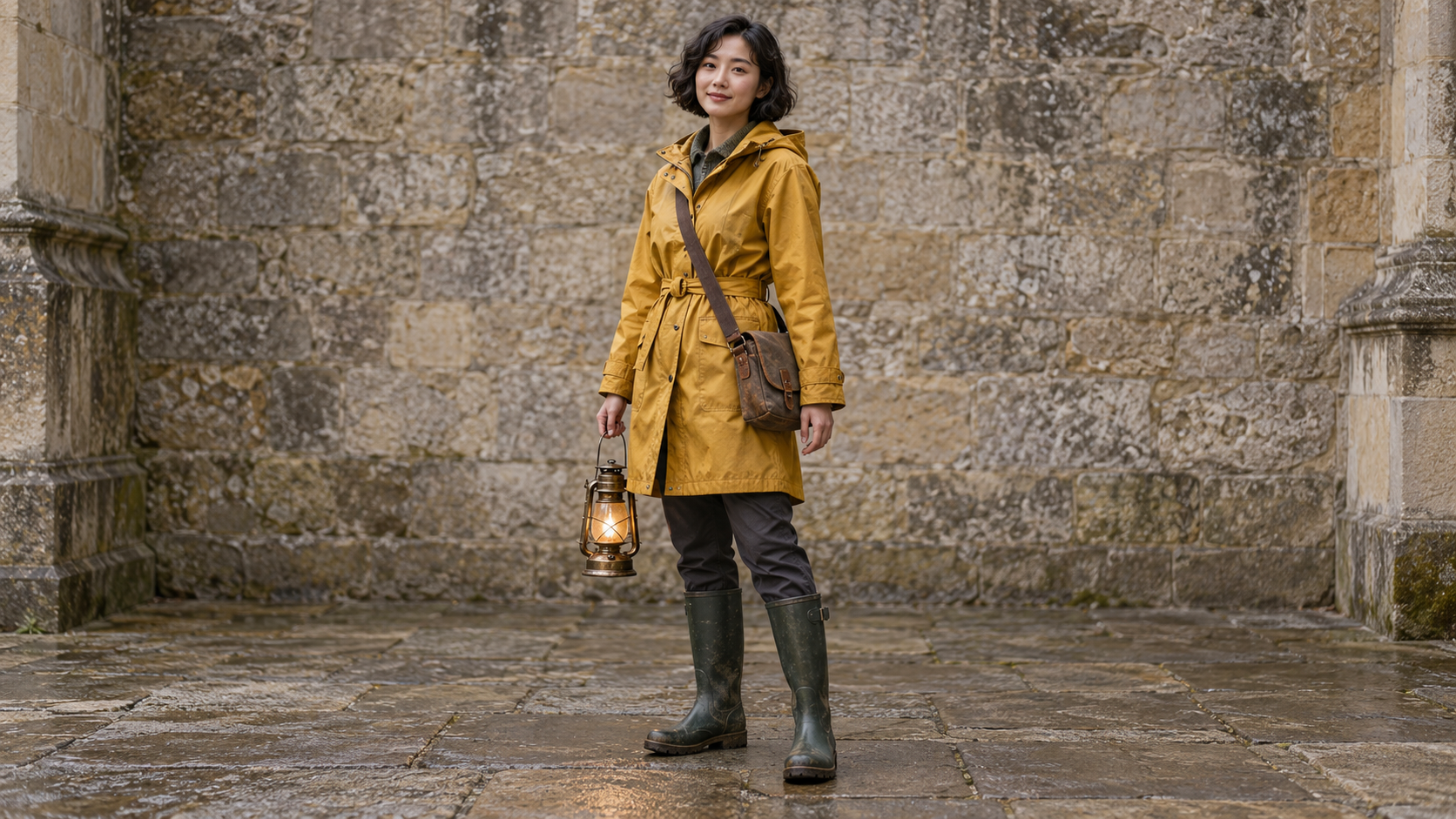
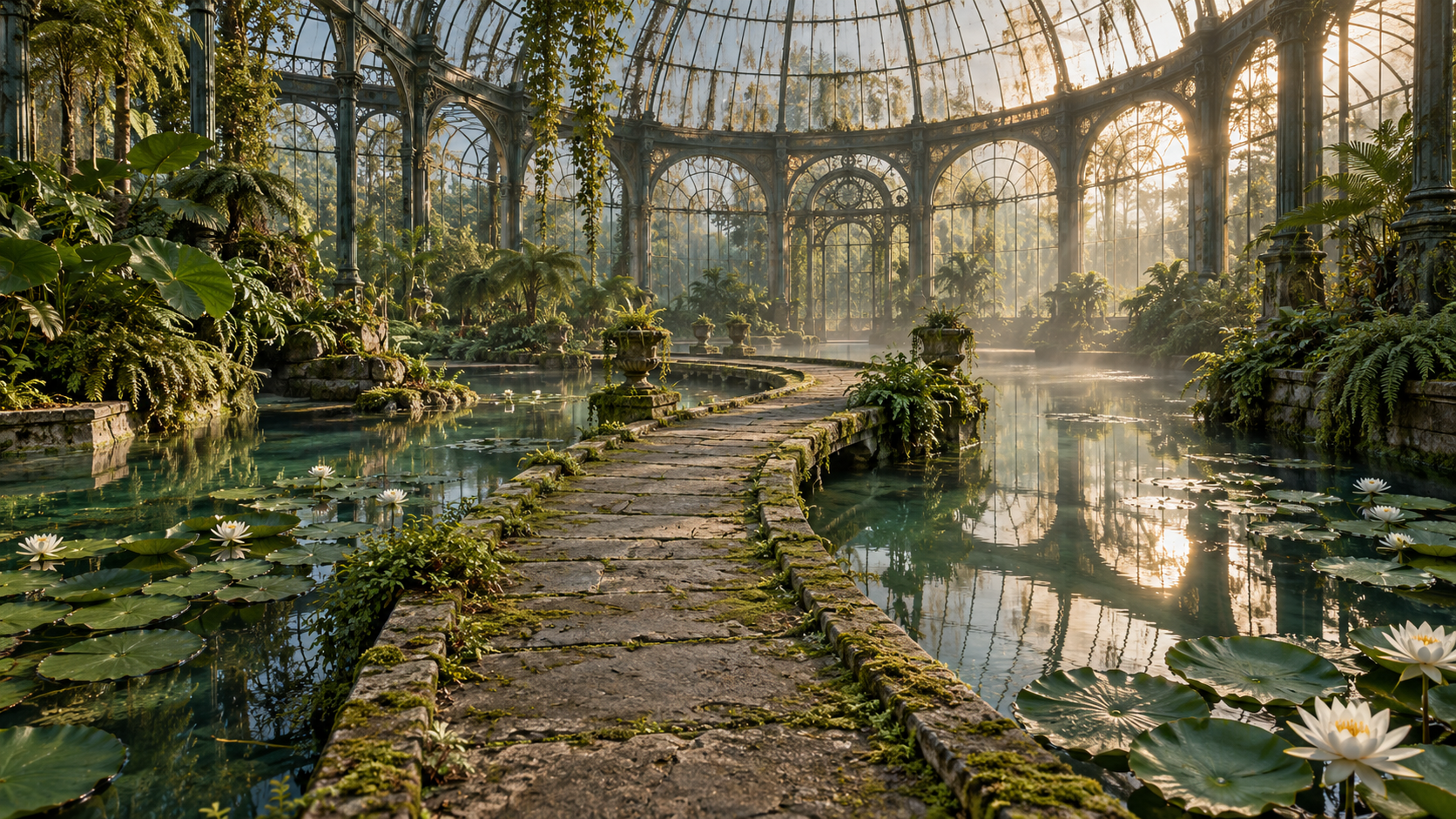
The recorded task BIIA0RLIILB65JTX requested 15 seconds at 1080p, 16:9, with two reference images. Its recorded charge is 637.5 credits, matching the no-video rate of 42.5 credits per output second. The sample uses legacy @image_1 and @image_2 notation, which PoYo also accepts. New requests can use the clearer @Image1 and @Image2 form.
Download the original request and sample metadata. Inspect whether the lantern stays in the intended hand, the face and clothing stay recognizable, and the bridge layout remains coherent. Treat those as review questions rather than guaranteed properties of any reference request.
Start with two references and explicit responsibilities
This abbreviated pattern uses the same two roles. It is a new template, not the exact prompt that produced the saved video:
{
  "model": "kling-4.0",
  "input": {
    "prompt": "Use @Image1 for the adult naturalist's identity, mustard raincoat and brass lantern. Use @Image2 for the glass conservatory and narrow mossy bridge. She takes two careful steps across the bridge, keeping the lantern in her right hand. One slow side-following shot, realistic foot contact and reflections. Do not display reference images as a collage.",
    "duration": 5,
    "resolution": "720p",
    "aspect_ratio": "16:9",
    "reference_image_urls": [
      "https://storage.poyo.ai/blog/kling-4-0-series-20261024/conservatory-person-0437038b5fbc.png",
      "https://storage.poyo.ai/blog/kling-4-0-series-20261024/conservatory-scene-1b878de0f5cc.png"
    ]
  }
}
For a product, assign identity to a clean packshot and composition to a separate scene reference. Name the details that cannot drift: cap geometry, silhouette, material, color, or label placement. If two images show different versions of the same bottle, choose one authoritative version before generating.
Count limits before uploading
PoYo allows up to 10 reference images, five reference videos, and seven subjects, with at most three video-defined subjects. The combined request limit is 15 assets. Count a subject once at that level; do not count each internal subject photo as a separate top-level asset. An optional first frame also counts toward the 10-image and 15-asset limits.
Each input video must last 3–30 seconds. Reference and subject videos together cannot exceed 30 real seconds. A reference-generation request can include one first frame, but not an additional last frame. For a two-boundary-frame workflow, use ordinary image-to-video without reference arrays or subjects.
Test whether an extra reference helps
Keep a baseline with one clear identity reference. Add a scene image, then review what changed. Add a motion video only if the camera or performance cannot be described adequately. The purpose is to reduce ambiguity, not to fill every input slot.
Review the opening, middle, and ending together. Check character features, product proportions, object relationships, and unwanted reference-image montages. If output drifts after a camera turn, test a more restrained camera before adding more visual assets.
Billing and unsupported fields
Image references and image-only subjects use no-video pricing. A reference video or video-defined subject activates video-input billing, including the minimum of twice the output duration. The pricing guide shows worked examples.
The official model overview describes broader multimodal creative workflows. PoYo's current schema does not expose an audio-reference field, ten timed keyframe images, or 4K output. Use the API guide for current input boundaries, and the editing tutorial when the source footage itself must be retained.