Model icon
omnihuman-2.0
Image to Video
Audio to Video
Talking Avatar
View more ByteDance models
Model:
Use the OmniHuman 2.0 API on PoYo to turn one image and one audio track into a 720p video of the subject speaking, singing or performing. ByteDance's audio-driven model handles lip-sync, facial emotion, gestures and body movement, supports single takes of up to 5 minutes, and works with people, animals and stylized characters.

Input

Added 1/1

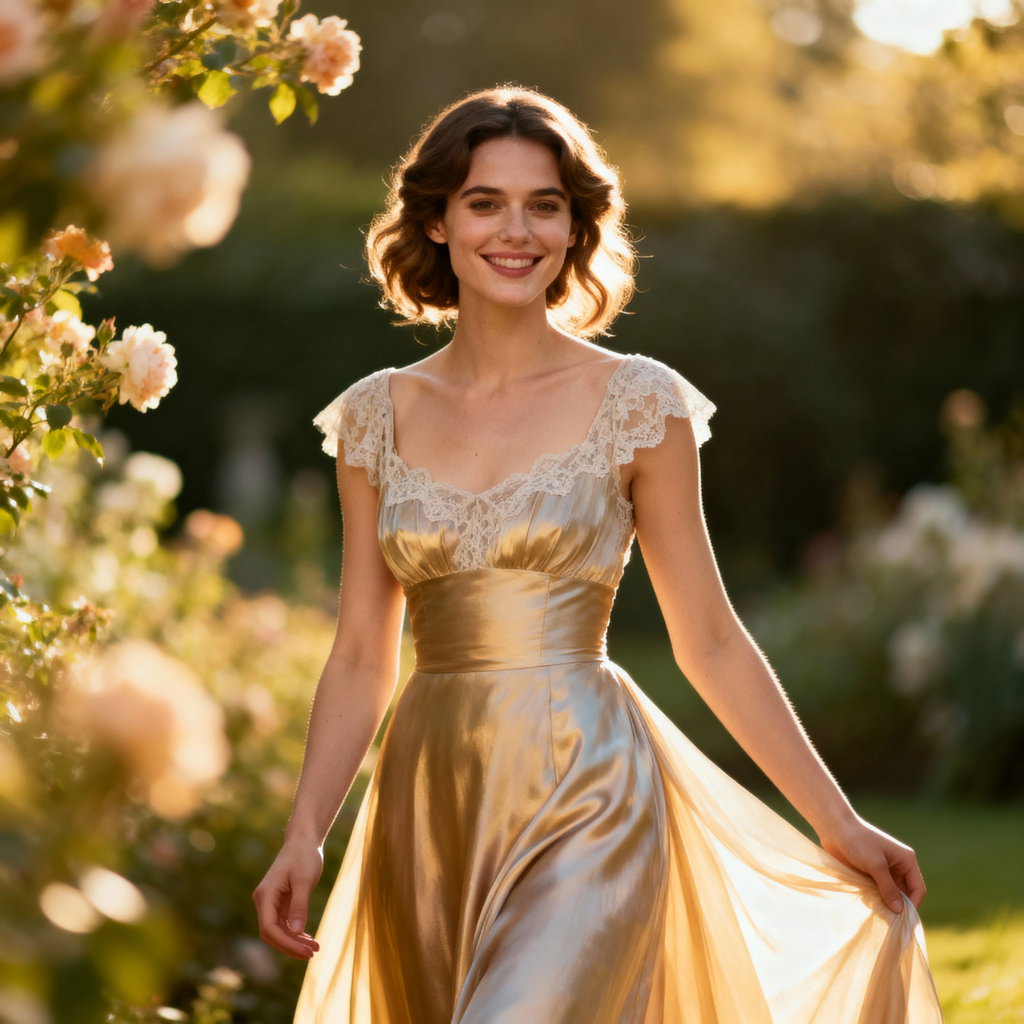
Drop files here, paste files, or add a URL. Required. Exactly one character image. JPEG, PNG, WebP, BMP, TIFF, GIF, HEIC or HEIF, up to 30 MB; 300–6,000 px per side and an aspect ratio between 0.4 and 2.5.

Image Urls 1
——
Added 1/1

Drop files here, paste files, or add a URL. Required. One WAV or MP3 voice, song or dialogue track, 4–300 seconds and up to 15 MB. The video length follows the audio.

Audio Url 1
1 · 11.0s

Output

Example Output

This is sample data. Generate a new result to see real output.

Task ID:G60QLE8QQ1VJG4W9Created:2026-10-17T17:23:10
Status:finishedProgress:100%
Pricing details

Transparent pricing with no hidden fees. Pay as you go.

ByteDanceomnihuman-2.0
720p
PoYo price
$0.105/sec
21 credits
Official price
-
You save
-

* Actual fees are based on the final output.

OMNIHUMAN 2.0

One image and one audio track into a talking, singing video

OmniHuman 2.0 API for Audio-Driven Avatar Video

OmniHuman 2.0 from ByteDance animates a single photo with your voice, dialogue or song. It reproduces timing, tone and emotion from the audio, adds natural gestures, and keeps the character stable across long takes. On PoYo, you pay only for the seconds of video generated.

OmniHuman 2.0 Model on PoYo

01

OmniHuman 2.0 Image + Audio to Video

Use omnihuman-2.0 with exactly one image in image_urls and one WAV or MP3 file in audio_url. Audio must be 4–300 seconds and no larger than 15MB. Add an optional prompt to direct actions, scene elements and camera movement. Output is 720p and runs as long as the audio.

Key Features of OmniHuman 2.0 API

Official OmniHuman 2.0 samples show emotional delivery, lip-sync, multi-person dialogue, singing and non-human characters. Turn on the sound to hear the source audio.

01

Faithful Voice, Tone and Emotion

OmniHuman 2.0 follows the rhythm, intonation and feeling of the audio rather than only moving the lips. Facial expressions, head motion and body language rise and fall with the delivery, so dramatic monologues and calm explanations each look natural.

  • Expressions and gestures driven by the audio
  • Natural pauses, breathing and emphasis
  • Optional prompt to direct actions and camera

02

Precise Lip-Sync for Any Character

Mouth shapes stay aligned with every syllable, even for characters that are not human. Animals, cartoon mascots, 3D figures and stylized illustrations can all speak or sing while keeping their original design.

  • Accurate syllable-level mouth movement
  • Works with photos, illustrations and 3D characters
  • Keeps the original look of the input image

03

Multi-Person Conversations

Start from an image with several people and OmniHuman 2.0 can stage a natural conversation, with the active speaker talking while the others listen and react. Use it for interviews, sketches and dialogue scenes without compositing separate clips.

  • Several characters in one frame
  • Listeners react while the speaker talks
  • Scene and lighting preserved from the source image

04

Singing and Long Takes up to 5 Minutes

OmniHuman 2.0 accepts audio of up to 300 seconds, enough for a full song, lesson or product walkthrough in one generation. Singing performances follow the melody with matching breath, expression and body rhythm.

  • Audio from 4 seconds to 5 minutes
  • Singing synchronized with melody and rhythm
  • One continuous take without stitching

05

Animals and Stylized Characters

Give a voice to mascots, pets and animated characters. OmniHuman 2.0 adapts facial movement to each character's anatomy, so a raccoon or a cartoon hero can talk with believable expressions.

  • Animal and creature faces
  • Cartoon, anime and 3D styles
  • Ideal for brand mascots and storytelling

Who Can Benefit from OmniHuman 2.0 API?

01

Education and Training

Turn recorded lessons and narration into presenter videos. Long-audio support covers full explanations in a single take, and a consistent instructor builds familiarity across a course.

02

Marketing and E-commerce

Create spokesperson videos, product explainers and localized ads from one photo. Swap the audio to produce versions in different languages while keeping the same presenter.

03

Music and Entertainment

Produce singing performances, lyric videos and character skits. OmniHuman 2.0 follows melody and rhythm, making it suitable for covers, virtual artists and short-form entertainment.

04

Virtual Hosts and Digital Humans

Animate a virtual anchor, customer-service avatar or brand ambassador with natural speech and gestures for websites, apps and social channels.

05

Mascots and Animated Characters

Bring pets, mascots and illustrated characters to life for campaigns, children's content and storytelling without traditional animation.

06

Developers and Creative Platforms

Add audio-driven avatar generation to your product through PoYo's asynchronous API, with task polling, callbacks and per-second billing.

OmniHuman 2.0 vs OmniHuman 1.5

OmniHuman 2.0 keeps the one-image, one-audio workflow of OmniHuman 1.5 and extends a single take from under a minute to 5 minutes. The trade-off is resolution: OmniHuman 2.0 outputs 720p, while OmniHuman 1.5 also offers 1080p.

FeatureOmniHuman 2.0 on PoYoOmniHuman 1.5
Inputs1 image + 1 audio track + optional prompt1 image + 1 audio track + optional prompt
Maximum audio and video length4–300 seconds (up to 5 minutes)Under 60 seconds at 720p; under 30 seconds at 1080p
Output resolution720p720p or 1080p
Prompt controlOptional; directs actions, scene elements and camera movementOptional; directs actions, objects and camera movement
Multi-person scenesSupportedSupported
SingingSupportedSupported
Non-human charactersPets, cartoon and anime charactersAnimals, anthropomorphic characters and cartoons

The OmniHuman 2.0 column lists the parameters PoYo accepts. The OmniHuman 1.5 column is based on ByteDance's OmniHuman 1.5 project page, the BytePlus product page and fal's API documentation. For both models, the video runs as long as the input audio.

How to Use OmniHuman 2.0 API on PoYo

Step 1: Register and create an API Key.
Sign in to PoYo and create an access key for your application.
Get API Key →

Step 2: Top up credits.
Add credits to your account. The Playground estimates credits from your audio length before you generate.
Add Credits →

Step 3: Integrate the API.
Send model: "omnihuman-2.0" with image_urls, audio_url and an optional prompt to /api/generate/submit, then query the task ID or provide a callback URL.
View API Reference →

Frequently Asked Questions about OmniHuman 2.0 API

What is OmniHuman 2.0 API?

OmniHuman 2.0 is ByteDance's audio-driven video generation model. Given one image and one audio file, it generates a video of the subject speaking, singing or performing with matching lip-sync, emotion and gestures. On PoYo, use the model ID omnihuman-2.0.

How is OmniHuman 2.0 priced?

OmniHuman 2.0 costs 21 credits ($0.105) per second of generated video. The Playground estimates the cost from the audio duration before submission, and the final charge is based on the actual output duration. For example, a 10-second video costs about 210 credits.

What audio files are supported?

audio_url accepts a WAV or MP3 file between 4 and 300 seconds long and no larger than 15MB. The output video matches the length of the audio, so a 2-minute track produces a 2-minute video.

What images work best?

Send exactly one image in image_urls. Clear, well-lit photos with visible faces give the most reliable results. ByteDance lists JPEG, PNG, WebP, BMP, TIFF, GIF, HEIC and HEIF, up to 30MB, with sides between 300 and 6000 pixels and an aspect ratio between 0.4 and 2.5.

What does the prompt control?

The prompt is optional. Use it to describe actions, scene elements and camera movement, such as "She smiles and gestures toward the product, with a slow push-in." Lip movement and emotion still follow the audio.

Can it animate animals, cartoons or multiple people?

Yes. OmniHuman 2.0 supports people, animals, stylized and 3D characters, and images containing several people. In multi-person images, the model stages the conversation so speakers and listeners react naturally.

What resolution does OmniHuman 2.0 output?

OmniHuman 2.0 outputs 720p video. The framing follows your input image, so crop the image to the composition you want before submitting.

Can I use generated videos commercially?

Review the applicable model and platform terms before commercial use. Make sure you have permission to use the likeness in the image and the voice or music in the audio, and disclose AI-generated content where required.

Why Use PoYo for OmniHuman 2.0 API Access

01

Pay per Generated Second

No subscription or minimum. You are charged for the seconds of video produced, and the Playground shows an estimate before you submit.

02

Test with Your Own Media

Upload an image and an audio file in the Playground, add a prompt, and inspect the exact JSON request before integrating.

03

One API for Many Models

Use the same authentication and task workflow for OmniHuman 2.0, Kling Avatar 2.0 and other video, image and audio models on PoYo.

04

Track Tasks or Receive Callbacks

Poll the task ID or provide a callback URL, then retrieve the finished video through the same asynchronous workflow.