Transparent pricing with no hidden fees. Pay as you go.
| Model | Spec | PoYo price | Official price | You save |
|---|---|---|---|---|
Text to Image | $0.020/image 4 credits /image | - | - | |
Image Edit | $0.020/image 4 credits /image | - | - |
* Actual fees are based on the final output.
Fast creative iteration. Simple per-image pricing.
Seedream 5.0 Flash API - Fast Image Generation and Editing
Available Seedream 5.0 Flash API Models on PoYo
Seedream 5.0 Flash Image Edit (seedream-5.0-flash-edit)
Key Features of Seedream 5.0 Flash API
Turn creative requirements into images through detailed image generation, multi-reference editing, multilingual text rendering, and complex prompt understanding.
01
Detailed Images with Realistic Textures
Describe materials, lighting, and surroundings to create detailed, realistic images with Seedream 5.0 Flash. Render ceramic glaze, fabric textures, wet rocks, and natural transmitted light, bringing the subject and scene together in a clear, layered composition.
- Render fine materials and surface textures
- Express natural lighting and scene atmosphere
- Create detailed photorealistic compositions

02
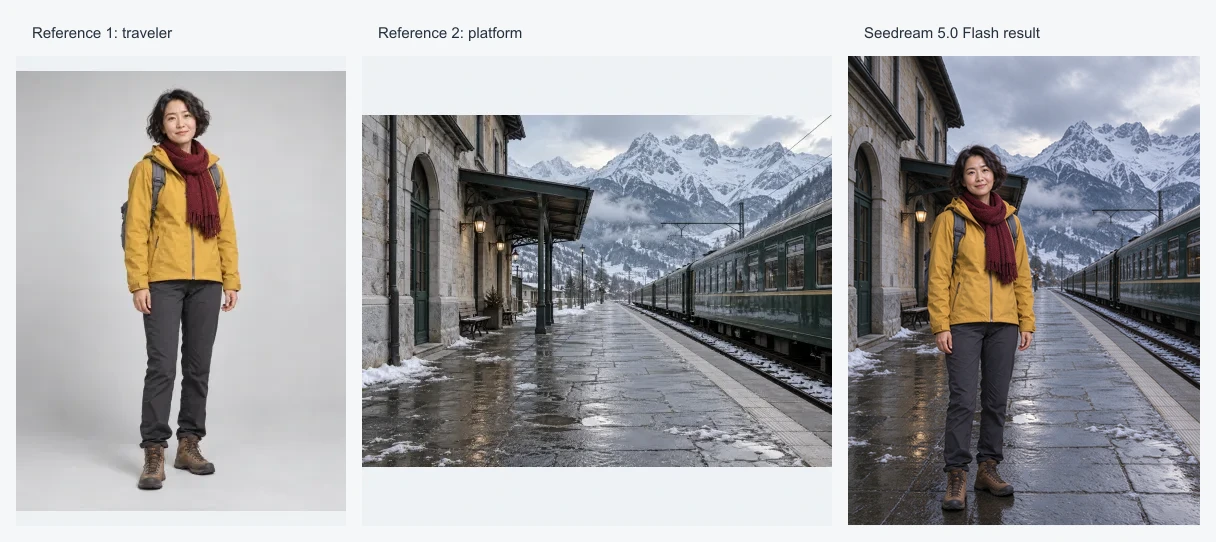
Multi-Reference Image Fusion and Editing
Combine up to 10 reference images to bring people, objects, and environments into one scene with Seedream 5.0 Flash. Use prompts to preserve key subject features, adjust backgrounds, materials, and composition, and guide lighting and perspective for coherent image edits.
- Combine up to 10 reference images
- Preserve subjects and their defining visual features
- Guide background and visual detail edits

03
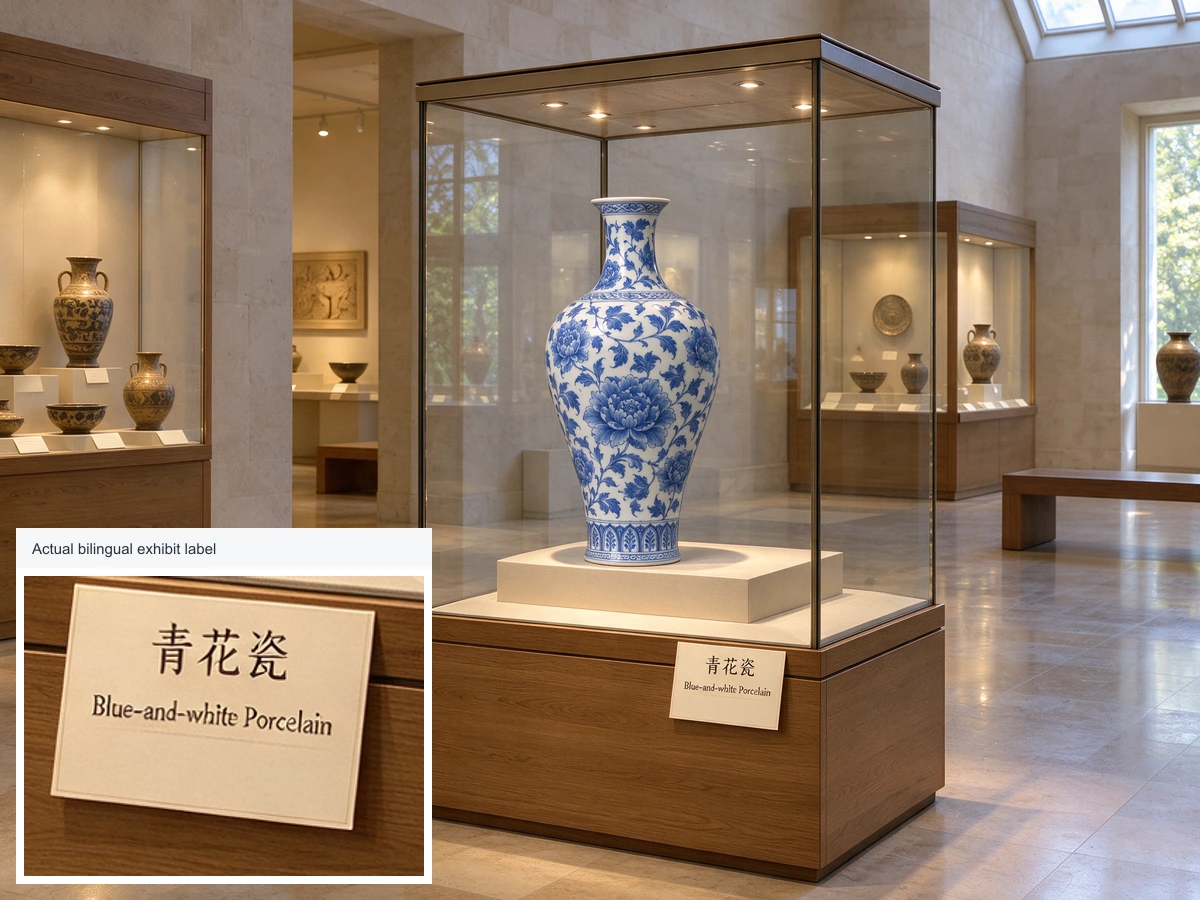
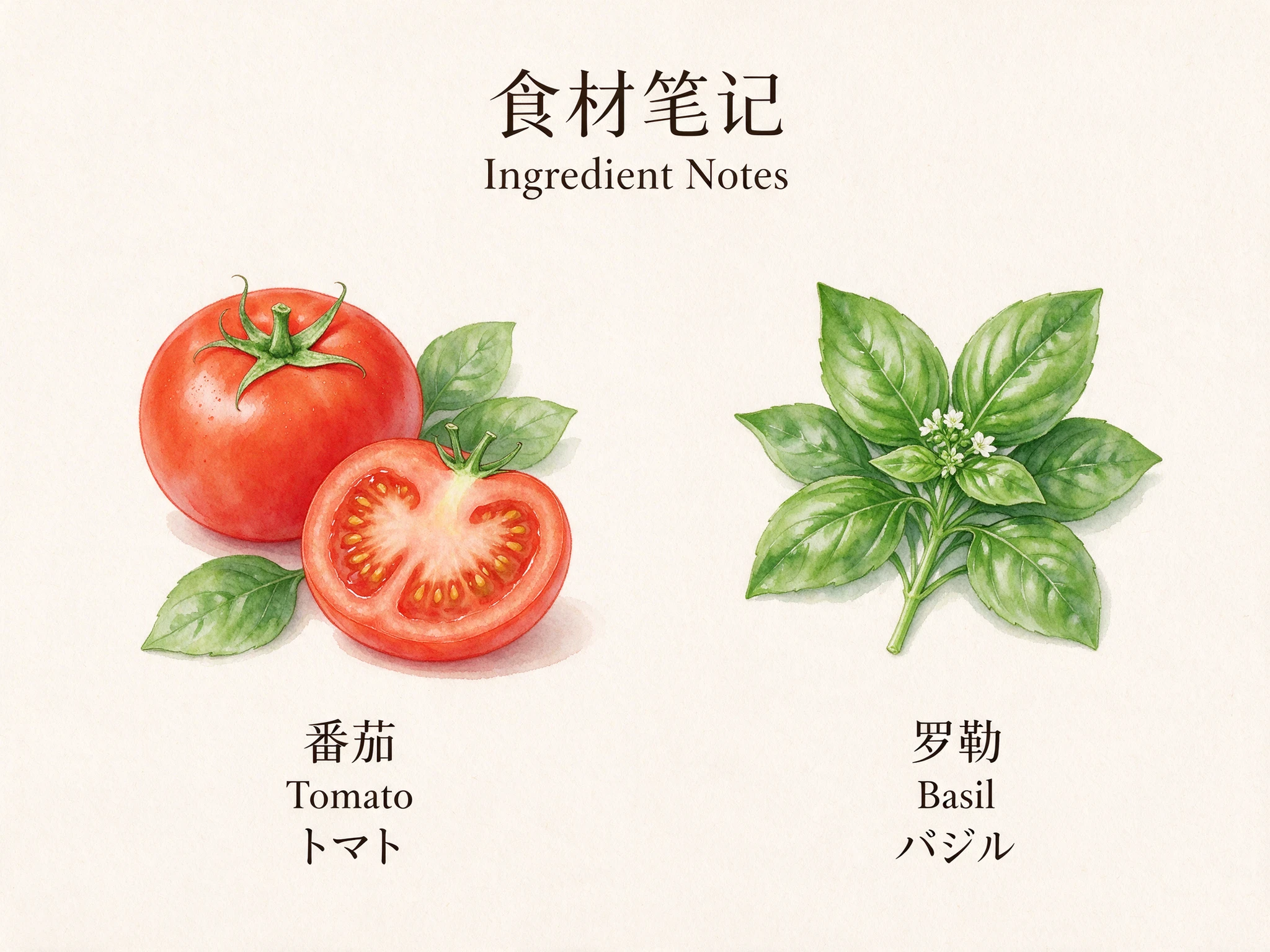
Multilingual Text Rendering
Specify text, language, placement, and typography to integrate multilingual lettering into images with Seedream 5.0 Flash. Combine illustrations, labels, and information layouts for ingredient notes, exhibition descriptions, and educational diagrams, using words and images together to communicate information.
- Render specified text in multiple languages
- Guide text placement and typography
- Combine lettering and imagery to communicate information

04
Complex Prompt Understanding and Composition Control
Specify subject counts, relative positions, perspective, and surroundings to explore complex compositions with Seedream 5.0 Flash. Describe relationships between elements and guide scene divisions and visual layers, turning combined creative requirements into a complete, coherent image.
- Interpret multiple combined visual instructions
- Arrange subjects and their spatial relationships
- Guide perspective and overall composition

Who Can Benefit from Seedream 5.0 Flash API?
E-Commerce Product Teams
Use Seedream 5.0 Flash to create product photography concepts, explore materials and backgrounds, and edit listing visuals with reference images. Square, portrait, and landscape compositions help teams prepare assets for storefronts and seasonal campaigns.
Advertising and Marketing Teams
Explore campaign concepts, ad layouts, and promotional imagery with Seedream 5.0 Flash. Generate and edit creative variations at a predictable 4-credit price, then develop the visual directions that best fit your product and audience.
Social Media Creators
Turn content ideas into illustrated posts, thumbnails, and branded graphics with Seedream 5.0 Flash. Choose vertical or square compositions and describe in-image text to create a visual direction tailored to your publishing channels.
Game Artists and Studios
Develop character concepts, props, environment studies, and stylized art drafts with Seedream 5.0 Flash. Reference-guided editing helps artists explore alternative materials, scenes, and visual treatments while keeping project ideas connected.
Brand Designers and Agencies
Use Seedream 5.0 Flash for packaging studies, visual moodboards, branded posters, and client revision concepts. Combine reference images with detailed prompts to explore consistent style directions and localized creative ideas across projects.
Education and Publishing Teams
Create illustrated learning materials, editorial concepts, posters, and explanatory visuals with Seedream 5.0 Flash. Multilingual text rendering and flexible composition controls help teams develop visual content for different audiences and publishing formats.
Seedream 5.0 Flash vs Seedream 5.0 Pro on PoYo
Choose a Seedream model around your production priorities. Flash emphasizes speed and value for frequent creative iteration; Pro emphasizes precision for detailed design work.
| Feature | Seedream 5.0 Flash | Seedream 5.0 Pro |
|---|---|---|
| Best For | Fast iteration, recurring creative production, and cost-efficient image workflows | Precise design, dense layouts, and detailed local edits |
| Creation Modes | Text to image and image editing | Text to image and image editing |
| Reference Images | Up to 10 for editing | Up to 10 for editing |
| Resolution on PoYo | 1K, 1.5K, 2K | 1K, 2K |
| Price on PoYo | 4 credits per image | 15 credits per image |
Both models use PoYo's unified submit and task-status workflow. Choose Flash for speed-focused production and Pro for precision-focused creative tasks.
How to Use Seedream 5.0 Flash API on PoYo
Step 1: Create an API Key
Sign in to PoYo and create an API key in your dashboard.
Create API Key →
Step 2: Add Credits
Top up your balance and plan your image workflow at 4 credits per generated or edited image.
Add Credits →
Step 3: Integrate the API
Use seedream-5.0-flash for text-to-image or seedream-5.0-flash-edit for editing. Submit prompt and optionally set size, resolution, output_format, and enable_safety_checker. Include image_urls for edits. Track the task through the status endpoint or your callback URL.
View API Documentation →
Frequently Asked Questions about Seedream 5.0 Flash API
What is Seedream 5.0 Flash?
How much does Seedream 5.0 Flash cost on PoYo?
Which model IDs should I use?
Which resolutions and aspect ratios are available?
How do I use reference images for editing?
How can I create images with multilingual text?
How do I receive the generated image?
Why Use PoYo for Seedream 5.0 Flash API Access
Predictable 4-Credit Pricing
Budget generation and editing around a single per-image rate. All 1K, 1.5K, and 2K output costs 4 credits per image, helping teams connect their creative production volume to a clear credit plan.
One API Workflow
Use PoYo's existing submit, task-status, and callback workflow for Seedream 5.0 Flash. Integrate generation and editing through familiar JSON requests and manage access with your PoYo API key.
Generation and Editing Together
Choose text-to-image or reference-guided editing in the same Playground. Aspect ratio, resolution, and output format controls help you shape each request around its creative destination.
Track Every Creative Task
Follow task status, review response data, and download finished images from the Playground. Async task IDs and callback notifications fit image creation into your application's existing production workflow.