Model icon
recraft-v4.1
Model:
Recraft V4.1 API for design-ready images and editable SVG vectors from text: Flash, Standard and Pro return WebP images, Vector and Pro Vector return SVG files. Five aspect ratios, optional palette and background color, from 1.4 credits per image.
Input
204/10000
0/10

No palette (omitted)

Automatic (omitted)
Output

Example Output

This is sample data. Generate a new result to see real output.

Task ID:example-OTXKXKETIWQ7MLINCreated:2026-11-20T15:00:38
Status:finishedProgress:100%
Generated image 1
Examples
Pricing details

Pay as you go. No subscription, no hidden fees.

1 credit = $0.005
TierPoYo price
Flash
Text to image
$0.007/image
1.4 credits/image
Standard
Text to image
$0.035/image
7 credits/image
Pro
Text to image
$0.210/image
42 credits/image
Vector
Text to vector
$0.080/image
16 credits/image
Pro Vector
Text to vector
$0.300/image
60 credits/image
How it's billed: Billed per output image.

Charges are based on the final output.

RECRAFT V4.1 API

Recraft's design-focused model for images, logos, icons and SVG illustrations

Recraft V4.1 API - Design-Ready Images and Editable SVG Vectors

The Recraft V4.1 API gives developers Recraft's design-focused image model through one REST API on PoYo, with no waitlist. Released on May 14, 2026, Recraft V4.1 turns a short or detailed prompt into posters, product shots, illustrations and logo-style lettering, and its Vector models return editable SVG files for logos, icons and flat illustrations. Pick Flash for fast drafts, Standard or Pro for finished images, and Vector or Pro Vector for SVG output.

Available Recraft V4.1 API Models on PoYo

01

Recraft V4.1 Flash (recraft-v4.1-flash)

The fastest and lowest-cost model in the Recraft V4.1 API, for drafts, previews and high-volume generation. It costs 1.4 credits ($0.007) per image and returns a WebP image; a 1:1 request returned 1024×1024 pixels in PoYo tests. Flash outputs raster images only, so use a Vector model when you need SVG.
02

Recraft V4.1 (recraft-v4.1)

The standard Recraft V4.1 model for brand, editorial and marketing visuals with balanced composition and natural light. It costs 7 credits ($0.035) per image and returns a WebP image: 1024×1024 at 1:1 and 896×1216 at 3:4 in PoYo tests. A good default for most Recraft V4.1 API requests.
03

Recraft V4.1 Pro (recraft-v4.1-pro)

The high-resolution raster model for hero images, campaigns and print, with finer detail than the standard model. It costs 42 credits ($0.21) per image; a 1:1 request returned a 2048×2048 WebP image in PoYo tests, twice the width and height of the standard model.
04

Recraft V4.1 Vector (recraft-v4.1-vector)

Text to SVG for logos, icons and flat illustrations. It costs 16 credits ($0.08) per SVG and returns an image/svg+xml file built from paths you can open and edit in Figma, Illustrator or any vector editor, or ship directly in a web page.
05

Recraft V4.1 Pro Vector (recraft-v4.1-pro-vector)

The detailed SVG model for posters, large-format graphics and brand illustrations with more shapes and layers. It costs 60 credits ($0.30) per SVG; a 3:4 travel poster request returned a 1792×2432 SVG with about 150 paths in PoYo tests.

Key Features of Recraft V4.1 API

What Recraft V4.1 is built for, from photoreal images and lettering to editable SVG files and palette control.

01

Design-Ready Images for Brand and Campaign Work

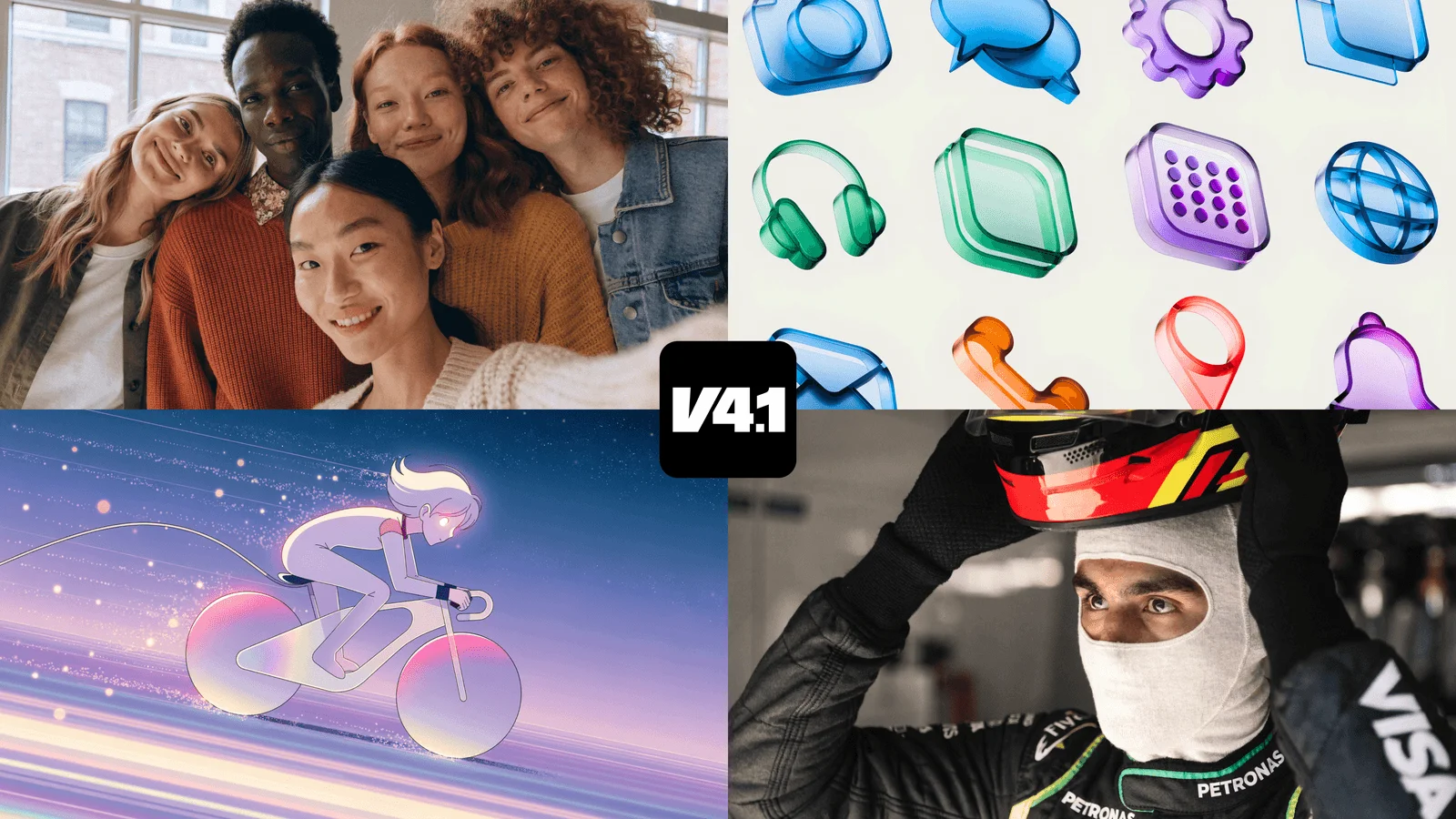
Generic image models often produce stock-like scenes that need heavy art direction. Recraft built V4.1 around design taste: balanced composition, coherent color and purposeful light, and Recraft says it reads short and long prompts equally well. With the Recraft V4.1 API, one prompt can return a finished campaign visual, app icon set or editorial portrait instead of a rough draft.

  • Balanced composition and coherent color
  • Short prompts and long briefs both work
  • Flash, Standard and Pro for different budgets
A Recraft V4.1 collage: a group portrait, glossy 3D app icons, a cyclist in pastel gradients and a racing driver close-up

02

Natural Photorealism for People and Products

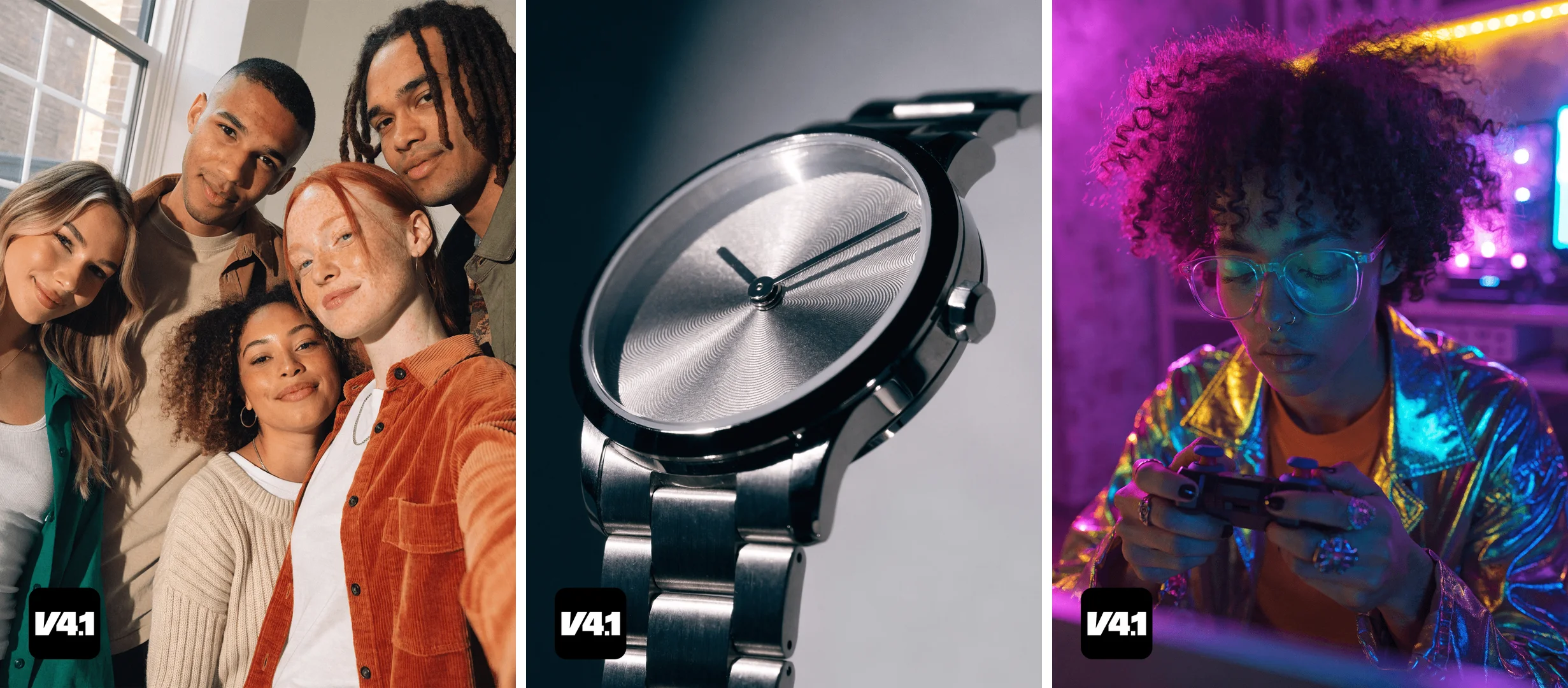
Lifestyle and product imagery fails when skin, metal or light look artificial. Recraft V4.1 renders quieter, more natural photorealism, with believable skin texture, realistic reflections on brushed steel and lighting that fits the scene, as in these group selfie, wristwatch and neon-lit portrait samples. Use Recraft V4.1 Pro when the image must hold up at 2048×2048 for print or hero banners.

  • Natural skin, fabric and metal textures
  • Calmer backgrounds with intentional lighting
  • Pro returns 2048×2048 at 1:1
Three Recraft V4.1 photos: friends taking a selfie by a window, a brushed steel wristwatch and a gamer in a holographic jacket under neon light

03

Lettering and Logo-Style Text in the Image

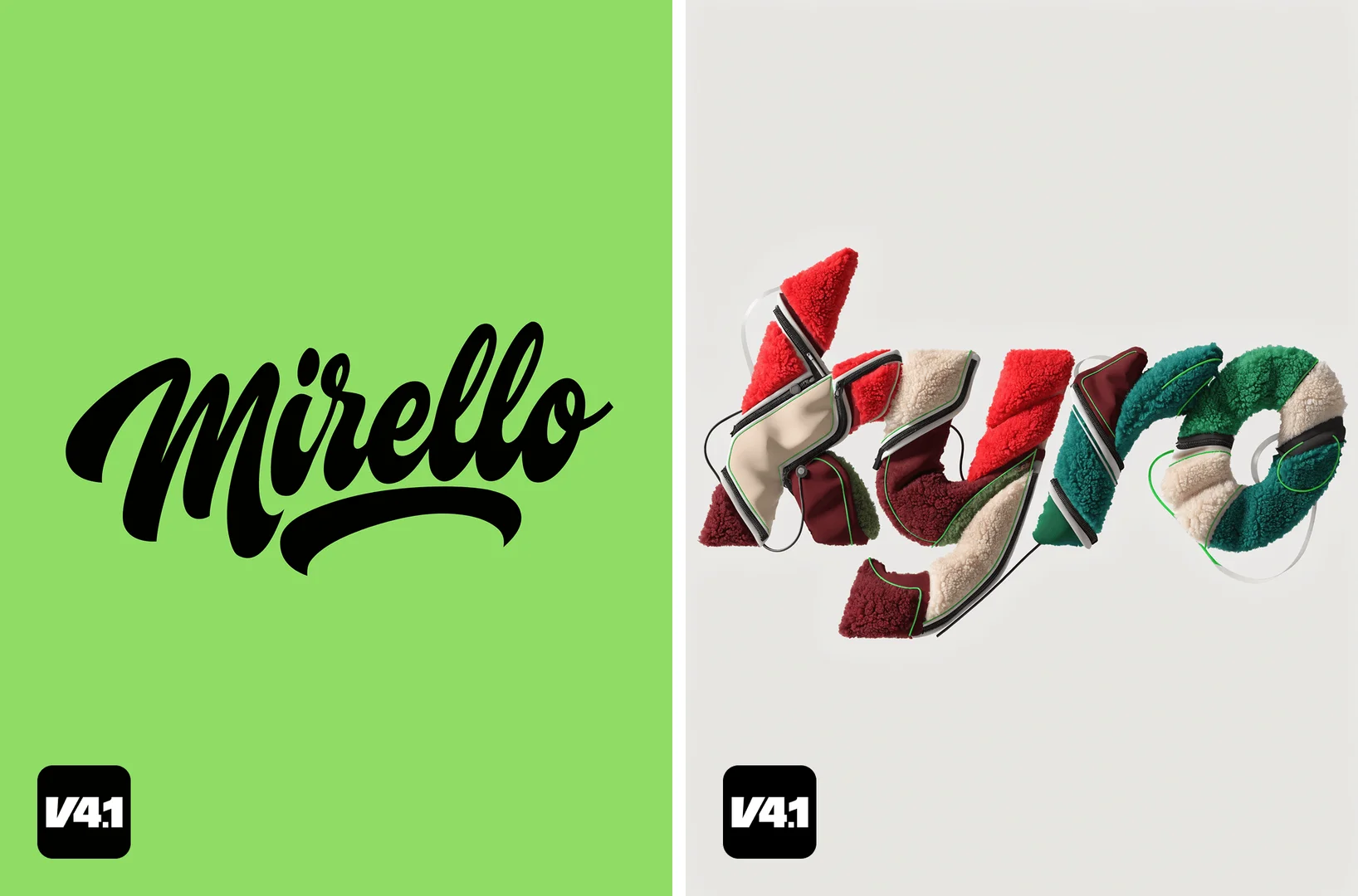
Wordmarks and posters are hard for image models that treat text as an afterthought. Recraft V4.1 writes lettering as part of the design, from a bold script wordmark with a swash underline to playful 3D letters, and Recraft notes it can keep logo-style text in flat colors without gradients when asked. Put the exact words in quotes in your Recraft V4.1 API prompt.

  • Script, sans-serif and 3D lettering
  • Quote the exact words to render
  • Ask for flat colors for logo work
Recraft V4.1 lettering: a black script Mirello logo with an underline swash on lime green, and the word kyro in knitted 3D letters

04

3D Renders and Smooth Gradients

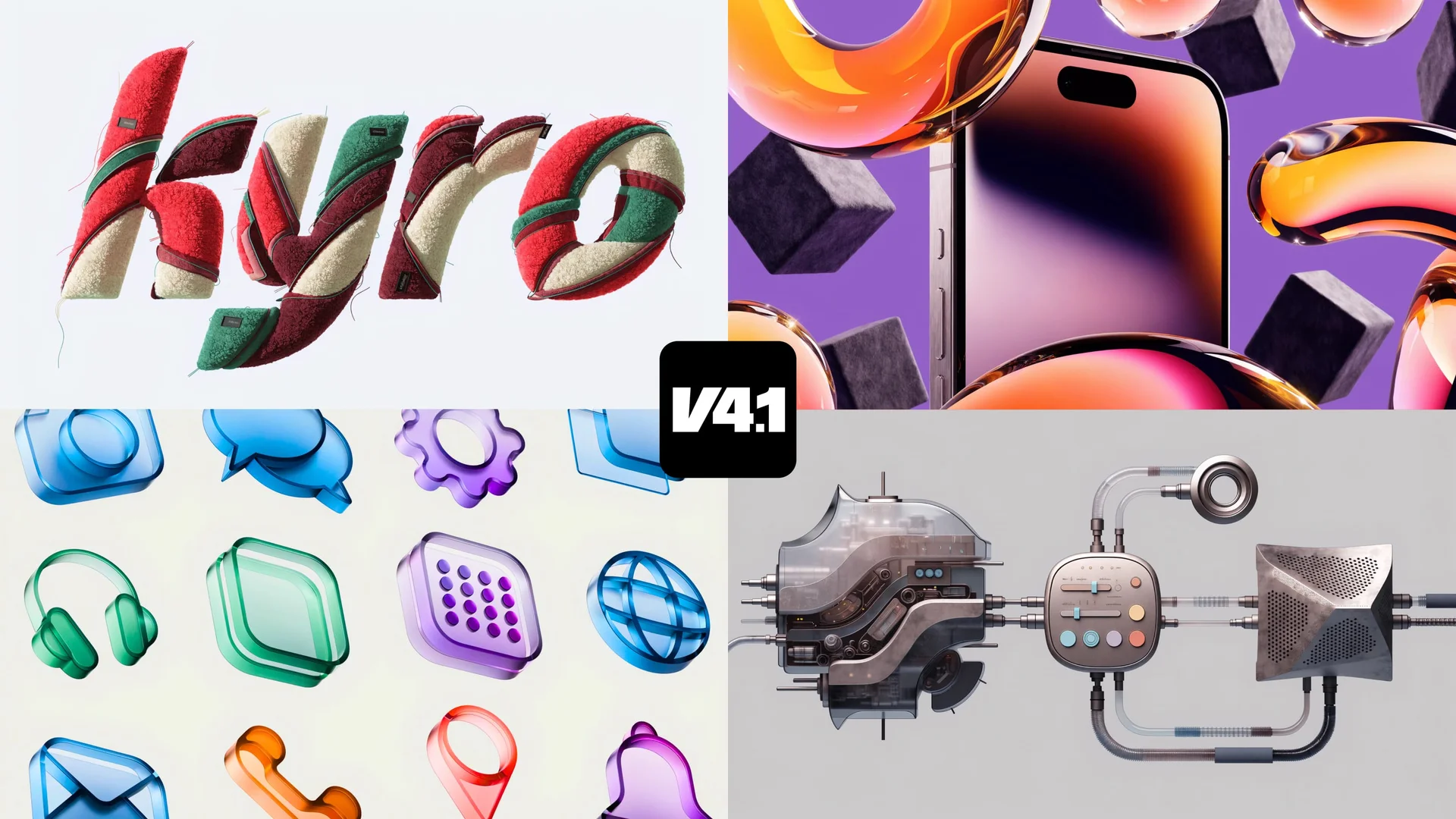
App icons, product renders and abstract key visuals need clean surfaces and smooth color transitions, not banding or plastic shading. Recraft V4.1 renders 3D objects with soft gradients, glossy materials and chrome that catches light naturally, which suits icon sets, landing page heroes and packaging concepts. The Recraft V4.1 API returns these as WebP images from any of the three raster models.

  • Glossy materials and natural reflections
  • Smooth gradients without harsh banding
  • Icon sets, heroes and packaging concepts
Recraft V4.1 3D work: knitted kyro lettering, glossy pastel app icons, a chrome phone on purple and a metallic machine render

05

Editable SVG Vectors for Logos, Icons and Posters

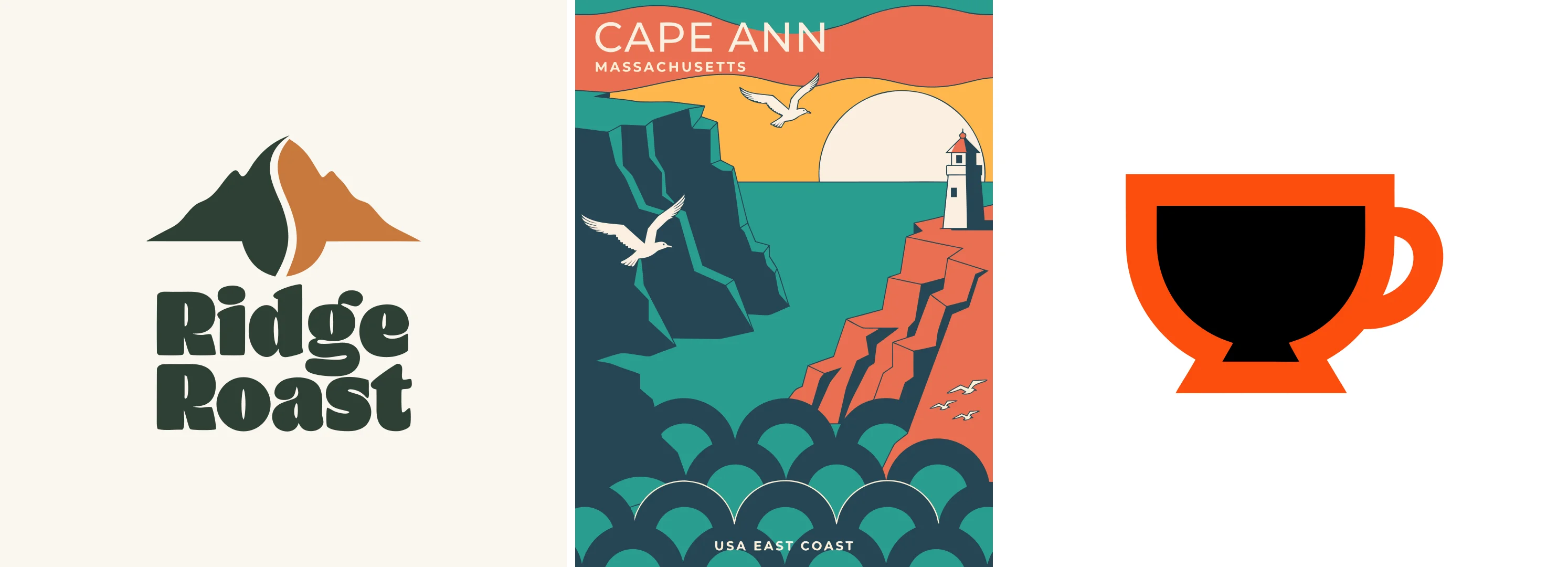
Raster logos blur when scaled and have to be redrawn by hand. The Recraft V4.1 API includes two text-to-SVG models: these three files were generated on PoYo, a Ridge Roast coffee logo and a coffee cup icon from Recraft V4.1 Vector and a Cape Ann lighthouse poster from Recraft V4.1 Pro Vector. Each is a real SVG of paths that stays sharp at any size and opens in Figma or Illustrator for editing.

  • Native SVG output (image/svg+xml)
  • Vector for logos and icons, Pro Vector for posters
  • Scales without blur, edits in Figma or Illustrator
Three SVG files from Recraft V4.1 Vector and Pro Vector: a Ridge Roast coffee logo, a Cape Ann lighthouse travel poster and a flat coffee cup icon

06

Brand Palette and Background Color Control

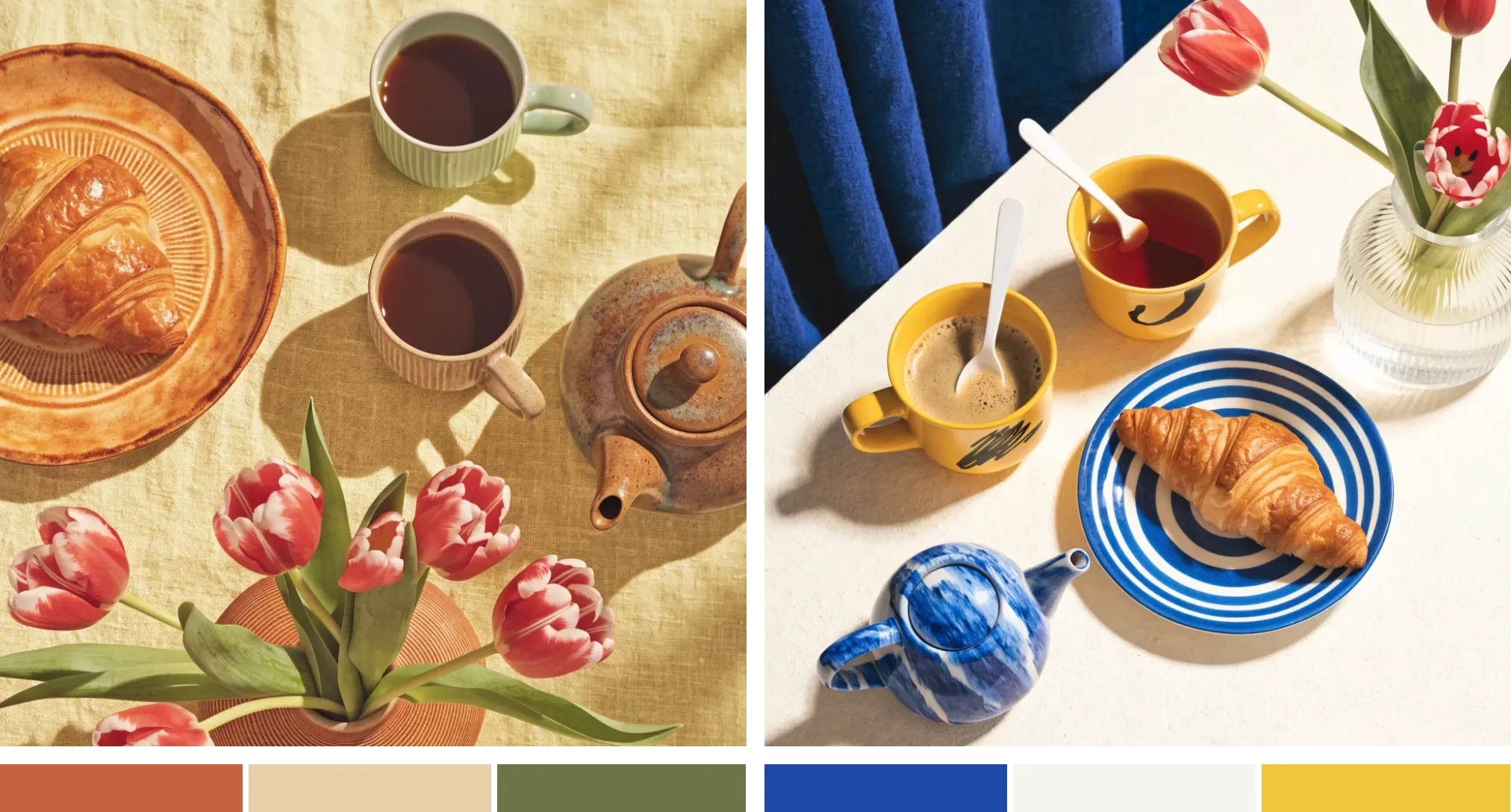
Brand work has to stay on palette. Every Recraft V4.1 API model accepts colors, up to 10 preferred RGB colors, and background_color, one preferred background. These two images were generated on PoYo from the same breakfast prompt with Recraft V4.1: one with a terracotta, sand and olive palette and one with cobalt, off-white and yellow, shown above the exact colors sent. The colors guide the result rather than force exact values.

  • Up to 10 RGB colors in colors
  • One preferred background_color
  • Same fields on all five models
The same breakfast flat-lay prompt rendered by Recraft V4.1 with a terracotta, sand and olive palette and with a cobalt, off-white and yellow palette, each above its color swatches

Who Can Benefit from Recraft V4.1 API?

01

Logo and Brand Identity Tools

Logo makers and brand kit builders can call Recraft V4.1 Vector to turn a company name and a short description into an editable SVG logo, pass the brand palette in colors, and let users refine the paths in their own editor.

02

Icon and Illustration Libraries

Design teams and asset marketplaces can generate consistent icon sets and flat illustrations as SVG with the Recraft V4.1 API, then publish them at any size without redrawing, using the same palette across a whole set.

03

Marketing and Advertising Teams

Marketing teams can produce campaign key visuals, social posts and banners in five aspect ratios, with lettering in the image and brand colors applied through colors and background_color. Draft on Flash, then render the final on Recraft V4.1 Pro.

04

E-Commerce and Product Marketing

Store owners and product marketers can generate lifestyle scenes, product hero shots and packaging concepts with natural lighting and realistic materials, choosing 1:1 for listings and 16:9 or 9:16 for banners and stories.

05

Publishing and Editorial Design

Publishers can create posters, covers and editorial illustrations with the Recraft V4.1 API, and use Pro Vector for large-format SVG artwork that prints sharply at any size.

06

AI Design Apps and Agents

App builders get raster and SVG generation from one integration: the five Recraft V4.1 API models share the same request fields, so switching from an image to an SVG only changes the model ID.

Recraft V4.1 API vs Ideogram Vector 1.0 and Ideogram 4.5 — Model Comparison

Recraft V4.1 is one of three models on PoYo for design-led images and SVG output. The table compares the parameters and prices each model has on PoYo, so you can pick the API that fits your workflow.

FeatureRecraft V4.1Ideogram Vector 1.0Ideogram 4.5
DeveloperRecraftIdeogramIdeogram
OutputWebP image (Flash, Standard, Pro) or SVG (Vector, Pro Vector)SVGRaster image
Text to SVGYes, Vector and Pro VectorYesNo
Image inputsNone, text prompt onlyUp to 5 reference images; image to vector converts 1 imageEdit model: 1 source image and up to 4 references
Color controlscolors (up to 10 RGB) and background_colorNo palette parameterNo palette parameter
Size options1:1, 4:3, 3:4, 16:9, 9:16auto and 17 aspect ratios6 presets or exact sizes
Outputs per request11–8 SVGs1–8 images
Price on PoYo1.4 / 7 / 42 credits per image (Flash / Standard / Pro); 16 / 60 per SVG (Vector / Pro Vector)26 / 32 / 40 credits per SVG (low / medium / high)6 / 12 / 44 credits per image (low / medium / high)

Based on the parameters and prices of each model on PoYo as of November 20, 2026. Ideogram Vector 1.0 with reference images at high quality costs 64 credits per SVG.

How to Use Recraft V4.1 API on PoYo

Step 1: Register & Create API Key
Sign in to PoYo and create an API key in the dashboard. The same key works for all five Recraft V4.1 API models and every other model on PoYo.
Create API Key →

Step 2: Top Up Credits
Add credits to your account. Each request returns one image or SVG at a fixed price: 1.4 credits on Flash, 7 on Recraft V4.1, 42 on Pro, 16 on Vector and 60 on Pro Vector.
Add Credits →

Step 3: Call the Recraft V4.1 API
Send POST https://api.poyo.ai/api/generate/submit with your API key and a JSON body such as {"model": "recraft-v4.1-vector", "input": {"prompt": "Logo for a coffee roastery called \"Ridge Roast\"", "size": "1:1", "colors": [{"r": 46, "g": 64, "b": 54}]}}. Poll the returned task_id or pass a callback_url to receive the finished file. The same request works from Python, Node.js or cURL.
View Documentation →

Frequently Asked Questions about Recraft V4.1 API

What is Recraft V4.1?

Recraft V4.1 is the image model from Recraft, released on May 14, 2026 as the successor to Recraft V4. It is built for design work: posters, product and lifestyle images, illustrations, logo-style lettering and editable SVG vectors. PoYo offers the Recraft V4.1 API as five models, Flash, Standard and Pro for raster images and Vector and Pro Vector for SVG, through one REST API and one API key.

Which Recraft V4.1 API models can I use on PoYo?

Five: recraft-v4.1-flash for fast, low-cost drafts, recraft-v4.1 for standard images, recraft-v4.1-pro for high-resolution images, recraft-v4.1-vector for SVG logos and icons, and recraft-v4.1-pro-vector for detailed SVG posters and illustrations. All five accept the same fields, prompt, size, colors and background_color, so you switch between them by changing the model ID.

How much does the Recraft V4.1 API cost on PoYo?

Each request returns one file at a fixed price: 1.4 credits ($0.007) on Recraft V4.1 Flash, 7 credits ($0.035) on Recraft V4.1, 42 credits ($0.21) on Recraft V4.1 Pro, 16 credits ($0.08) per SVG on Recraft V4.1 Vector and 60 credits ($0.30) per SVG on Recraft V4.1 Pro Vector. The size, palette and prompt length do not change the price, and there is no subscription.

What file does the Recraft V4.1 API return for vector output?

Recraft V4.1 Vector and Recraft V4.1 Pro Vector return one SVG file (image/svg+xml) per request, made of paths rather than pixels. You can open it in Figma, Illustrator or Inkscape to edit shapes and colors, or embed it directly in a web page. Flash, Standard and Pro return a WebP image.

What is the difference between Recraft V4.1 and Recraft V4.1 Pro?

Both are raster models with the same parameters. Recraft V4.1 Pro renders at a higher resolution with finer detail for print and hero imagery: in PoYo tests a 1:1 request returned 2048×2048 pixels on Pro and 1024×1024 on the standard model. Pro costs 42 credits per image versus 7 for Recraft V4.1.

When should I use Recraft V4.1 Flash?

Use Recraft V4.1 Flash for drafts, previews, A/B variations and high-volume jobs where speed and cost matter most. At 1.4 credits per image it is the lowest-cost model in the Recraft V4.1 API. Recraft suggests iterating on Flash and then rendering the final on a higher model. Flash does not produce SVG, so switch to Vector for vector files.

Can I control colors with the Recraft V4.1 API?

Yes. Pass colors with up to 10 RGB objects such as {"r": 255, "g": 87, "b": 51} to set a preferred palette, and background_color with one RGB object to set a preferred background. Both work on all five models, including the SVG models. They guide the result rather than guarantee exact color values, and you can omit either field.

Which sizes does the Recraft V4.1 API support?

Choose size 1:1 (the default), 4:3, 3:4, 16:9 or 9:16. Custom widths and heights are not accepted. In PoYo tests, Recraft V4.1 returned 1024×1024 at 1:1 and 896×1216 at 3:4, Recraft V4.1 Pro returned 2048×2048 at 1:1, and Recraft V4.1 Pro Vector returned a 1792×2432 SVG at 3:4.

Can Recraft V4.1 render text and logos?

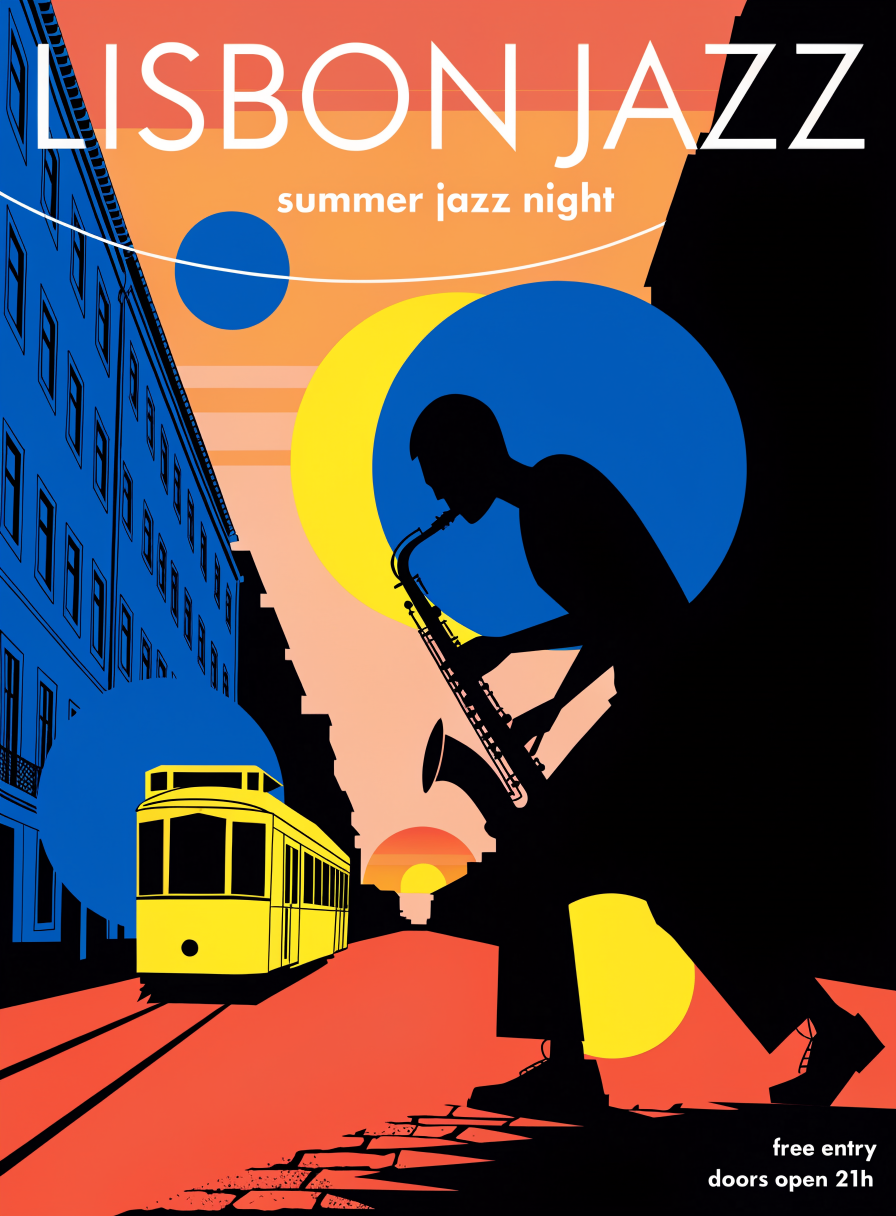
Yes. Recraft V4.1 writes headlines, wordmarks and logo-style lettering as part of the design. Put the exact words in quotes, for example a poster titled "LISBON JAZZ" or a logo for "Ridge Roast", and ask for flat colors without gradients when you need a clean logo. Use Recraft V4.1 Vector when the logo must be an SVG.

Can I use reference images or edit images with the Recraft V4.1 API?

No. The Recraft V4.1 API on PoYo is text-only: it generates a new image or SVG from a prompt and does not accept image URLs, reference images or editing instructions. Use colors and background_color to steer the look, and choose another PoYo model, such as Ideogram Vector 1.0 or Ideogram 4.5, when you need reference images or editing.

How long does the Recraft V4.1 API take to generate an image?

In PoYo tests in November 2026, Recraft V4.1 API tasks finished in about 20 to 40 seconds from submission, with Flash the fastest and the two SVG models the slowest. Times vary with the model and queue load. Submitting returns a task_id immediately: poll the status endpoint or pass a callback_url to receive a POST request when the task finishes or fails.

How many images does one Recraft V4.1 API request return?

Exactly one image or one SVG. There is no n or num_images field, so send several requests, or use the 1x to 4x batch option in the playground on this page, when you need variations. Each request is billed separately at the model's fixed price.

Why Use PoYo for Recraft V4.1 API Access

01

Five Models, One Integration

Call Recraft V4.1 Flash, Standard, Pro, Vector and Pro Vector with the same request format and the API key you use for every other image, video and audio model on PoYo, and switch by changing the model ID.

02

Fixed Price per Request

Every Recraft V4.1 API request returns one file at a fixed, published price per model, shown before you submit. No subscription, and you pay only for the requests you send.

03

Playground Testing

Try Recraft V4.1 API prompts, aspect ratios, palettes and background colors in the browser, preview images and SVGs, then copy the JSON request into your code.

04

Developer-Friendly Integration

Use the documented Recraft V4.1 API request fields, task polling and callback URLs, so generation never blocks your application.