Pay as you go. No subscription, no hidden fees.
| Model | Text input /1M tokens | Image input /1M tokens | Image output /1M tokens |
|---|---|---|---|
| MAI Image 2.6 | $4.00/1M tokens 800 credits/1M tokens $5.00/1M tokensSave 20% | $6.40/1M tokens 1280 credits/1M tokens $8.00/1M tokensSave 20% | $30.40/1M tokens 6080 credits/1M tokens $38.00/1M tokensSave 20% |
| MAI Image 2.6 Flash | $1.40/1M tokens 280 credits/1M tokens $1.75/1M tokensSave 20% | $2.00/1M tokens 400 credits/1M tokens $2.50/1M tokensSave 20% | $15.20/1M tokens 3040 credits/1M tokens $19.00/1M tokensSave 20% |
Charges are based on the final output.
Microsoft's image model for photorealistic generation, accurate in-image text, and multi-image editing
MAI Image 2.6 API - Photorealistic Generation & Multi-Image Editing
Access the MAI Image 2.6 API instantly on PoYo, no waitlist required. Microsoft built MAI-Image-2.6 for photorealistic images, lifelike people, product and commercial visuals, and text that reads correctly inside the image. One REST call covers text-to-image, single-image editing, and composition from up to 5 reference images.
Choose mai-image-2.6 for the highest quality or mai-image-2.6-flash for faster, lower-cost runs with the same request fields. Pick one of seven aspect ratios at 1K or 2K, or set a custom WIDTHxHEIGHT up to 1536×1536, and turn on enable_web_search when the image depends on current information.
Available MAI Image 2.6 API Models on PoYo
MAI Image 2.6 Flash (mai-image-2.6-flash)
Key Features of MAI Image 2.6 API
Text-to-image, editing, and multi-image composition through one request format, with custom sizes and optional web search.
01
Photorealistic and Cinematic Imagery
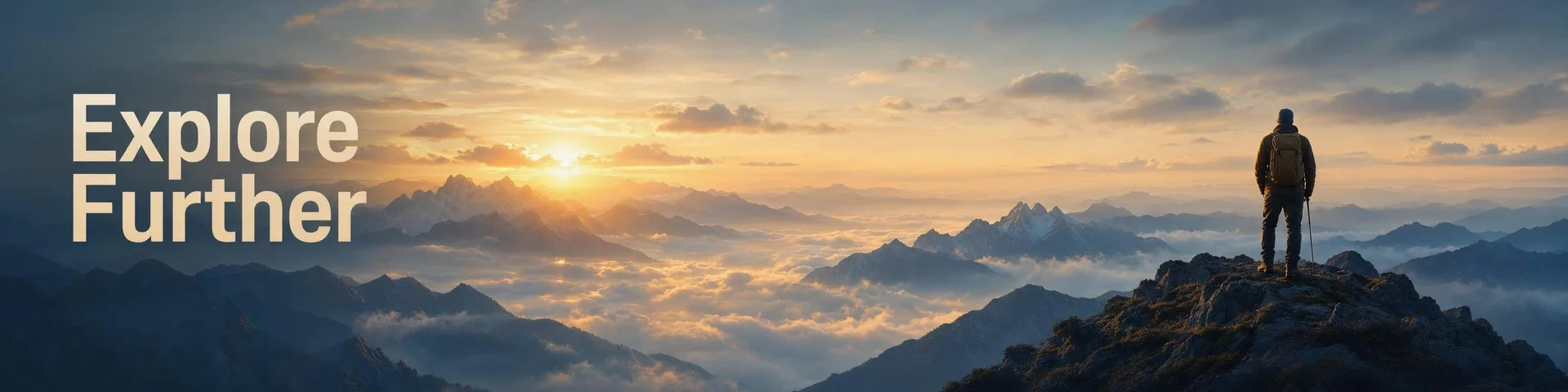
Stock photos rarely match a specific brief, and a staged shoot takes days to organize. Describe the subject, lens, light and motion, and MAI Image 2.6 returns an image that reads as a real photograph, with believable lighting, natural texture and camera effects such as motion blur and shallow depth of field. Microsoft lists photorealistic and cinematic quality, high-fidelity portraits and product imagery among the model's strongest areas.
- Realistic lighting, reflections and fine detail
- Camera cues such as motion blur and depth of field
- Portraits, products and cinematic scenes

02
Accurate Headlines and Titles Inside the Image
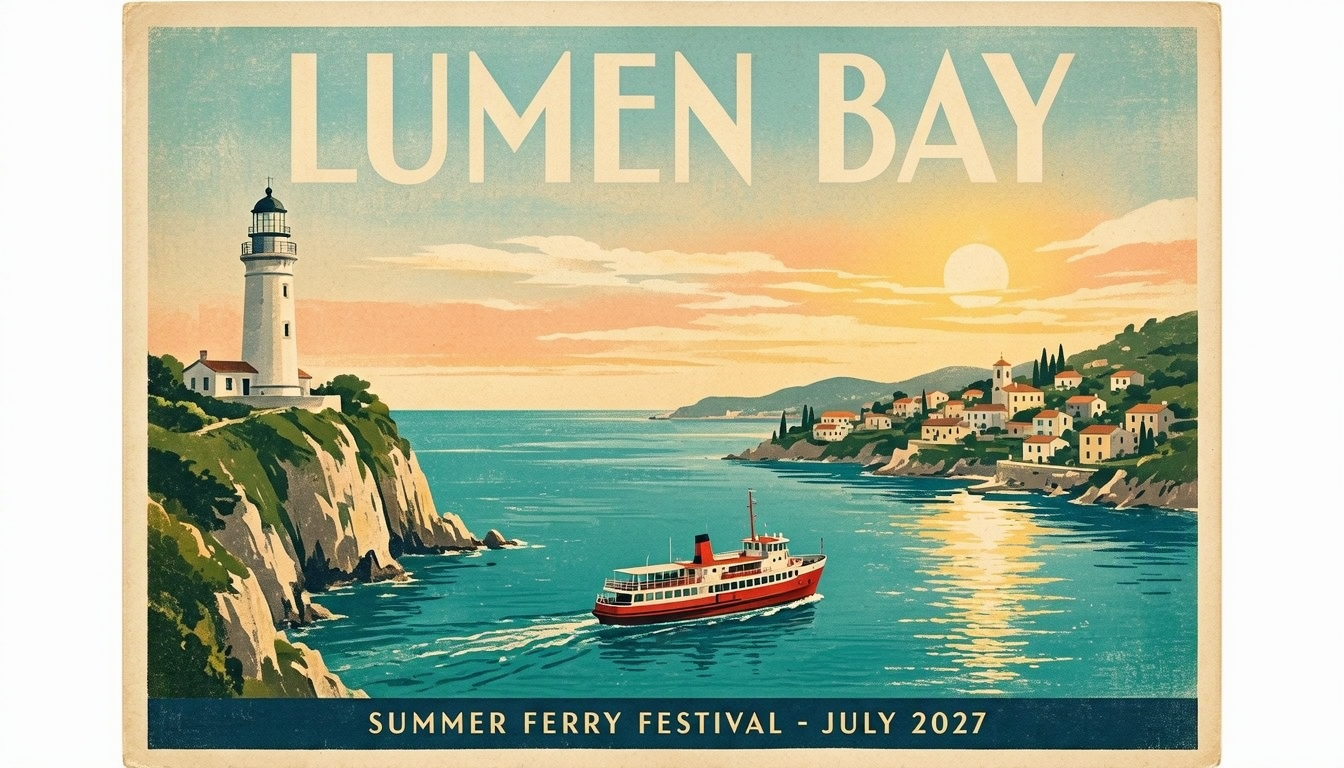
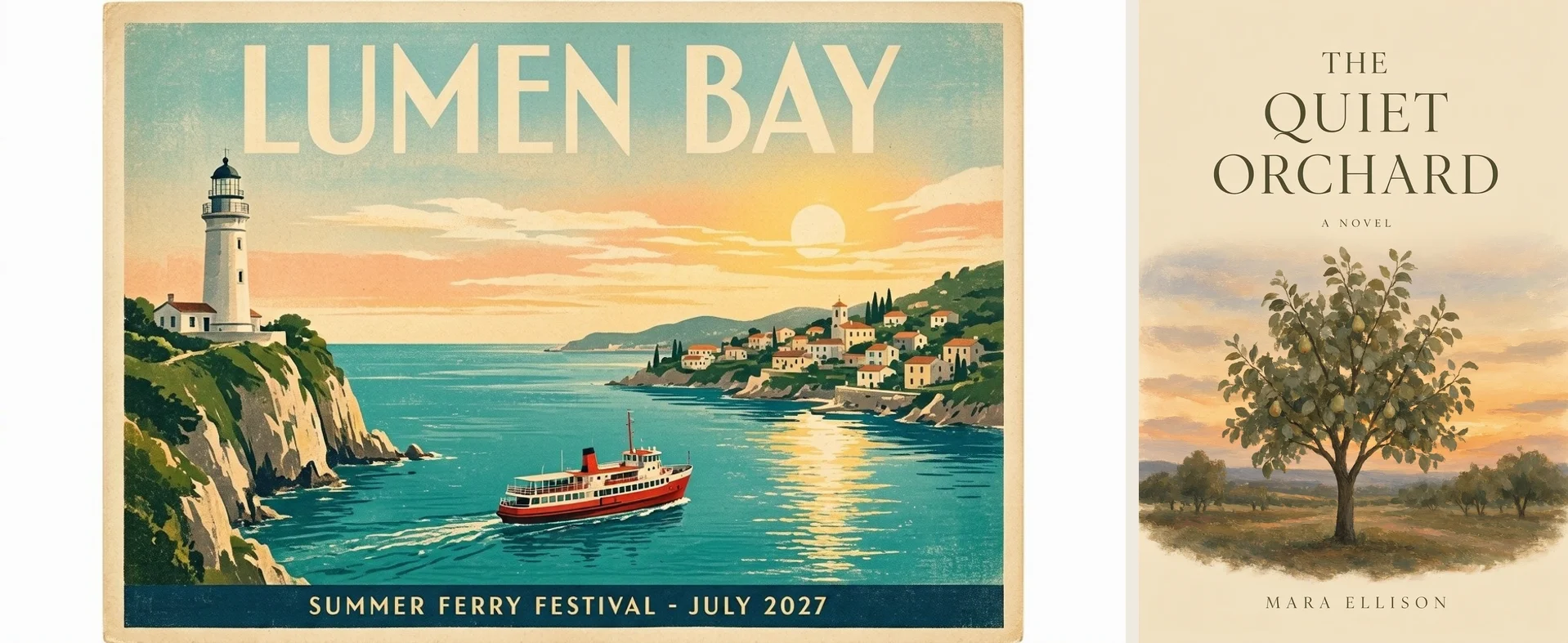
Image models often misspell the words a poster or cover depends on. Text rendering is where Microsoft measured the largest gain over MAI Image 2.5, at +91 Elo on Arena. Put the exact copy in quotes and say where it goes, and MAI Image 2.6 sets headlines, subtitles and author names into the layout, so a design draft arrives with its text already in place.
- Quote exact copy in the prompt
- Posters, covers, banners, and packaging layouts
- Check spelling before publishing final assets

03
Edit a Reference Image While Keeping the Subject
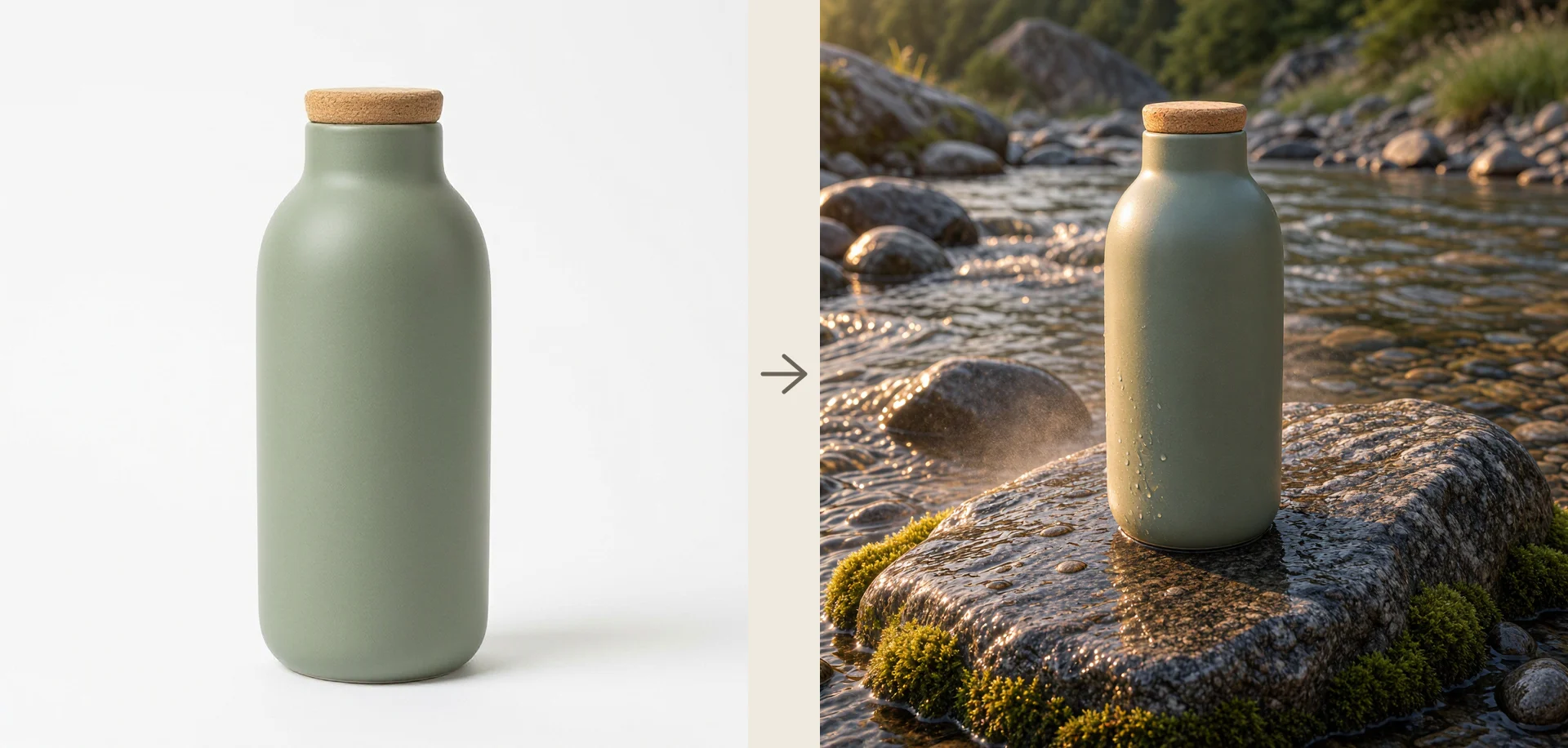
Reshooting a product for every campaign costs time and money. Send one image in image_urls, describe the change and say what must stay the same. Microsoft built MAI Image 2.6 for precise edits that keep the composition intact, from new backgrounds and lighting to object replacement, attribute changes, text updates and motion-blur cleanup, so one product photo becomes many campaign shots.
- One image in image_urls for a single-image edit
- Replace objects, backgrounds, lighting or text
- State which details must stay unchanged

04
Combine up to 5 Reference Images in One Scene
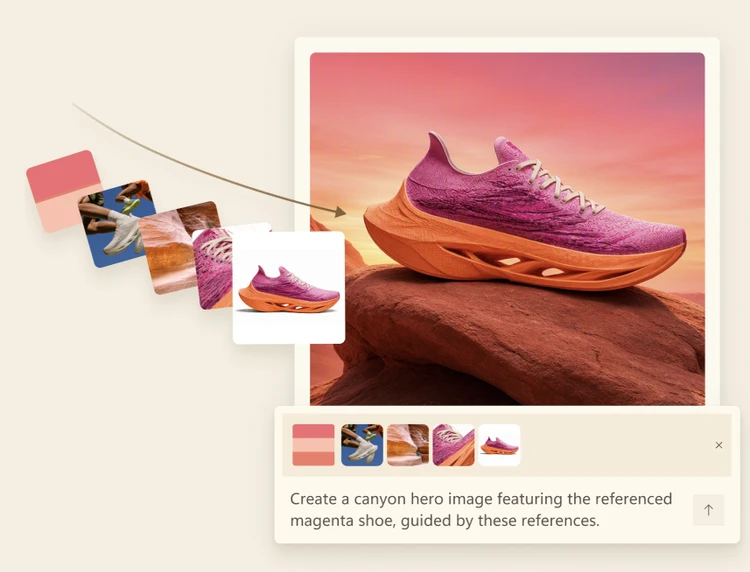
A campaign visual usually starts from scattered material: a product shot, a color palette, a texture, a location and a mood reference. Pass up to 5 of them in image_urls and describe the result you want. In Microsoft's example, a color swatch, an action shot, a canyon rock texture, a knit close-up and a product photo become one canyon hero image of the same magenta running shoe from a single prompt.
- Up to 5 reference images per request
- Mix products, people, styles, colors and scenes
- Refer to inputs as image 1, image 2 and so on

05
Seven Aspect Ratios or a Custom Size
Fixed square outputs rarely fit banners, stories and print layouts. Choose 1:1, 4:3, 3:4, 3:2, 2:3, 16:9 or 9:16 at 1K or 2K, or pass a custom WIDTHxHEIGHT. Microsoft limits the total pixel count rather than each side, so a wide banner such as 3072x768 works as long as it stays within 2,359,296 pixels.
- Seven ratios at 1K or 2K
- Custom sizes in multiples of 32 pixels
- Each side at least 768, up to 2,359,296 pixels

06
Web Grounding for Real Places and Current Information
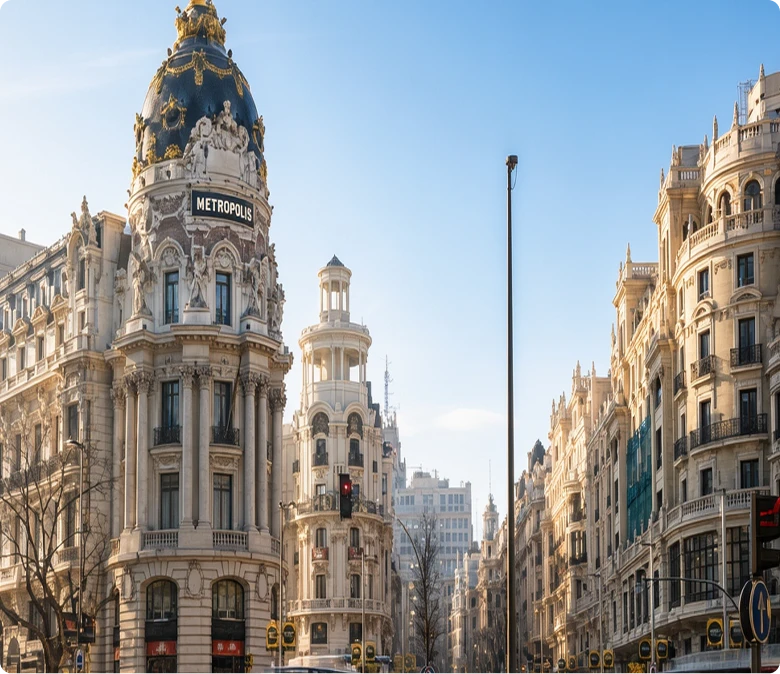
Real landmarks, products and recent events need details a model may not have learned in training. Set enable_web_search to true and MAI Image 2.6 grounds the image in current web content before it generates. Microsoft's example asks for the Metrópolis Building in Madrid "as it stands today" at the corner of Calle de Alcalá and Gran Vía, and the result shows the building's dark dome, gilded details and street corner.
- Turn on with enable_web_search: true
- For real places, products and recent events
- No extra charge on PoYo; check facts before publishing

Who Can Benefit from MAI Image 2.6 API?
E-Commerce Product Photography
Send one product photo and generate lifestyle scenes, seasonal backgrounds, and room placements with MAI Image 2.6 while the product keeps its shape and color. Build a full catalog set without a new photo shoot.
Marketing and Advertising Teams
Draft campaign visuals with the headline already in place, test layouts with MAI Image 2.6 Flash, and render the chosen concept with MAI Image 2.6. Custom sizes match each ad placement.
Social Media Content
Create posts, stories, and covers in 1:1, 9:16, or 16:9 from short prompts. MAI Image 2.6 Flash keeps high-volume content queues fast and low-cost.
Interior Design and Real Estate
Combine a room photo with furniture or decor references to preview staging ideas. MAI Image 2.6 matches lighting and shadows so the result reads as one photograph.
Publishing and Education
Produce book covers, posters, and lesson illustrations with titles rendered inside the image. Use web search for current places and events, then review the details before publishing.
AI Image Apps and Agents
Add text-to-image and editing to your product or agent with one REST call. Submit a task, get a task_id at once, and receive the image by polling or webhook.
MAI Image 2.6 vs MAI Image 2.6 Flash — Model Comparison
Microsoft AI's two MAI Image 2.6 models side by side, based on Microsoft's announcements and model card. Both accept the same request fields and support the same features on PoYo, so the choice comes down to maximum quality or faster, lower-cost generation.
| Feature | MAI Image 2.6 | MAI Image 2.6 Flash |
|---|---|---|
| Microsoft's positioning | Best overall: high-quality generation with precise, controllable editing | Fastest and lowest cost: production-ready quality at less than half the flagship's price |
| Key advantage | Highest overall quality: photorealism, portraits, product visuals and +91 Elo text rendering over MAI Image 2.5 | Speed and cost: 2.8x faster than GPT-Image-2-Medium with 72% greater efficiency, with the same features as 2.6 |
| Best for | Final campaign assets, complex edits, detailed commercial design and high-fidelity text | Interactive apps, automated pipelines, personalization and high-volume production |
| Leaderboard rank | No. 2 text-to-image and editing on Arena; No. 2 text-to-image and No. 1 editing on Artificial Analysis (as of September 4, 2026) | No separate rank published |
| Text-to-image | Yes | Yes |
| Image editing | Yes, up to 5 reference images | Yes, up to 5 reference images |
| Web grounding | Yes | Yes |
| Maximum output | 2,359,296 pixels (1536×1536 equivalent) | 2,359,296 pixels (1536×1536 equivalent) |
| Release | Announced August 10, 2026 | September 4, 2026 |
How to Use MAI Image 2.6 API on PoYo
Step 1: Register & Create API Key
Sign in to PoYo and create an API key in the dashboard. The same key works for MAI Image 2.6, MAI Image 2.6 Flash, and every other model on PoYo.
Create API Key →
Step 2: Top Up Credits
Add credits to your account. Each request reserves a maximum based on its size, prompt, and reference images, then is charged by the tokens it actually used; failed tasks are not charged.
Add Credits →
Step 3: Integrate the API
Send POST https://api.poyo.ai/api/generate/submit with "model": "mai-image-2.6" or "mai-image-2.6-flash" and an input object with prompt, plus optional image_urls, size, resolution, and enable_web_search. Poll the returned task_id or pass a callback_url to receive the finished image.
View Documentation →
Frequently Asked Questions about MAI Image 2.6 API
What is MAI Image 2.6?
How do I use the MAI Image 2.6 API?
How much does the MAI Image 2.6 API cost?
What is the difference between MAI Image 2.6 and MAI Image 2.6 Flash?
How does MAI Image 2.6 rank against other image models?
Can MAI Image 2.6 edit images or use reference images?
What resolutions and aspect ratios does MAI Image 2.6 support?
What is web grounding in MAI Image 2.6?
Can I use MAI Image 2.6 for commercial projects?
Is MAI Image 2.6 open source or available on Hugging Face?
How long does MAI Image 2.6 take to generate an image?
Why Use PoYo for MAI Image 2.6 API Access
Unified API Access
Call mai-image-2.6 and mai-image-2.6-flash with the same request format and API key you use for every other image, video, and audio model on PoYo.
Transparent Usage-Based Pricing
See the token rates and the reserved maximum before you submit. The final charge follows actual usage, never exceeds the reserve, and failed tasks are free.
Playground Testing
Try prompts, aspect ratios, custom sizes, reference images, and web search in the browser, then copy the JSON request into your code.
Developer-Friendly Integration
Use documented request fields, task polling, and callback URLs, so long renders never block your application.