Model icon
nano-banana-2.1
Text to Image
Image to Image
Model:
Nano Banana 2.1 is Google's image generation and editing model built on Gemini 3.6 Flash, with improved visual detail, multilingual text and consistency for people and products. Create 1K, 2K or 4K product visuals, posters and branded image series on PoYo, guided by up to 10 reference images, from $0.02 per image.
Input

1,245 / 20,000

Choose an aspect ratio. Auto adapts to your reference image.

1K: 4 credits ($0.02) · 2K: 6 credits ($0.03) · 4K: 10 credits ($0.05).

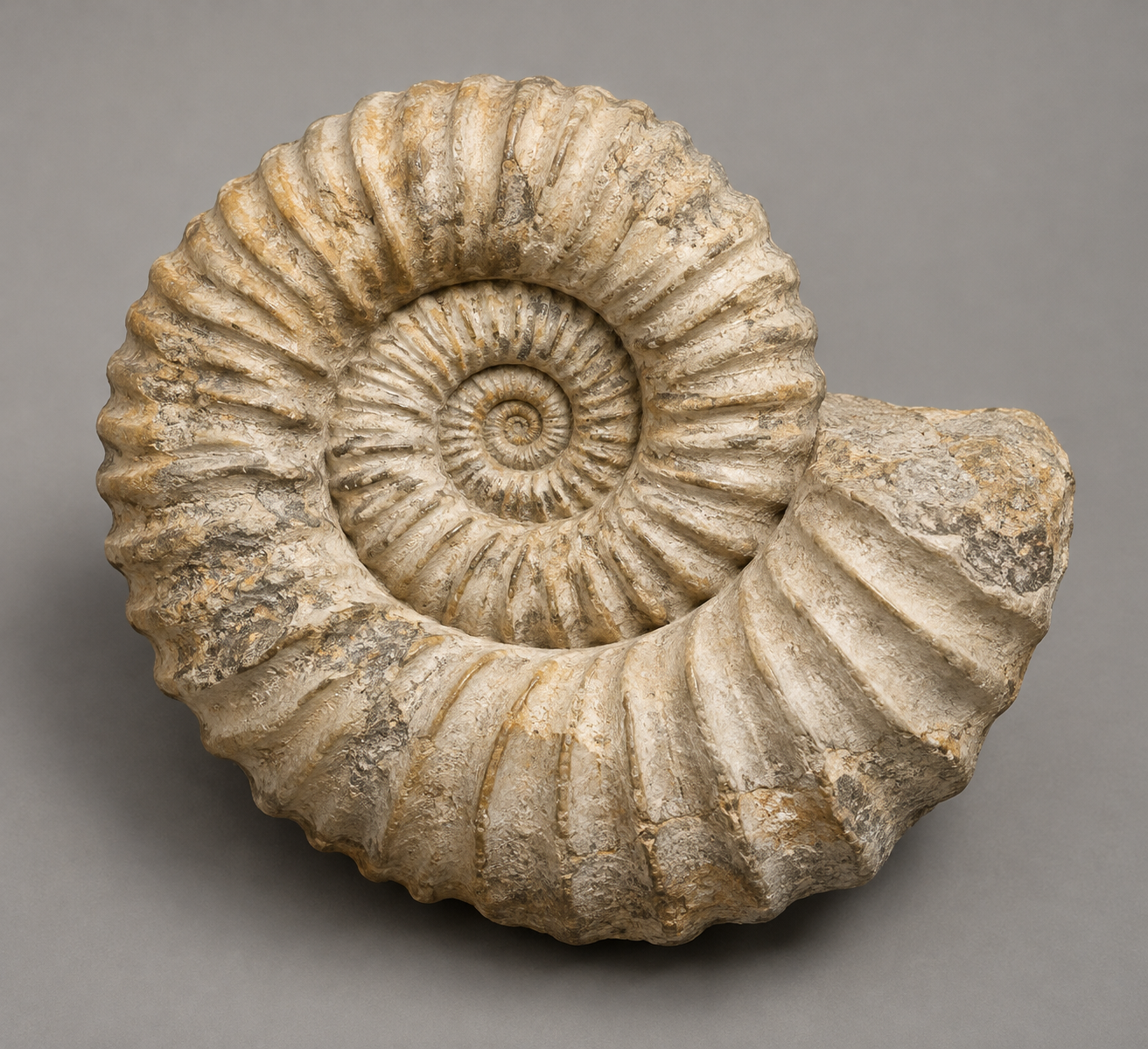
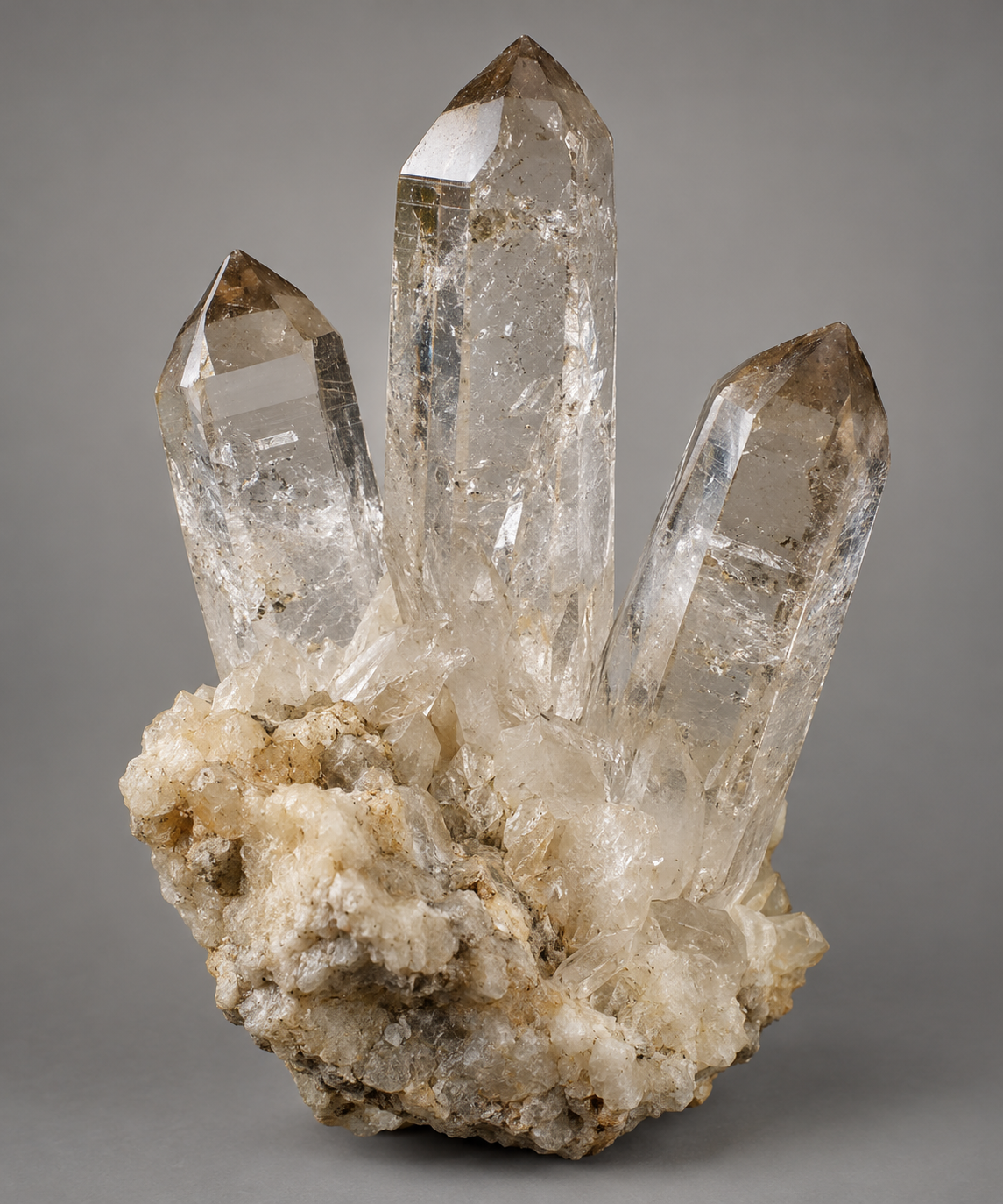
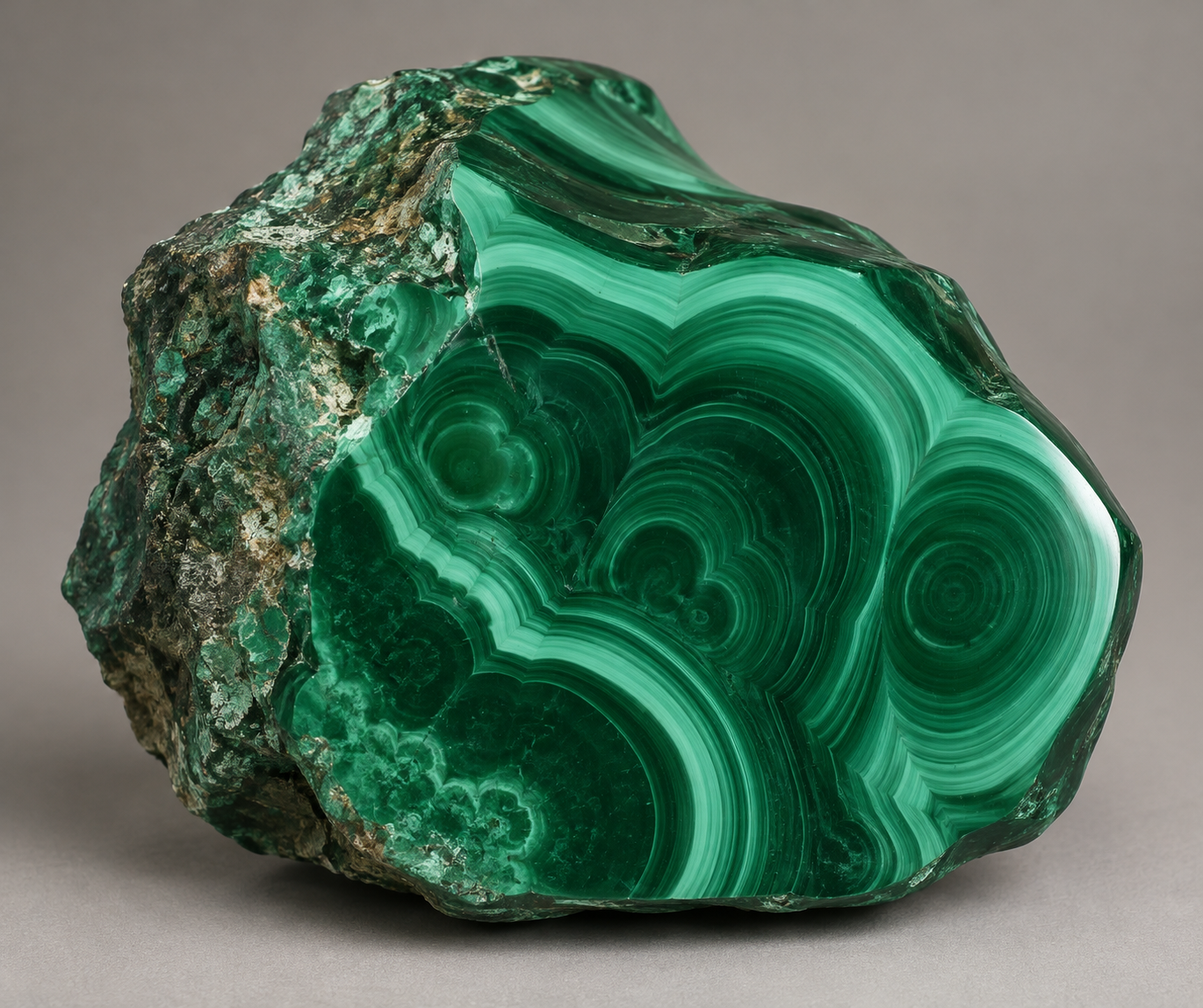
Added 3/10

Drop files here, paste files, or add a URL. Use up to 10 JPEG, PNG, or WebP images, 10MB each.

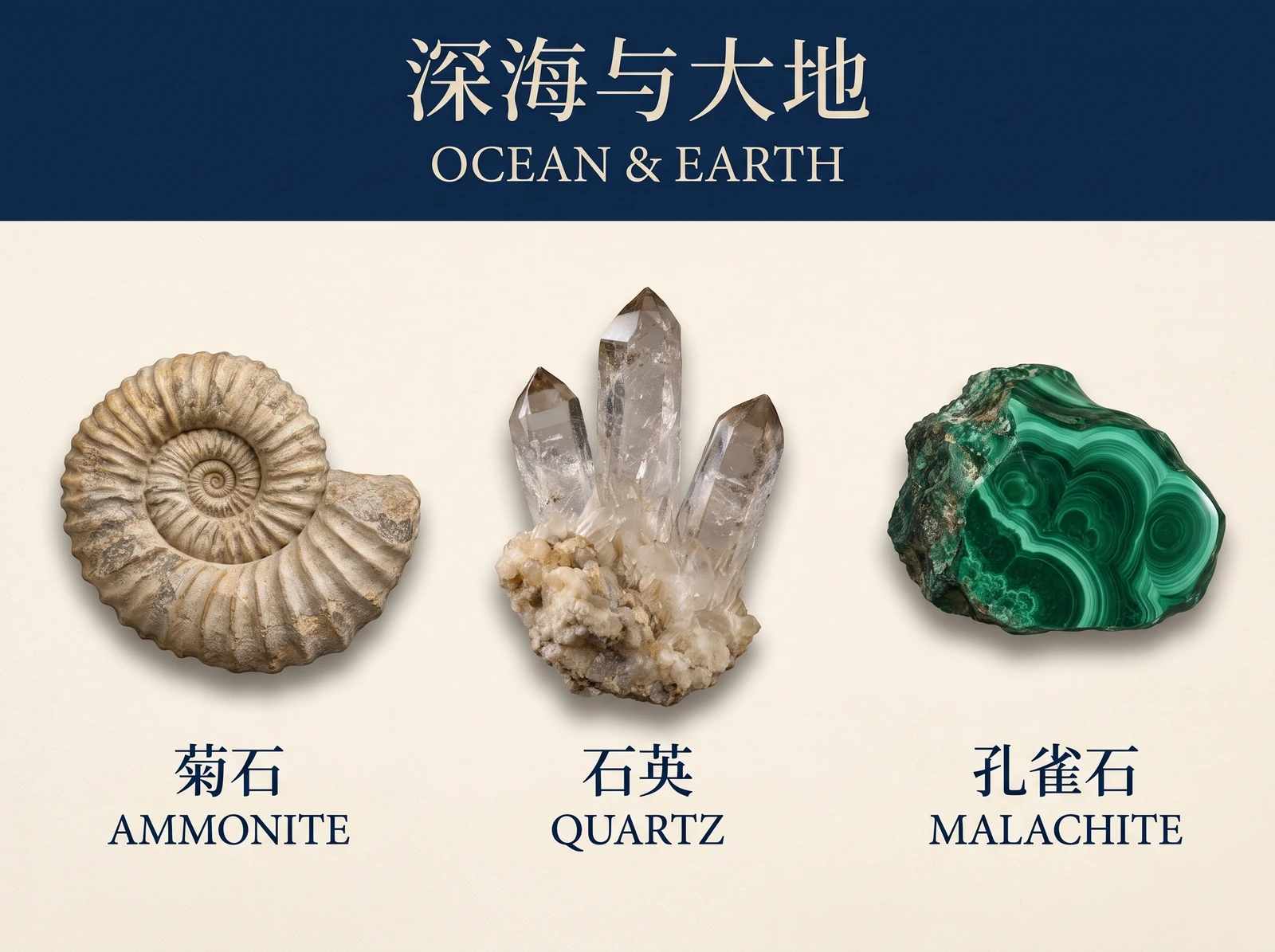
Ammonite
——
Quartz
——
Malachite
——
Output

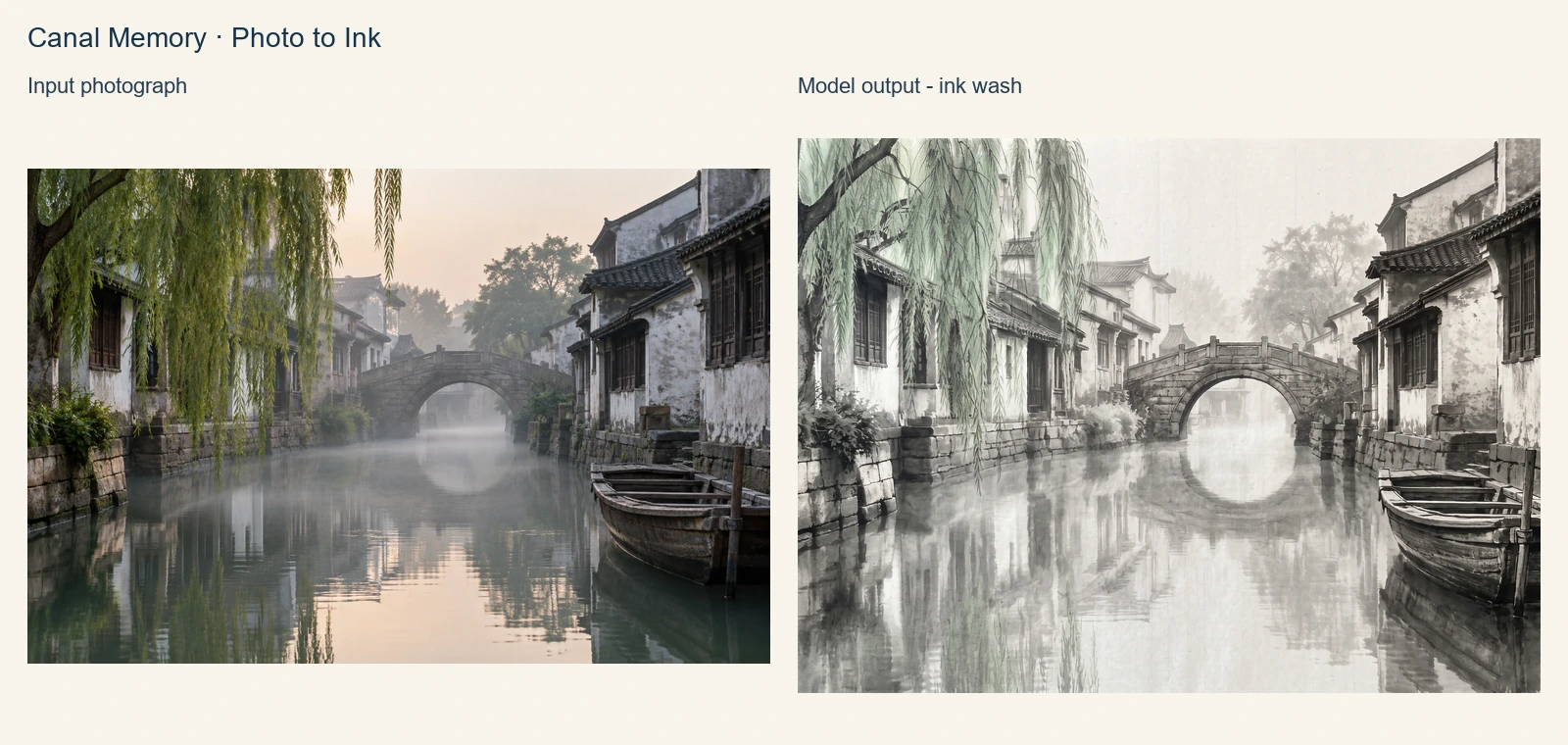
Example Output

This is sample data. Generate a new result to see real output.

Public example · Ocean & Earth · Museum Exhibit

Task ID:nano-banana-2-1-museum-exampleCreated:2026-10-08
Status:finishedProgress:100%
Ocean & Earth · Museum Exhibit
Examples
Pricing details

Transparent pricing with no hidden fees. Pay as you go.

Googlenano-banana-2.1
1K
PoYo price
$0.020/image
4 credits
Official price
-
You save
-
Googlenano-banana-2.1
2K
PoYo price
$0.030/image
6 credits
Official price
-
You save
-
Googlenano-banana-2.1
4K
PoYo price
$0.050/image
10 credits
Official price
-
You save
-

* Actual fees are based on the final output.

Model Introduction

Complete guide to using Nano Banana 2.1 API — High-Resolution Images and Reference-Guided Editing

Nano Banana 2.1 API — High-Resolution Images and Reference-Guided Editing

Start with clear prompts and reference images to create detailed visuals, readable text and recognizable subjects with Nano Banana 2.1. Choose 1K, 2K or 4K for your publishing format, then combine visual references to explore backgrounds, colors and art styles. Develop new creative directions for product displays, marketing posters and branded image series.

Key Features of Nano Banana 2.1 API

Improve visual detail, text layout and subject consistency while creating high-resolution assets from multiple references.

01

Detailed Images at 1K, 2K and 4K

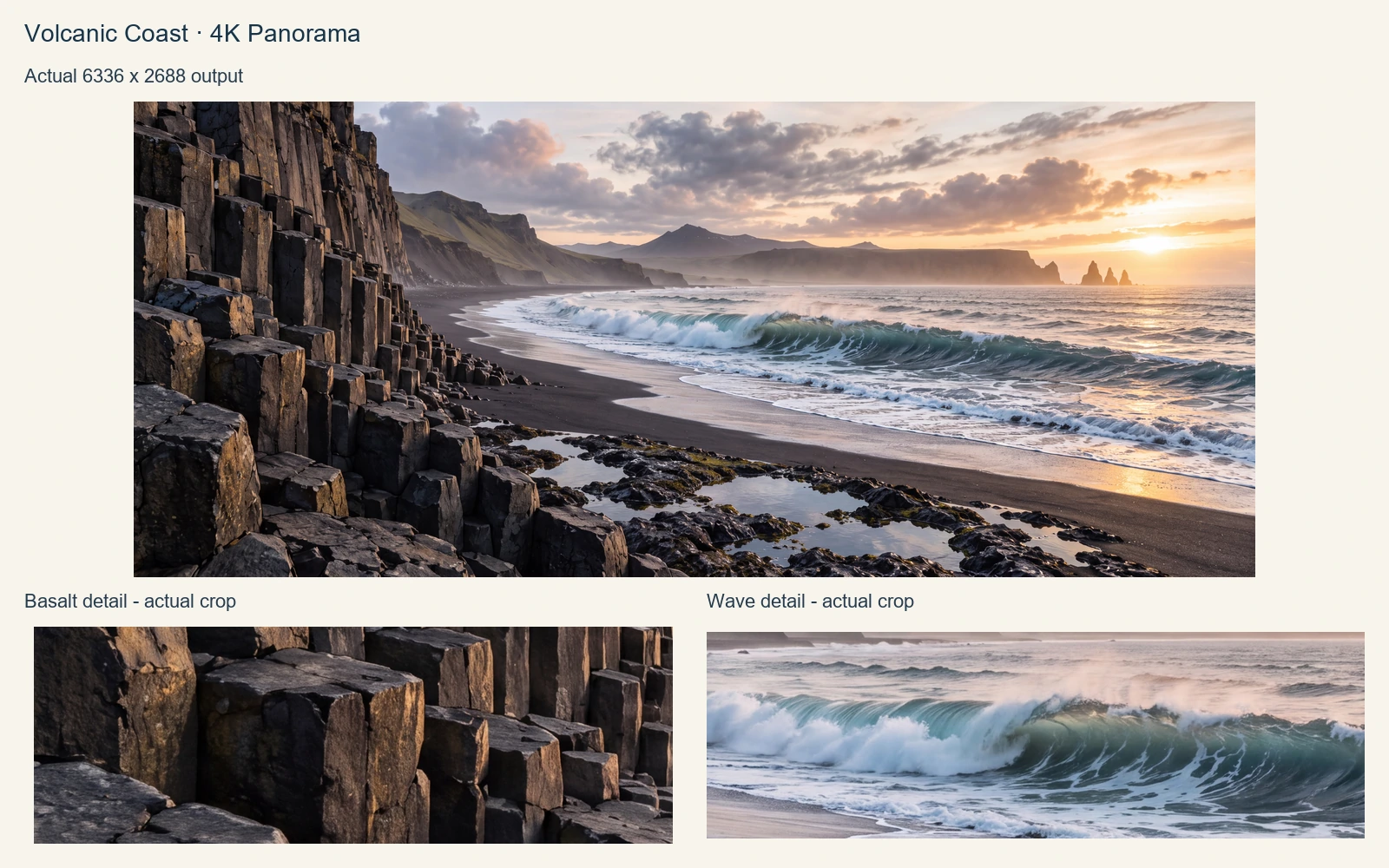
Choose image detail for each task, from exploring ideas to preparing finished assets. Nano Banana 2.1 offers 1K, 2K and 4K: use the default 1K for everyday content, 2K for detail, or 4K for product displays and large layouts.

  • Create 1K images from 4 credits
  • Choose 2K for rich detail and refined compositions
  • Generate 4K images for high-resolution commercial visuals
Detailed Images at 1K, 2K and 4K · Real generated example

02

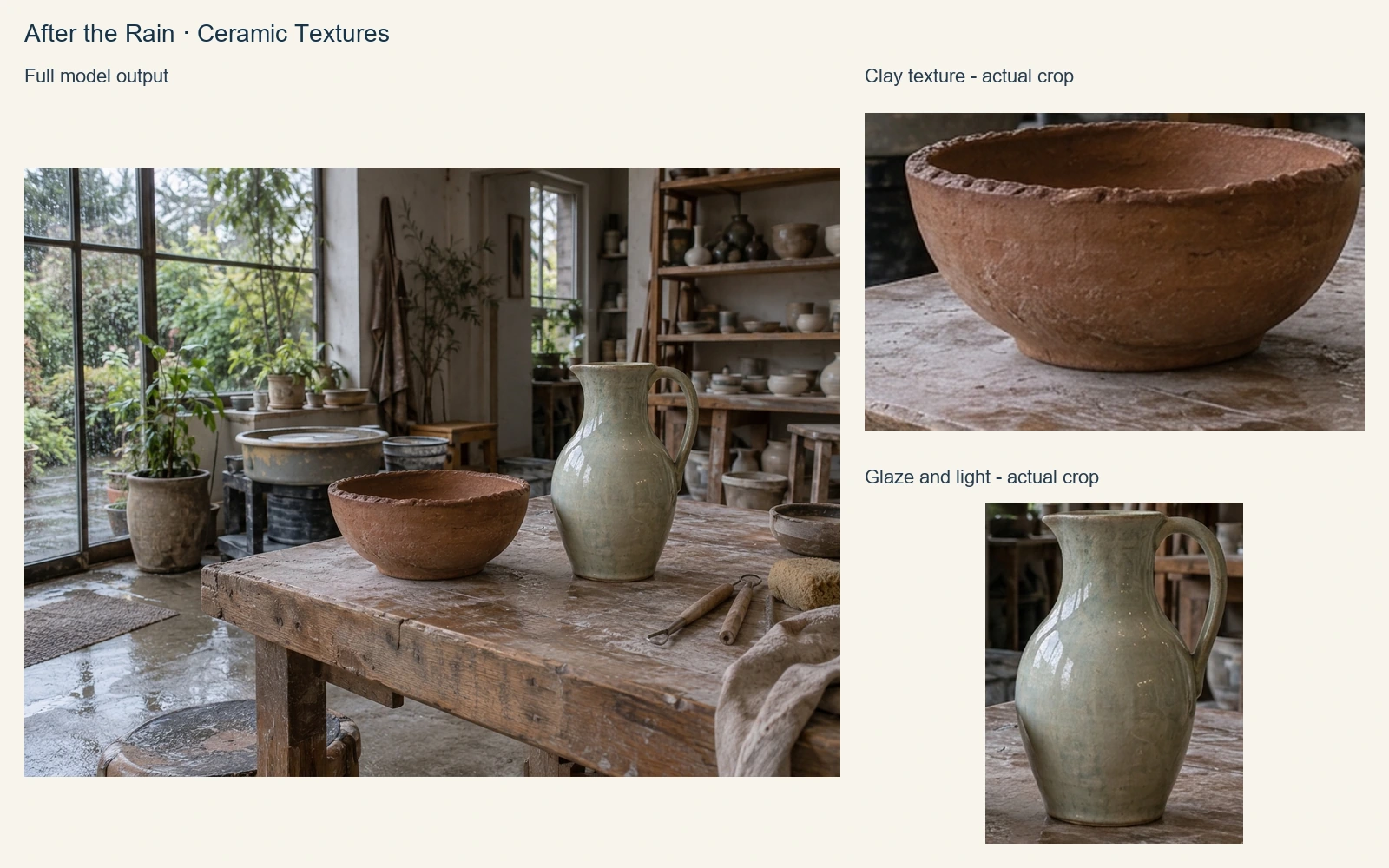
Realistic Materials, Lighting and Fine Details

Product photographs and scene artwork need expressive materials and lighting. Nano Banana 2.1 improves visual quality and realism. Describe textures, reflections and camera perspective in your prompt to guide metal, fabric and natural lighting toward your creative direction, adding visual detail to product displays and concept designs.

  • Guide material textures and lighting effects
  • Bring richer detail to products and scenes
  • Shape atmosphere through clear descriptive prompts
Realistic Materials, Lighting and Fine Details · Real generated example

03

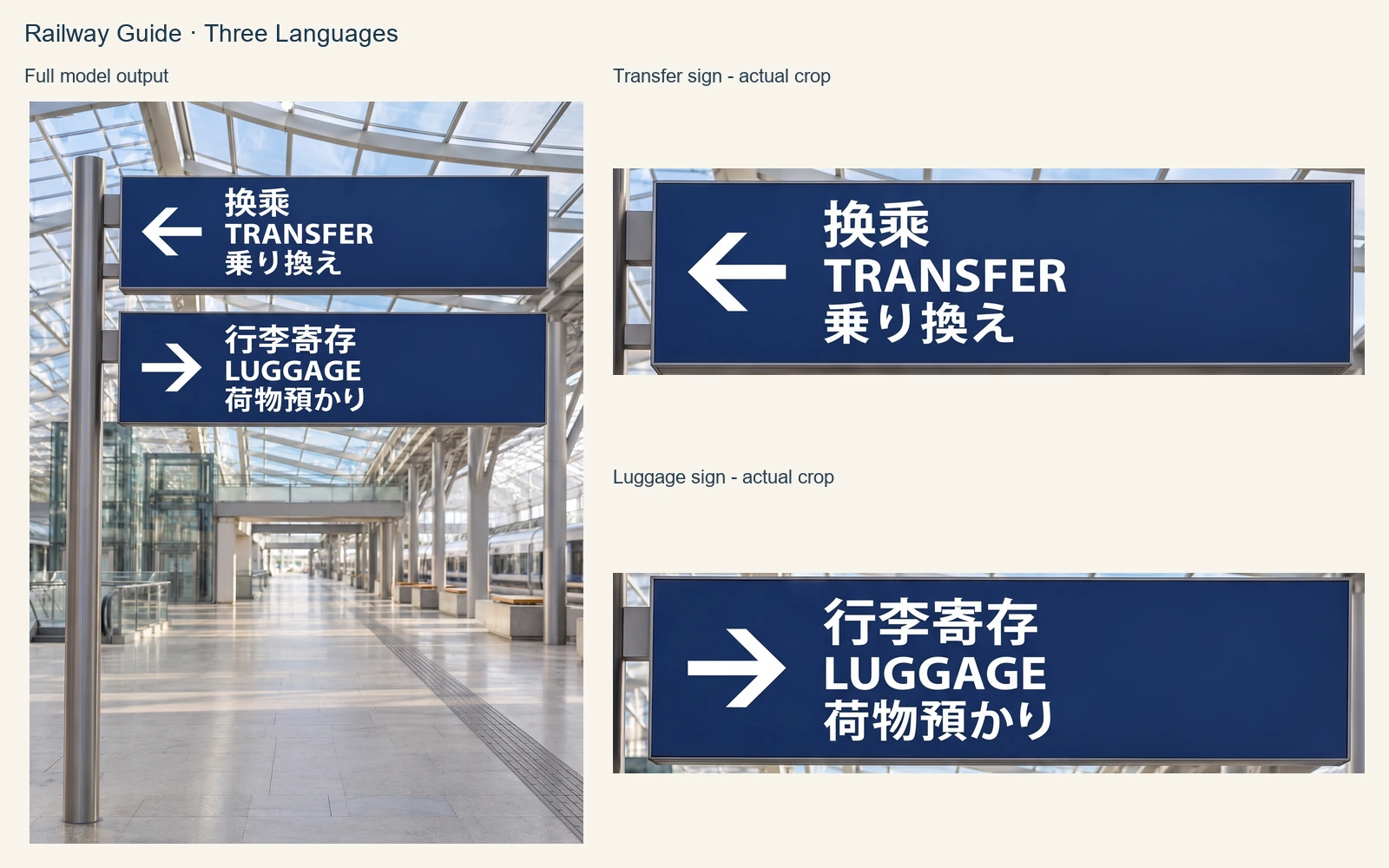
Readable Text for Multilingual Visual Content

Posters, labels and infographics need words and images to communicate together. Nano Banana 2.1 enhances multilingual text rendering and layout. Specify wording, language and placement in your prompt to guide headlines, labels and graphic hierarchy for clear visual content across audiences.

  • Specify exact wording, language and text placement
  • Create multilingual posters, labels and infographics
  • Guide clear text and graphic hierarchy
Readable Text for Multilingual Visual Content · Real generated example

04

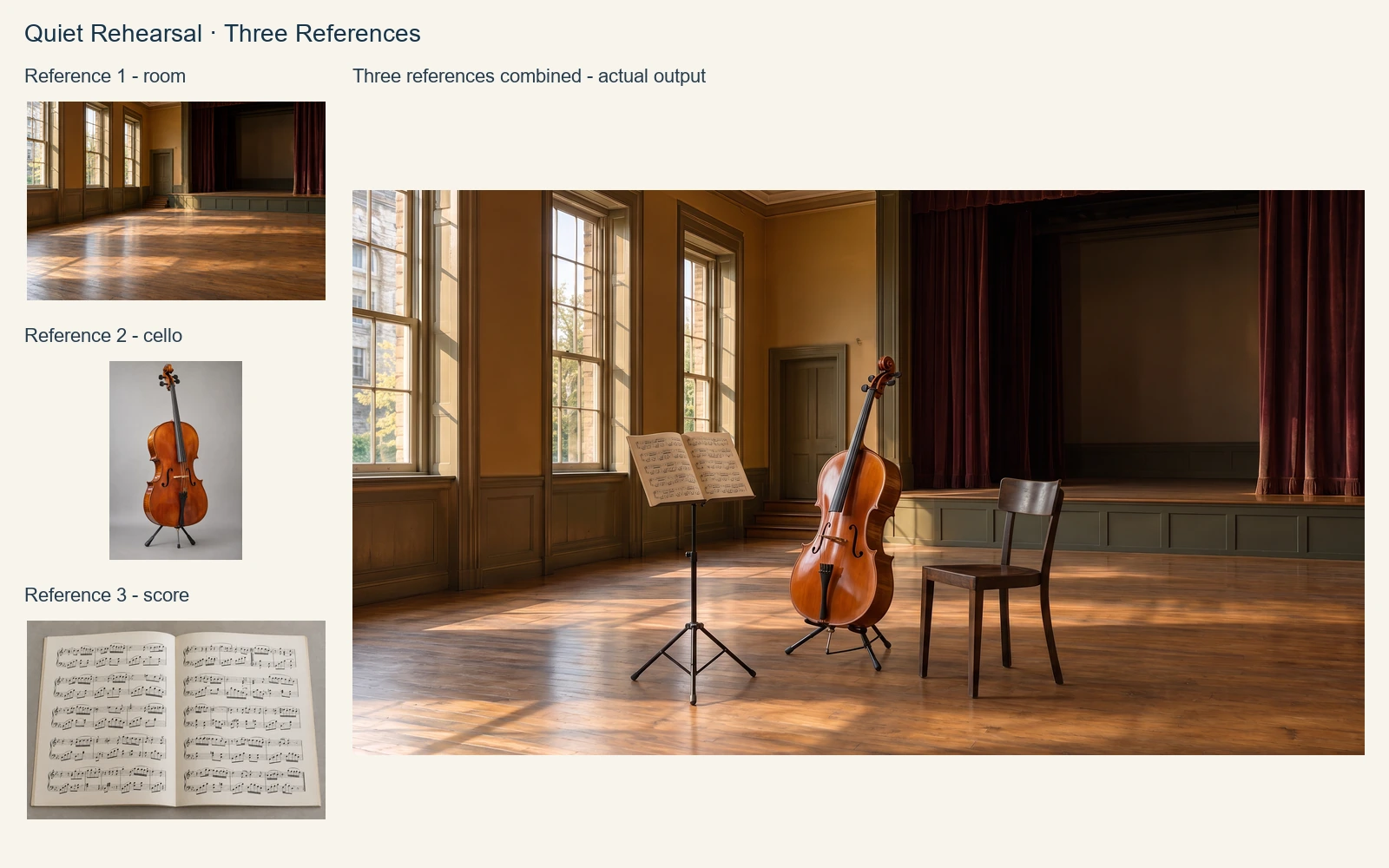
Compose Images from Up to 10 References

Combine product, character and style references into a new creative direction. Nano Banana 2.1 accepts up to 10 images per request and strengthens multi-reference composition and editing. Explain each reference's role in your prompt to explore new compositions and visual approaches around existing assets.

  • Combine 1–10 reference images in one request
  • Guide products, subjects and visual style together
  • Describe each reference to shape new compositions
Compose Images from Up to 10 References · Real generated example

05

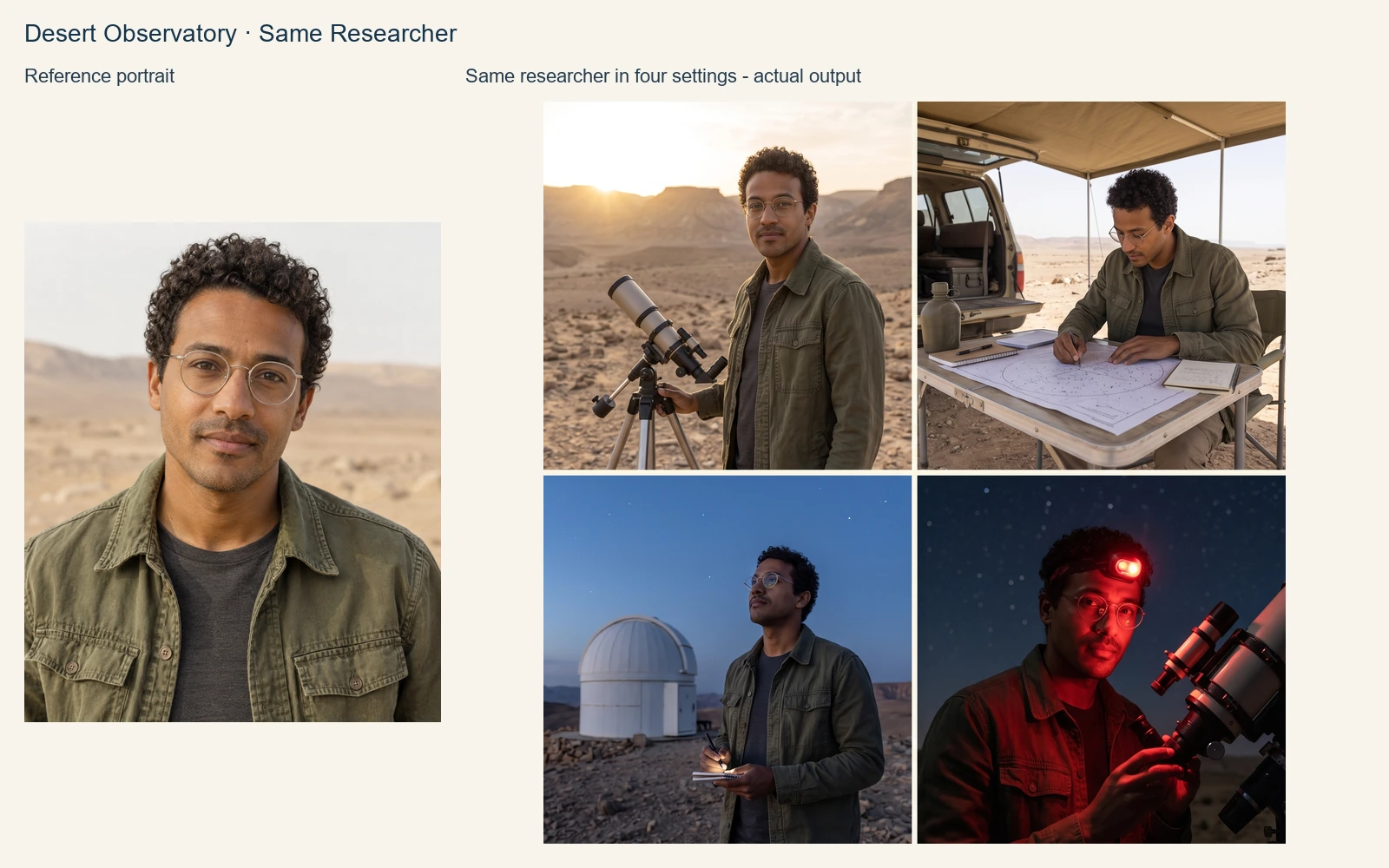
Consistent Subjects Across Creative Variations

Image series need consistent subject features as scenes change. Nano Banana 2.1 improves consistency for people, products and multi-reference edits. Reuse an original or generated image as a reference, then describe new scenes, moods and details to connect character visuals and product series.

  • Carry recognizable characters into new visual scenes
  • Create product variations with shared reference assets
  • Iterate by reusing an image as a reference
Consistent Subjects Across Creative Variations · Real generated example

06

Flexible Editing and Style Transformation

Explore backgrounds, colors and art styles around one idea. Nano Banana 2.1 improves style transformation and editing through prompts and references. Choose from ten aspect ratios for your publishing format, extending existing images into posters, social graphics and branded assets.

  • Explore backgrounds, color palettes and art styles
  • Choose aspect ratios for your publishing channels
  • Generate and edit with one API model identifier
Flexible Editing and Style Transformation · Real generated example

Who Can Benefit from Nano Banana 2.1 API?

01

E-Commerce Teams

Create product photographs, lifestyle scenes and catalog visuals with Nano Banana 2.1 API. Use reference images to guide product appearance and choose 2K or 4K output for detailed listings and campaign assets. Explore new settings around existing product imagery to build a cohesive visual collection for your store.

02

Marketing and Advertising Teams

Build campaign concepts, promotional posters and branded image variations with Nano Banana 2.1 API. Combine visual references with precise wording to guide layouts, product placement and brand style. Select the aspect ratio for each publishing channel and use resolution-based pricing to plan the cost of each creative iteration.

03

Social Media Creators

Generate square posts, portrait stories and landscape visuals with Nano Banana 2.1 API. Describe the message, mood and composition you want, then reuse a reference image to maintain a recognizable style across a series. Start at 1K for regular publishing or choose higher resolution for reusable master assets.

04

Designers and Creative Studios

Explore concept art, illustration directions and style transformations with Nano Banana 2.1 API. Use multiple references to communicate color, composition and subject detail, then refine the output with a new prompt. Its flexible resolution and aspect ratio options help teams prepare images for mood boards, presentations and visual design work.

05

Storyboarding and Character Artists

Develop character scenes and story frames with Nano Banana 2.1 API. Reference-guided editing helps carry subjects into new locations, moods and compositions. Reuse a previous result to explore the next visual direction, and choose portrait, landscape or widescreen ratios to match your storyboard or creative presentation.

06

Education and Publishing Teams

Create illustrated explanations, diagrams and multilingual visual material with Nano Banana 2.1 API. Provide the exact labels and desired arrangement in your prompt, then choose a resolution suited to the level of detail. Build presentation artwork, learning resources and editorial visuals around your own content and reference images.

Nano Banana 2.1 vs Nano Banana 2 — Model Comparison

Explore how Nano Banana 2.1 improves visual quality, text layout, subject consistency and reference-guided editing to choose a model for product imagery, marketing content and creative series.

FeatureNano Banana 2.1Nano Banana 2
Base ModelGemini 3.6 FlashGemini 3.1 Flash Image
Visual QualityImproved materials, lighting and fine visual detailRealistic images and a variety of creative styles
Text and LayoutEnhanced multilingual text rendering and infographic layoutsMultilingual text, posters and product labels
Subject ConsistencyStronger consistency for people, products and multi-image editsReference-guided character and product imagery
Multi-Image ReferencesUp to 10 images with improved multi-reference editingUp to 14 images to combine subject and style references
Style EditingImproved stylization and editing performanceBackground, color palette and art style transformations
Output Resolutions1K, 2K, 4K1K, 2K, 4K

Both models are available on PoYo for text-to-image generation and reference-guided editing.

How to Use Nano Banana 2.1 API on PoYo

Step 1: Register and Create an API Key
Create a PoYo account and get an API key from your dashboard to access Nano Banana 2.1.
Create API Key →

Step 2: Top Up Credits
Plan your image budget: 4 credits for 1K, 6 credits for 2K, or 10 credits for 4K.
Add Credits →

Step 3: Integrate the API or Try the Playground
Submit a request to /api/generate/submit with model set to nano-banana-2.1. Include prompt inside input, plus optional image_urls, size and resolution. Query results with the returned task_id.
View Documentation →

Frequently Asked Questions about Nano Banana 2.1 API

What is Nano Banana 2.1?

Nano Banana 2.1 is Google's efficient image generation and editing model, based on Gemini 3.6 Flash. On PoYo, use nano-banana-2.1 to create images from text or guide edits with reference images. Choose 1K, 2K or 4K output for product visuals, posters, illustrations and other creative content.

How much does Nano Banana 2.1 API cost on PoYo?

Pricing is per image and applies to both text-to-image generation and reference-image editing: 1K costs 4 credits ($0.02), 2K costs 6 credits ($0.03), and 4K costs 10 credits ($0.05). The Playground displays the estimated credits for your selected resolution. Top up your balance and pay as you generate.

How do I start using the API?

Create a PoYo API key, add credits, then submit a request to /api/generate/submit with model set to nano-banana-2.1 and a prompt inside input. Use the returned task_id to query /api/generate/status/{task_id}. You can also explore the same parameters in the online Playground.

Can I use multiple reference images?

Yes. Provide 1–10 HTTP(S) image URLs in image_urls to guide editing and composition. The Playground lets you upload images, enter URLs or choose assets from your library. Combine references with a clear prompt describing the subjects, visual style and changes you want to create.

Which resolutions and aspect ratios can I choose?

Choose 1K, 2K or 4K resolution, with 1K as the default. Available aspect ratios are 1:1, 2:3, 3:2, 3:4, 4:3, 4:5, 5:4, 9:16, 16:9 and 21:9. Reference-image editing also offers auto, which adapts the output proportions to the reference image.

How do default settings work?

A text-only request defaults to size 1:1 and resolution 1K. A request with reference images defaults to size auto and resolution 1K. In the Playground, an aspect ratio you explicitly select stays selected when you add references. These defaults make it easy to start and refine your output settings.

How can I create images with multilingual text?

Include the exact wording, target language and desired placement in your prompt. Nano Banana 2.1 improves text rendering for content such as posters, labels, menus and visual explanations. Choose 2K or 4K when your design calls for finer typography, then review the result and iterate with a reference image.

How do I track and download a generation?

Each submission returns a task ID for asynchronous status tracking. The Playground displays the processing state and shows the completed image when it is ready. View the response JSON for integration details or download the generated image. For API workflows, poll the task status endpoint or configure a callback URL.

Why Use PoYo for Nano Banana 2.1 API Access

01

Start with a Familiar API Workflow

Create a key in the PoYo dashboard, top up credits and submit your first image request. Explore prompts and output settings in the online Playground, then reuse the same model and parameters in your application. Move from a visual experiment to an integrated workflow with clear API steps.

02

Clear Resolution-Based Pricing

Start at 4 credits ($0.02) per 1K image and choose 2K or 4K for 6 or 10 credits. Image generation and reference-guided editing follow the same pricing. Select the resolution that fits each creative task and use the displayed credit estimate to plan your image budget.

03

A Unified Developer Interface

Build around PoYo's existing submit and task-status endpoints with nano-banana-2.1. Task IDs, response JSON and optional callbacks help connect image results to your application. Use the same asynchronous workflow for prompt-based creation and reference-image editing as your product evolves.

04

Flexible Creative Workflows

Move between text-to-image generation and reference-guided editing with one model identifier. Up to 10 references, ten aspect ratios and three resolutions give teams practical controls for product imagery, branded series, posters and character scenes. Explore variations and refine a result by reusing it as a reference.