What is Seedream 5.5?
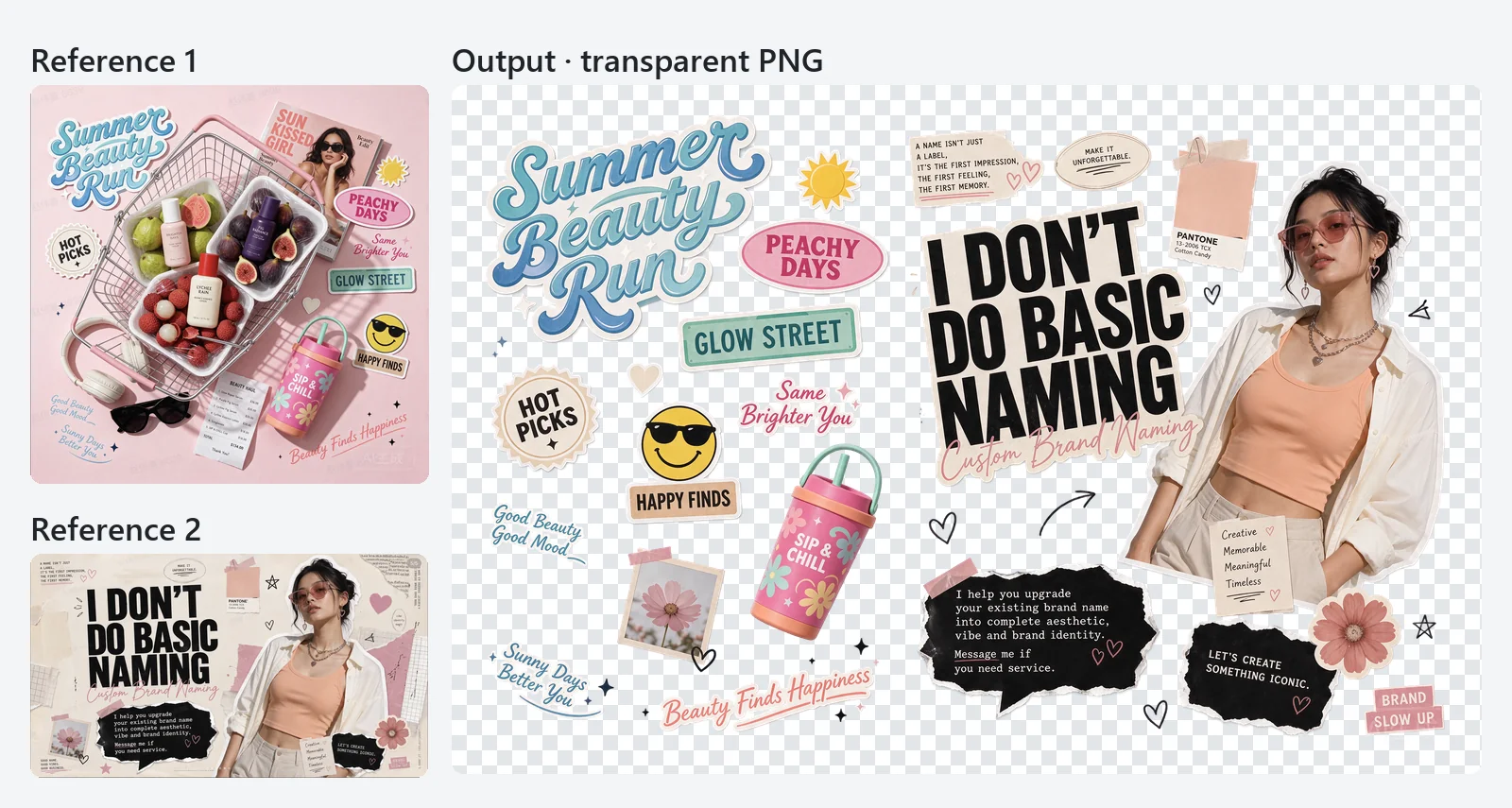
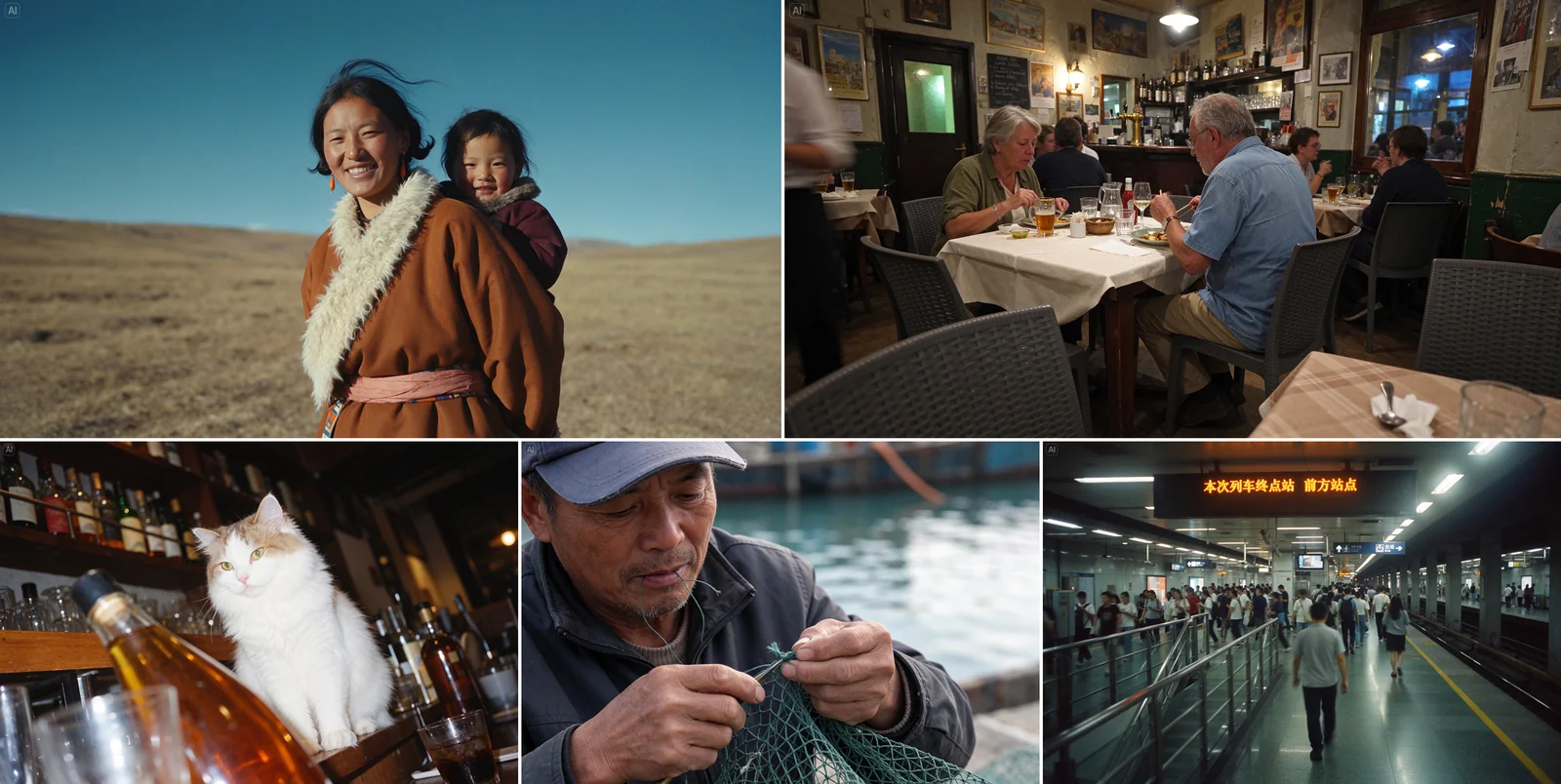
Seedream 5.5 is ByteDance Seed's image creation model, released on November 9, 2026, and listed on BytePlus as Dola Seedream 5.5. One model handles text-to-image, editing with up to 10 reference images and native transparent PNG output, and it also offers layer decomposition. PoYo provides it as seedream-5.5 and seedream-5.5-layerize through one REST API and one API key, with a playground on this page.
What is the difference between seedream-5.5 and seedream-5.5-layerize?
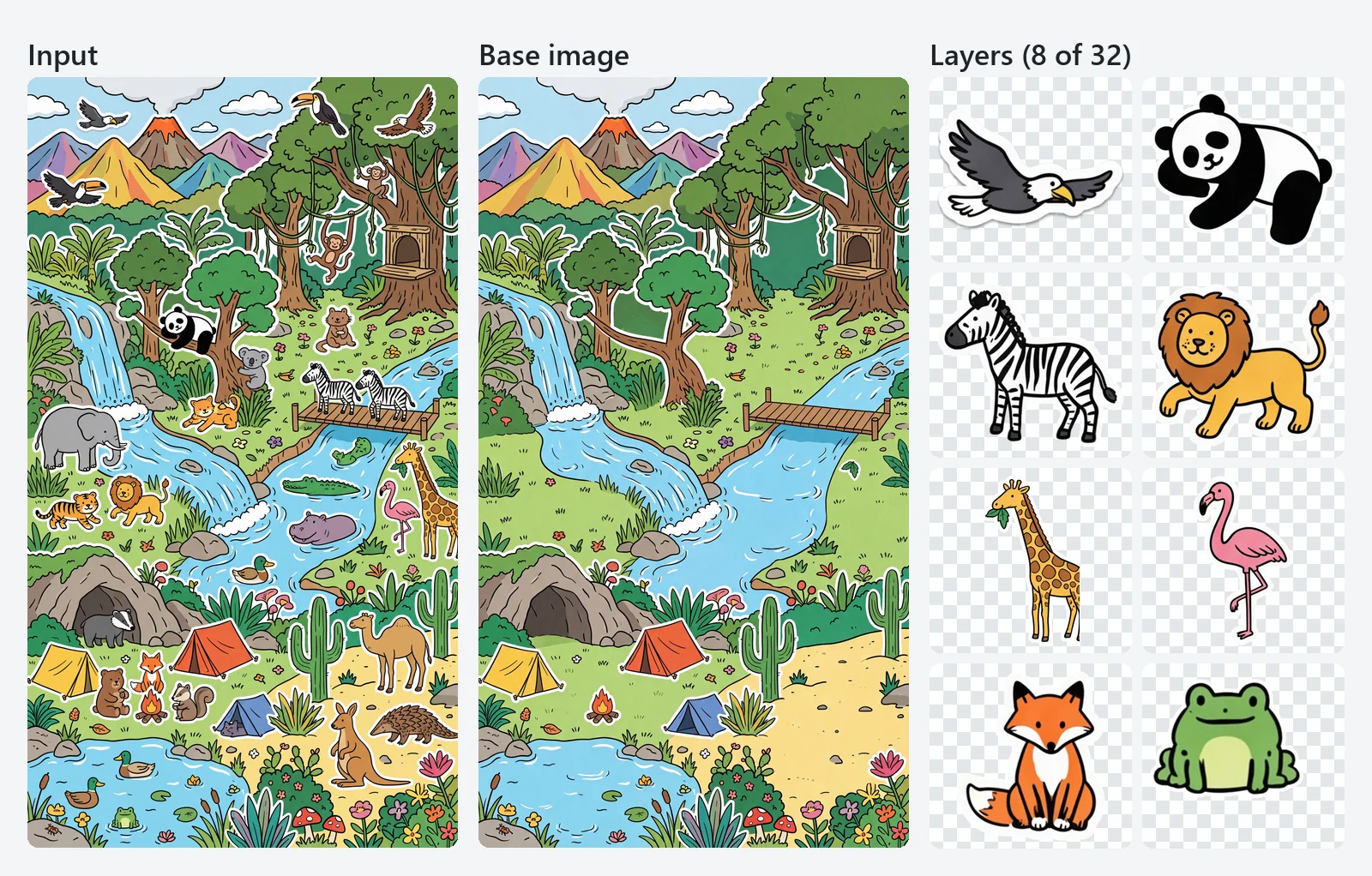
seedream-5.5 creates and edits images: send a prompt, optionally with 1 to 10 reference images, and get one image back. seedream-5.5-layerize takes exactly one image and returns a base image plus transparent PNG layers, each with a z_index, bounding box, name and description. Use the first to make or change pictures and the second to break a finished picture into editable parts.
How much does the Seedream 5.5 API cost on PoYo?
PoYo bills per image with no subscription. seedream-5.5 costs 4 credits ($0.02) at 1K or 1.5K and 7 credits ($0.035) at 2K, plus 1.6 credits ($0.008) per reference image, so a 2K edit with one reference costs 8.6 credits. seedream-5.5-layerize charges the same per-image rate for every returned image, base image included, plus 1.6 credits for the input image; auto resolution bills at the 2K rate. Credits are charged only when the task succeeds.
How do I generate an image with a transparent background?
Set background to transparent and output_format to png. Seedream 5.5 then returns an RGBA PNG with full or partial transparency, for example a sticker with soft shadows or a glass object. This works for text-to-image and for edits with up to 10 reference images, and the reference images can be ordinary RGB photos. Describing the isolated subject in the prompt helps, such as a single product on a transparent background.
What does layer decomposition return?
Each finished task lists one file per image, base image first. Every file has a layer object: z_index is 0 for the base image and counts up from 1 for layers, with higher values on top. Layers also include a model-written name and description and a bounding_box with absolute pixel coordinates on the base image and normalized 0 to 1000 coordinates. Scale each layer to its box and stack the layers by z_index to rebuild the image.
How many layers can Seedream 5.5 create?
Set max_images from 2 to 100; the default is 30 and the base image counts as one, so a request can return up to 99 layers. Larger values give finer splits. The model returns as many layers as the image needs, which can be fewer than max_images, and PoYo bills only the images actually returned. Your balance needs to cover max_images images when you submit.
Can Seedream 5.5 read the text in a layered image?
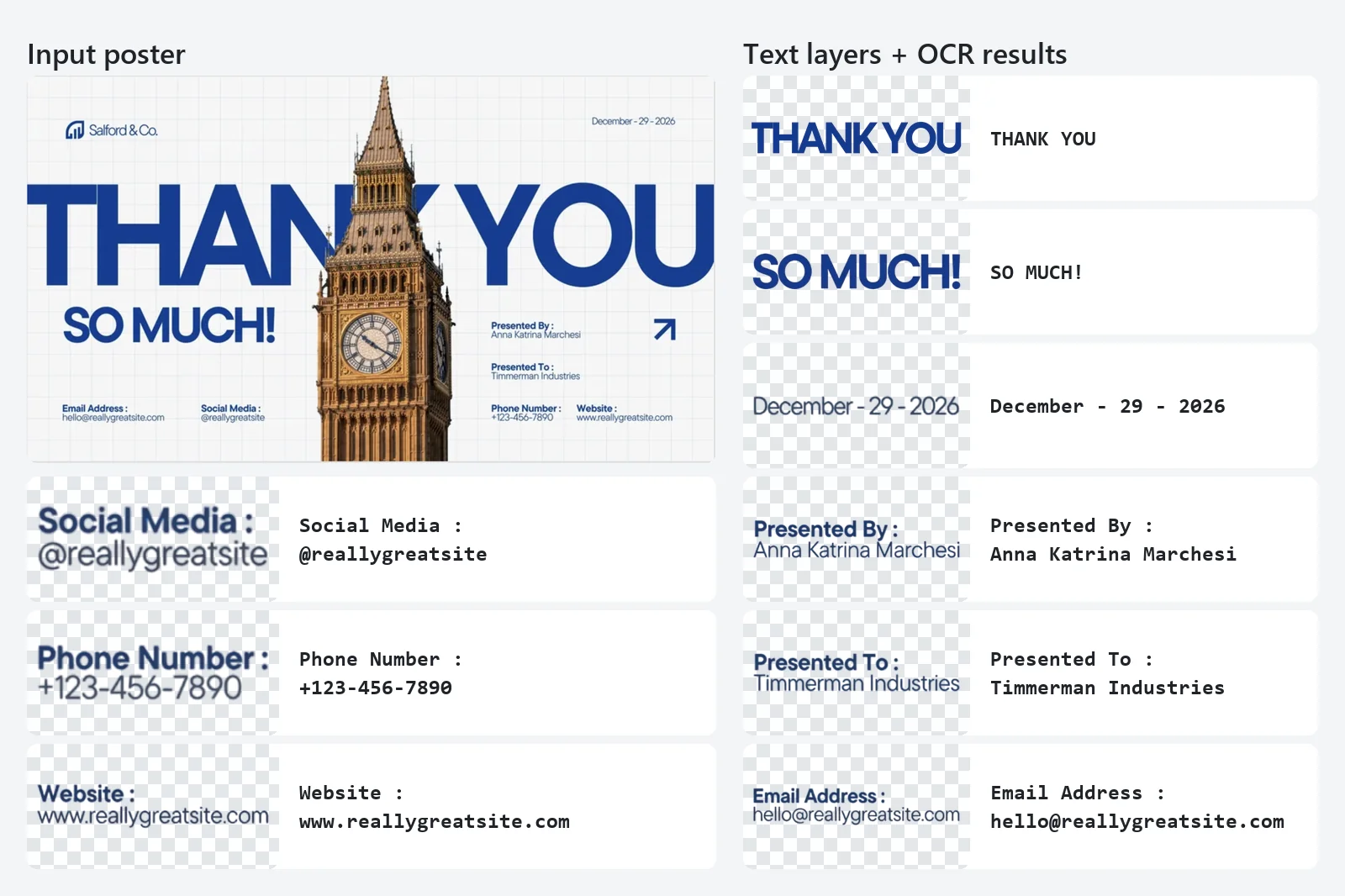
Yes. Turn on text_recognition and each regular text layer returns an OCR result in layer.text_recognition: the full text, every line with its bounding box, and runs with approximate styles, including the closest font family, color, bold, italic, underline, strikethrough, shadow and translucency. Design tools can use this to change the copy, translate a layout or rebuild a template. Artistic and handwritten lettering is kept as part of the image layers.
How does multi-turn editing work?
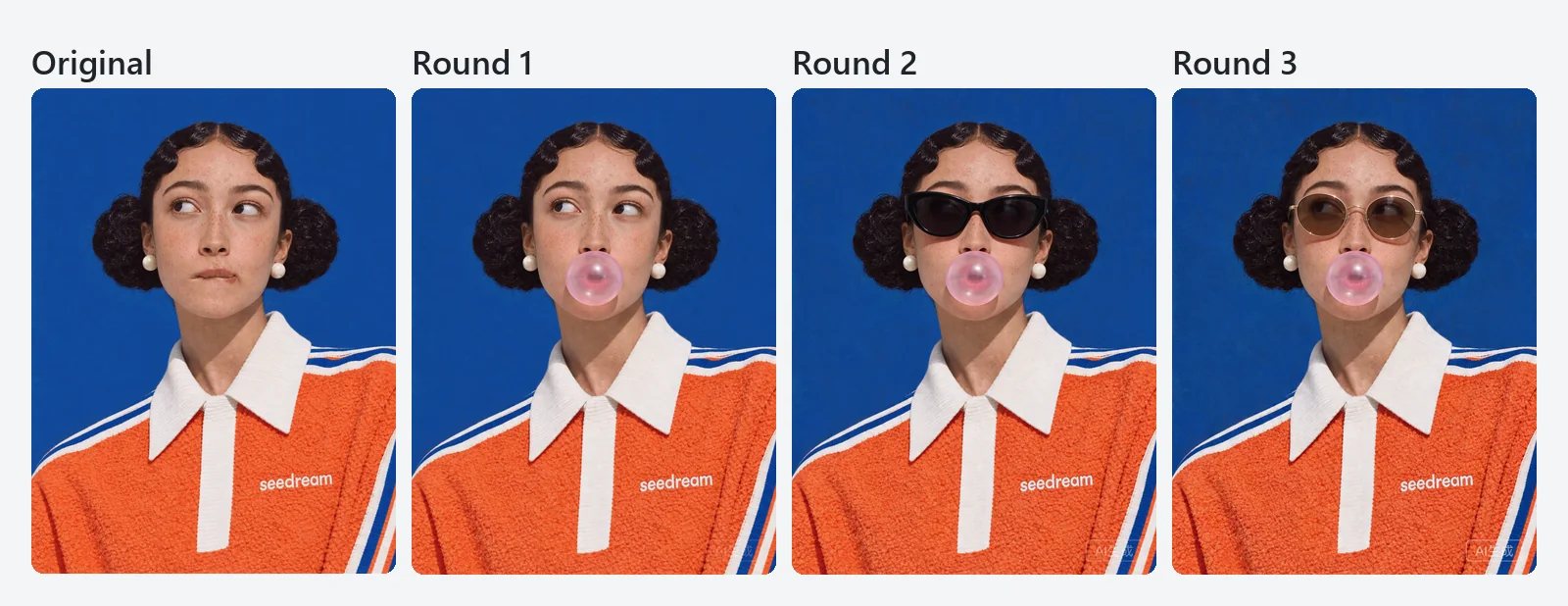
Send the image you want to change in image_urls with a prompt that says what to change and what to keep, then pass the new result back in the next request. Seedream 5.5 keeps the regions you leave out of the prompt stable at the pixel level, and ByteDance demonstrates 100 consecutive editing rounds on one image. Use background opaque or auto for the intermediate rounds and switch to transparent only when you need the final cut-out.
Which resolutions and aspect ratios does Seedream 5.5 support?
seedream-5.5 offers 1K, 1.5K and 2K, with 2K as the default, in eight aspect ratios: 1:1, 4:3, 3:4, 16:9, 9:16, 3:2, 2:3 and 21:9. For example, 2K is 2048×2048 at 1:1 and 2816×1584 at 16:9. Edits also accept size auto, which follows the reference images. seedream-5.5-layerize offers 1K, 1.5K, 2K and auto, where auto keeps images between 1K and 2K at their original size.
What images can I upload?
For seedream-5.5, pass 1 to 10 public image URLs in image_urls as JPEG, PNG or WebP files of up to 10 MB each, and refer to them in the prompt by their order. For seedream-5.5-layerize, pass exactly one JPEG or PNG image of up to 10 MB, between 512×512 and 6000×6000 pixels, with an aspect ratio between 1:16 and 16:1. image_urls is always an array, even for one image.
How long does a Seedream 5.5 request take?
In PoYo tests in November 2026, a seedream-5.5 image took about 24 seconds on average, and about 29 seconds at the 90th percentile. Layer decomposition requests returning 3 to 13 images took about 18 to 47 seconds. Times vary with resolution, reference images, the number of layers and queue load, so poll the status endpoint or pass a callback_url.
How is Seedream 5.5 different from Seedream 5.0 Pro?
According to ByteDance, Seedream 5.5 improves multi-turn editing consistency, generates transparent images directly from text as well as from images, and refines layer decomposition: up to 99 layers instead of 16, a configurable output count and OCR for text layers. Seedream 5.0 Pro remains available on PoYo as seedream-5.0-pro for its own text-to-image and editing workflows.