GPT Image 2.5 API is live. Create and edit images →
PoYoPoYo
Market
Pricing
Enterprise
Ctrl+K
poyo.ai

One API. Every model.

Built for developers

All systems operational

Resources

  • Alternative Hub
  • Comparison Hub
  • Blog
  • Providers
  • Affiliate Program
  • Features
  • Sitemap

© 2025 PoYo API. All rights reserved.

Popular Modelshot

  • Seedance 2.5
  • MiniMax H3 / Hailuo 03
  • FLUX 3
  • Nano Banana Pro
  • Seedance 2
  • GPT Image 2

New Releasesnew

  • GPT-6.1 Sol
  • Claude Sonnet 5.5
  • MiniMax H3 Max
  • MiniMax H3 Max Turbo
  • Qwen Image 2.1
  • GPT-6 Luna

Coming Soonsoon

  • Wan Animate 2

All Providers

Google

  • Nano Banana Pro
  • Gemini Omni 1.1 Flash
  • Gemini 3.7 Flash
  • Gemini 3.8 Flash
  • Gemini 3.1 Flash TTS
  • Nano Banana
  • Veo 3.1
  • Veo 3.1 Official
  • Omni Flash
  • Nano Banana 2
  • Gemini 3.5 Flash
  • Nano Banana 2 Lite
  • Gemini 3 Series

Kling

  • Kling 3.0 Motion Control
  • Kling 3.0
  • Kling O3
  • Kling 1.6
  • Kling 2.1
  • Kling 2.6
  • Kling Avatar 2.0
  • Kling 2.5 Turbo Pro
  • Kling 3.0 Turbo
  • Kling 2.6 Motion Control
  • Kling O3 Image
  • Kling O1 Image

Anthropic

  • Claude Sonnet 5
  • Claude Fable 5.1
  • Claude Opus 5
  • Claude Opus 5.5
  • Claude Sonnet 5.5
  • Claude Opus 4.8
  • Claude Opus 4.7
  • Claude 4.6 API
  • Claude 4.5 Series

MiniMax

  • MiniMax H3 / Hailuo 03
  • MiniMax H3 Max
  • MiniMax H3 Max Turbo
  • MiniMax Music 2.6
  • Hailuo 02
  • Hailuo 2.3

Tripo3D

  • Tripo3D H3.1
  • Tripo3D P1

Moonshot AI

  • Kimi K3

OpenAI

  • GPT Image 2
  • Sora 2 Official
  • GPT-6 Astra
  • GPT-6 Sol
  • GPT Image 2.5
  • GPT-5.6
  • GPT-6 Luna
  • GPT-6.1 Sol
  • GPT Image 1.5
  • GPT-4o Image
  • GPT-5.5
  • GPT-5.4
  • GPT-5.2

Seedream

  • Seedream 5.0 Pro
  • Seedream 4
  • Seedream 4.5
  • Seedream 5.0 Lite

Seedance

  • Seedance 2.5
  • Seedance 2
  • Seedance 2.0 Mini
  • Seedance 1.0 Pro
  • Seedance 1.5 Pro

DeepSeek

  • DeepSeek V4 Flash
  • DeepSeek V4 Pro
  • DeepSeek V4.1 Flash

Hunyuan

  • Hunyuan 3D v3.1

ElevenLabs

  • ElevenLabs Music
  • ElevenLabs TTS Turbo v2.5
  • ElevenLabs V3 TTS

Black Forest Labs

  • FLUX 3
  • FLUX.2
  • Flux Kontext
  • Flux Dev
  • Flux Schnell

Alibaba

  • Qwen Image 3.0
  • Happy Horse 1.1
  • Wan 2.7 Video
  • Wan 3.0
  • Wan 3.0 Video Prime
  • Qwen Image 2.1
  • Wan Animate 2
  • Wan 2.2 Fast
  • Z-Image
  • Wan 2.5
  • Wan 2.6
  • Wan 2.7 Image
  • Wan Animate
  • Happy Horse

xAI

  • Grok 4.6
  • Grok 4.7
  • Grok Imagine Image 2.0
  • xAI TTS 1
  • Grok Imagine
  • Grok Imagine Video 1.5
  • Grok Imagine Image Quality

Meshy

  • Meshy 6 3D

Runway

  • Runway Gen-4.5

PoYo

  • AI Video Background Removal
  • AI Video Upscaler
  • Image Translator
  • Video Translator
  • Suno Music
GitHubXInstagramYouTubeDiscordTelegramEmail
Customer SupportDocumentation
ImageVideo3DAudioAvatarTools
Loading playground...
AI Avatar Generator Guide

Complete guide to using AI Avatar Generator — Create Talking Digital Human Videos

AI Avatar Generator — Create Talking Digital Human Videos

Turn portraits or character images into talking digital humans, sync lips to uploaded audio, and generate preview-ready avatar videos with Kling Avatar 2.0.

Use PoYo to test Standard and Pro variants, preview generated MP4 videos, download outputs, and move approved image, audio, and prompt settings into your API workflow.

Create a Talking Avatar Video

Key Features of PoYo AI Avatar Generator

Turn images and uploaded voice tracks into talking digital human videos with lip sync, presenter motion, localization, and consent-aware handoff.

01

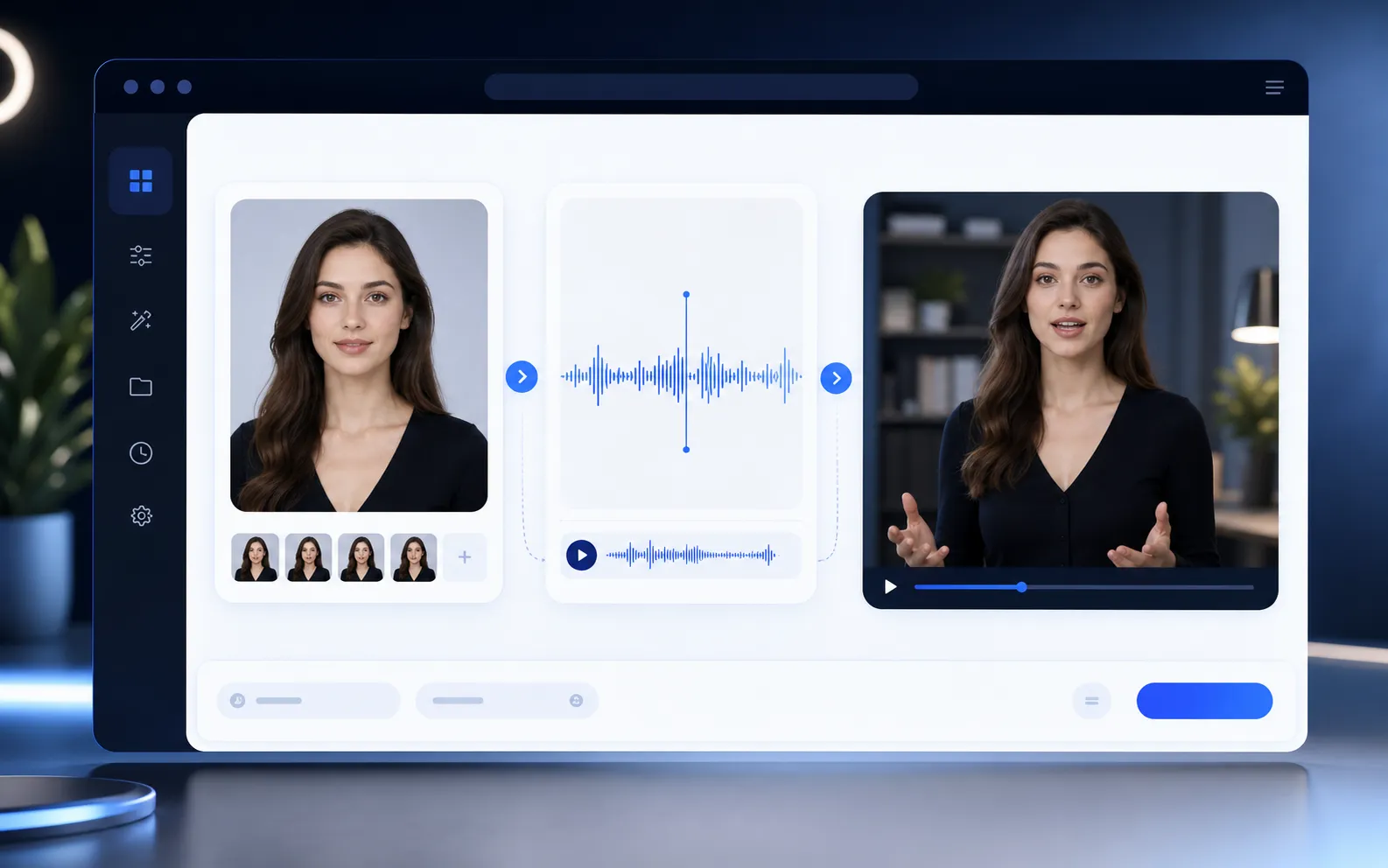
Image and voice to talking avatar videos

Start with a face, presenter, or stylized character image and an audio file. The generator turns those inputs into an avatar video where the subject speaks with the uploaded voice track.

  • Use one reference image as the avatar source
  • Drive speech with an uploaded audio file
  • Generate presenter-style video output
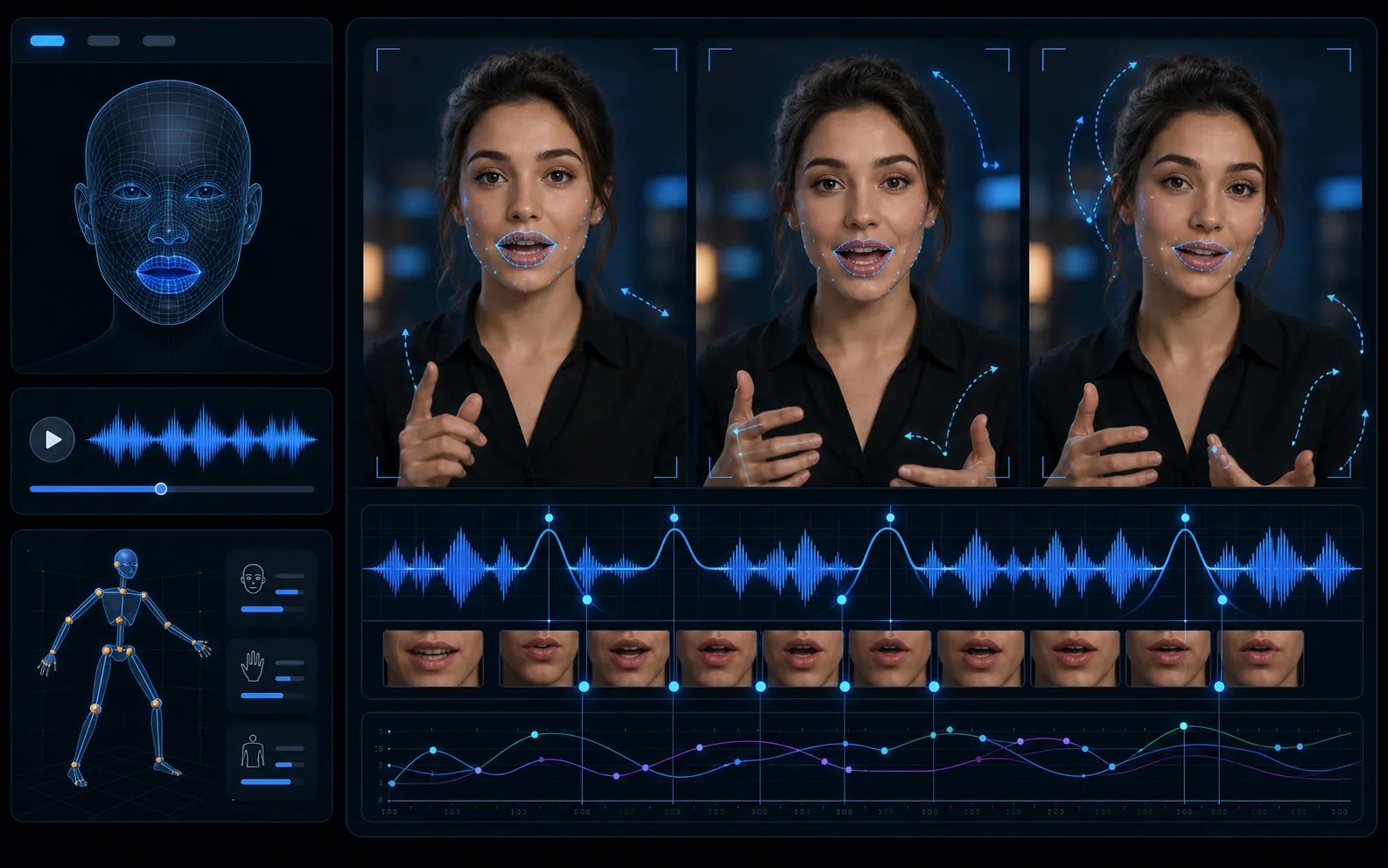
Image and voice to talking avatar video workflow

02

Lip-sync, facial expression, and presenter motion

Create videos with synchronized mouth shapes, subtle head movement, eye contact, and facial expression. Use prompts to guide framing, gestures, and presenter behavior when the selected variant supports it.

  • Match mouth movement to the voice track
  • Preserve the identity or character design
  • Guide expression, pose, and motion with prompts
Lip-sync and facial motion for talking avatars

03

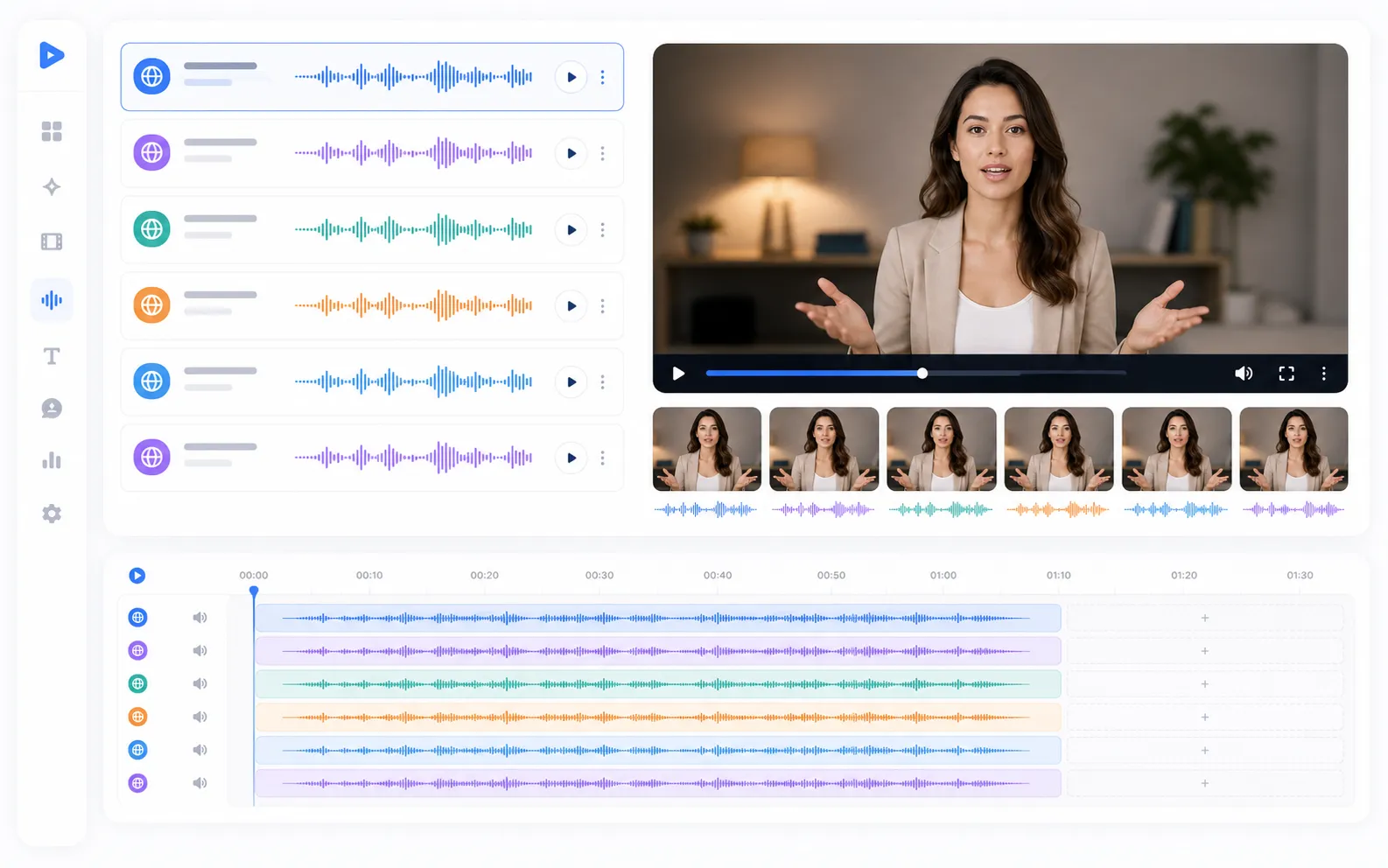
Multilingual voice and localized avatar drafts

Use different driving audio tracks to create localized presenter drafts for marketing, training, product explainers, and support videos. Review every language version before publishing.

  • Reuse one avatar image across language versions
  • Upload clear voice tracks for each locale
  • Check pronunciation, timing, and lip-sync manually
Multilingual voice tracks for localized avatar video drafts

04

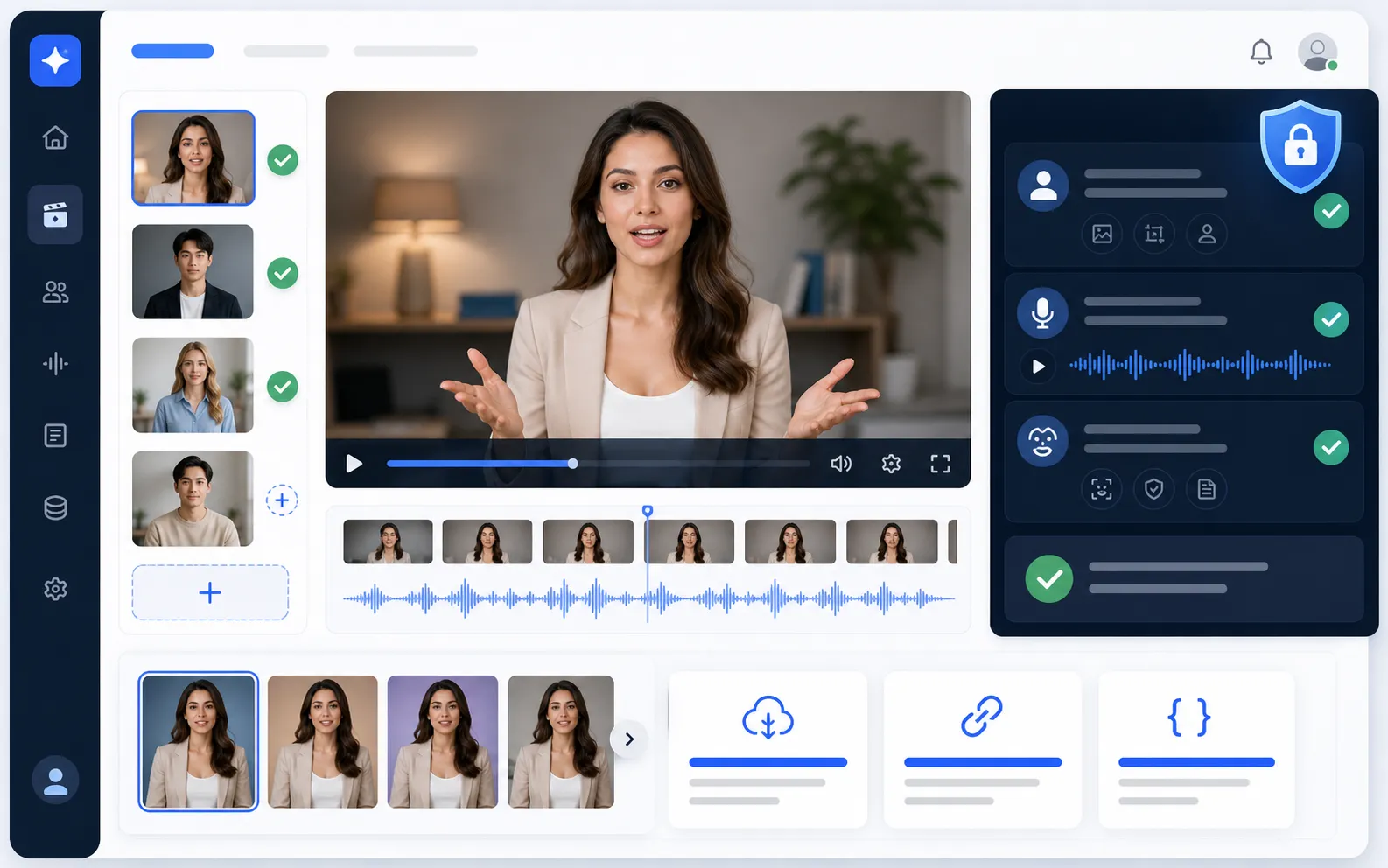
Consent-aware avatar use and production handoff

Work with images, voices, and likenesses you have the right to use. Preview the generated video, download the MP4, copy the URL or prompt, and move approved settings into your API workflow.

  • Use only authorized image, voice, and likeness assets
  • Avoid misleading impersonation and celebrity misuse
  • Preview, download, and reuse approved settings in API workflows
Consent-aware avatar video preview and API handoff workflow

What Can You Create with AI Avatar Generator?

01

Product explainers and UGC spokesperson videos

Create short presenter clips, product walkthroughs, founder messages, and UGC-style spokesperson videos from an image and voice track.

02

Training, course, and onboarding narration

Turn course scripts, onboarding voiceovers, and internal training audio into presenter-led videos.

03

Multilingual marketing and localized drafts

Pair localized voice tracks with the same presenter image to prototype regional ads, tutorials, and announcements.

04

Virtual hosts, support, and assistant presenters

Create virtual hosts for support explainers, assistant demos, help center videos, and guided product flows.

05

Social creator clips, ads, and short-form content

Generate social-ready avatar videos for creator posts, short ads, campaign variants, and rapid content tests.

06

Developer, API, and agent workflows

Validate avatar prompts, image/audio inputs, video previews, and response URLs before integrating avatar generation into products.

How to Use AI Avatar Generator on PoYo

1. Choose Standard or Pro. Use the model selector in the Input panel to pick the Kling Avatar 2.0 variant for your clip.

2. Add an avatar image. Upload or provide a clear portrait, presenter, or character image with the face visible.

3. Add the driving audio. Upload the voice track that the avatar should speak, then write an optional prompt for framing, expression, gesture, and scene behavior.

4. Generate and preview. Run the job, review the video in Output, download the MP4, and reuse the tested parameters in your API workflow.

AI Avatar Generator FAQ

What can Avatar Generator create?

PoYo Avatar Generator creates talking avatar videos from a reference image and a driving audio file. It is designed for presenter videos, virtual hosts, product explainers, training clips, and localized avatar drafts.

Is this for static avatars or talking avatar videos?

This page is for talking avatar video generation, not static profile icons, cartoon avatar makers, headshot tools, or avatar asset libraries.

What inputs do I need?

You need a clear avatar image and an audio file. A prompt is optional but useful when you want to describe framing, expression, gesture, scene, or presenter behavior.

Which model should I choose, Standard or Pro?

Choose Standard for direct talking avatar clips and faster experiments. Choose Pro when you need richer presenter direction, more expressive motion, or a more polished avatar video draft.

How accurate is the lip sync?

Lip-sync quality depends on the avatar image, face visibility, audio clarity, language, pacing, and selected model. Use clean speech, avoid noisy audio, and review output before publishing.

Can I use a real person, employee, or celebrity image?

Only use images, voices, and likenesses that you have the right and consent to use. Do not create misleading, impersonation, or unauthorized celebrity/personality content.

What output formats can I preview or download?

The consumer gallery previews generated avatar videos in the browser and supports downloading the returned video file, typically MP4 depending on the provider response.

How long does generation take, how is pricing calculated, and can I use outputs commercially?

Runtime and credits vary by model variant, input media, duration, and provider processing. The Input footer shows the current cost. Commercial use depends on the selected provider terms and your rights to the image, voice, script, and likeness.

Why Use PoYo for AI Avatar Generation?

01

Focused avatar workflow

Use a dedicated talking avatar page instead of searching through every video model.

02

Video output built in

Preview generated avatar videos directly in the Output gallery and open them in the full preview dialog.

03

Native model controls

Keep the image, audio, prompt, Standard, and Pro controls attached to the avatar model.

04

Playground to API

Test avatar inputs visually before moving the same workflow into an API-backed product.