
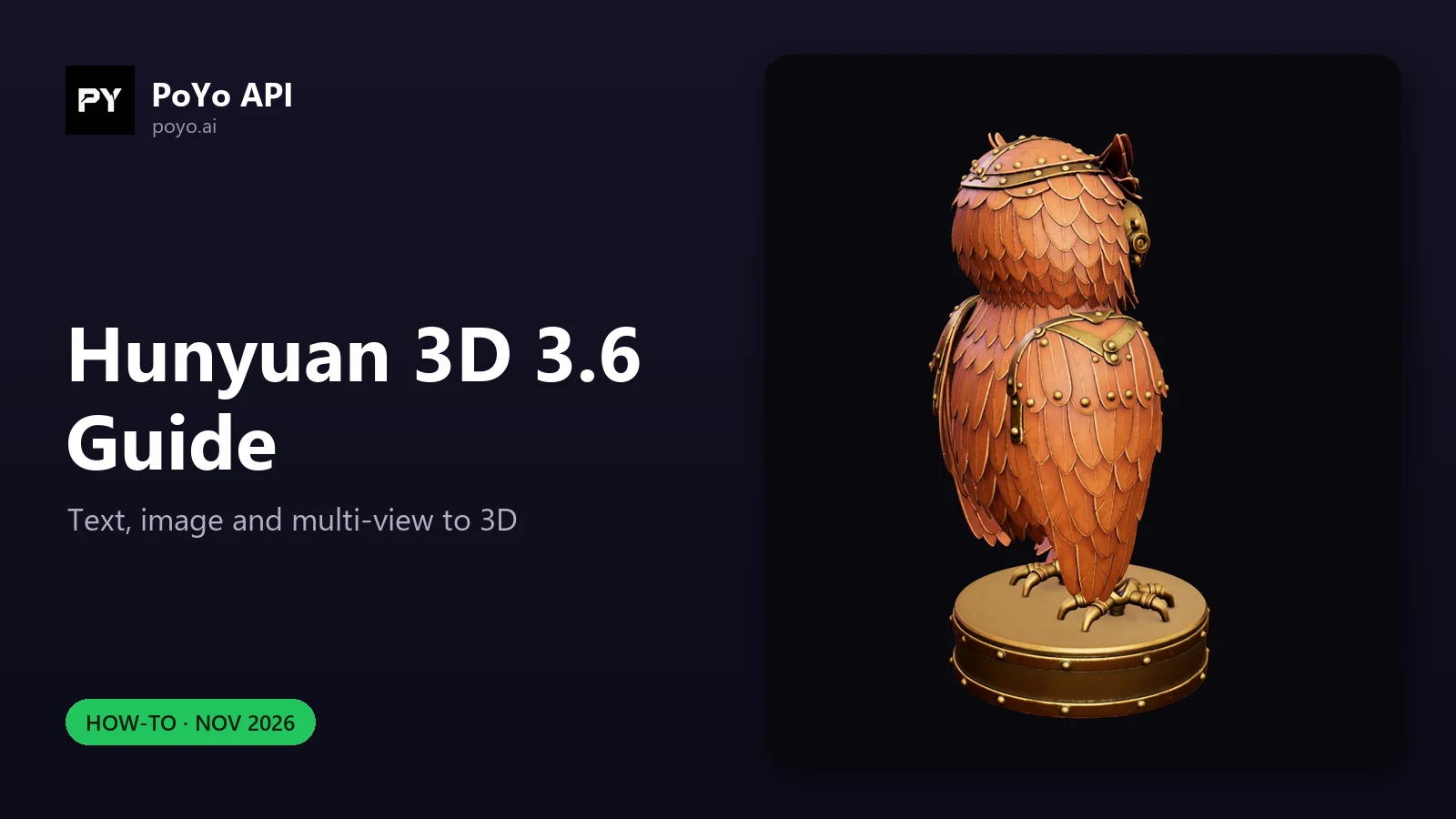
このHunyuan 3D 3.6 APIガイドでは、APIキーの用意からGLBのダウンロードまでを説明します。すべてのリクエストは1つのエンドポイントに、2つのモデルID(hunyuan-3d/v3.6/text-to-3dまたはhunyuan-3d/v3.6/image-to-3d)のどちらかを指定して送り、非同期タスクとして実行されます。以下に、text to 3D、image to 3D、最大8視点のマルチビュー入力、PBR、面数、テクスチャサイズ、ジオメトリのみモード用の動作するJSONボディと、PythonとNodeのポーリングコードを掲載します。まずはHunyuan 3D 3.6のモデルページのPlaygroundで試してみてください。
Hunyuan 3D 3.6 API呼び出しの流れ
Authorization: Bearer $POYO_API_KEYを付けてPOST https://api.poyo.ai/api/generate/submitを呼び出します。JSONボディにはmodel、input、任意でトップレベルのcallback_urlを含めます。- レスポンスはステータス
not_startedのdata.task_idを返します。送信の成功は、モデルの完成を意味しません。 statusがfinishedまたはfailedになるまでGET https://api.poyo.ai/api/generate/status/{task_id}をポーリングするか、Webhookを待ちます。data.filesを読み取ります。最初がGLB(file_type: "3d")、次にテクスチャ付きタスクのOBJ ZIP(file_type: "3d"、.zip)、最後にPNGプレビュー(file_type: "image")です。
すべてのレスポンスには業務用のcodeがあります。HTTPステータスとあわせて確認してください。一部のバリデーションエラーはHTTP 200で、ボディにcode: 400を返します。
cURLでText to 3D
curl https://api.poyo.ai/api/generate/submit \
  -H "Authorization: Bearer $POYO_API_KEY" \
  -H "Content-Type: application/json" \
  -d '{
    "model": "hunyuan-3d/v3.6/text-to-3d",
    "callback_url": "https://your-domain.com/callback",
    "input": {
      "prompt": "A battle-worn dwarf blacksmith in a layered leather apron over chainmail, riveted steel pauldrons, a braided beard with iron rings, holding a forging hammer in one hand",
      "enable_pbr": true
    }
  }'
promptとenable_pbrだけを指定すると、デフォルト設定のテクスチャ付きモデルが得られます。目標面数2,000,000、4K JPEGテクスチャ、さらにmetallic、roughness、normalマップです。対象物、パーツ、素材、色を記述してください。プロンプトは1〜1,024文字です。
次にタスクを確認します。
curl https://api.poyo.ai/api/generate/status/YOUR_TASK_ID \
  -H "Authorization: Bearer $POYO_API_KEY"
入力モードごとのJSONボディ
スタイル付きText to 3D。 styleはtext to 3D専用で、qinghuaci(青花磁器)、china_style、sculpture、cartoon、cyberpunkから選びます。プロンプトどおりにしたい場合は省略します。
{
  "model": "hunyuan-3d/v3.6/text-to-3d",
  "input": {
    "prompt": "A round teapot with a dragon-shaped spout, a curled handle and a lid knob shaped like a lotus bud",
    "style": "qinghuaci",
    "enable_pbr": true,
    "texture_format": "png"
  }
}
正面ビュー1枚からのImage to 3D。 image_urlsにはちょうど1枚の画像を指定します。JPG、PNG、WEBPで各辺128〜5000 px、10 MB未満、公開URLであることが条件です。対象物全体が収まり、背景が無地のきれいな正面ビューを使ってください。
{
  "model": "hunyuan-3d/v3.6/image-to-3d",
  "input": {
    "image_urls": ["https://storage.poyo.ai/models/hunyuan-3d-3-6/examples/input-steampunk-owl-front-8ab04096913b.png"],
    "enable_pbr": true
  }
}
写真のライティングと影をテクスチャに残すには"bake_lighting": trueを追加します。デフォルトはライティングなしのアルベドテクスチャで、エンジン側でライティングし直せます。
マルチビューImage to 3D(最大8視点)。 正面ビューはimage_urlsに置いたまま、7つの名前付きビューフィールドのいずれかを追加します。各フィールドにJPGまたはPNGを1枚指定します。すべてのビューは同じ対象物を写している必要があります。
{
  "model": "hunyuan-3d/v3.6/image-to-3d",
  "input": {
    "image_urls": ["https://example.com/owl-front.png"],
    "back_image_url": "https://example.com/owl-back.png",
    "left_image_url": "https://example.com/owl-left.png",
    "right_image_url": "https://example.com/owl-right.png",
    "top_image_url": "https://example.com/owl-top.png",
    "bottom_image_url": "https://example.com/owl-bottom.png",
    "left_front_image_url": "https://example.com/owl-left-front.png",
    "right_front_image_url": "https://example.com/owl-right-front.png",
    "enable_pbr": true,
    "ao_strength": 0.5
  }
}
追加ビューが1つでもあれば、タスクはマルチビュー生成とその料金に切り替わります。ao_strength(0〜1、デフォルト0)はアンビエントオクルージョンを設定し、テクスチャ付きのマルチビュータスクにのみ適用されます。
面数とテクスチャサイズ。 face_countは1,000〜2,000,000を受け付けます。デフォルトでは、モデルはこの値を目標として扱い、対象物に合わせて調整します。face_strict_mode: trueにすると正確な数が強制されます。texture_resolutionは2k、4k、8kで、seamless_texture: trueはテクスチャの細部と引き換えに継ぎ目を減らします。
{
  "model": "hunyuan-3d/v3.6/image-to-3d",
  "input": {
    "image_urls": ["https://example.com/sneaker-front.png"],
    "face_count": 200000,
    "face_strict_mode": true,
    "texture_resolution": "2k",
    "texture_format": "webp",
    "enable_pbr": true
  }
}
これは、細部の最後の一点よりもファイルサイズが重要なWebビューアやAR向けの構成です。
ジオメトリのみ。 generate_type: "Geometry"はテクスチャなしのホワイトモデルを返します。GLBとPNGプレビューのみで、OBJ ZIPは含まれません。これらのタスクではテクスチャ関連のオプションは無視されるため、指定しないでください。
{
  "model": "hunyuan-3d/v3.6/text-to-3d",
  "input": {
    "prompt": "A carved wooden chess knight with a flowing mane, flared nostrils and a ringed round base",
    "generate_type": "Geometry",
    "face_count": 300000,
    "face_strict_mode": true
  }
}
Pythonの上限付きポーリングループ
requestsをインストールしたバックエンドで実行してください。HTTPエラーと業務エラーをチェックし、タスクが失敗したら停止し、30分で打ち切ります。タイムアウトは「同じtask IDを後で再確認する」という意味で、「再送信する」ではありません。2回目の送信は、2回目の課金対象の生成になります。
import os
import time
import requests

BASE = "https://api.poyo.ai"
s = requests.Session()
s.headers["Authorization"] = "Bearer " + os.environ["POYO_API_KEY"]

def checked(resp):
    resp.raise_for_status()
    body = resp.json()
    if body.get("code") != 200:
        raise RuntimeError(f"PoYo error {body.get('code')}: {body.get('error')}")
    return body["data"]

task = checked(s.post(BASE + "/api/generate/submit", json={
    "model": "hunyuan-3d/v3.6/image-to-3d",
    "input": {
        "image_urls": ["https://example.com/owl-front.png"],
        "enable_pbr": True,
    },
}, timeout=60))
task_id = task["task_id"]
print("task", task_id, flush=True)

deadline = time.monotonic() + 30 * 60
while time.monotonic() < deadline:
    task = checked(s.get(f"{BASE}/api/generate/status/{task_id}", timeout=60))
    if task["status"] == "failed":
        raise RuntimeError(task.get("error_message") or "generation failed")
    if task["status"] == "finished":
        break
    time.sleep(15)
else:
    raise TimeoutError("still running, poll again later: " + task_id)

print("charged", task.get("credits_amount"), "credits")
for f in task["files"]:
    name = f["file_url"].rsplit("/", 1)[-1]
    with s.get(f["file_url"], stream=True, timeout=300) as r:
        r.raise_for_status()
        with open(name, "wb") as out:
            for chunk in r.iter_content(1 << 20):
                out.write(chunk)
    print("saved", f["file_type"], name)
ダウンロードはストリーミングで行ってください。公開日のテストでは、テクスチャ付きGLBが72 MBと82 MB、OBJ ZIPが49 MBと55 MBでした。
Nodeでの同じフロー
Node 18以降、依存関係なし:
const BASE = "https://api.poyo.ai";
const headers = {
  Authorization: `Bearer ${process.env.POYO_API_KEY}`,
  "Content-Type": "application/json",
};

async function call(path, init = {}) {
  const res = await fetch(BASE + path, { ...init, headers });
  const body = await res.json();
  if (!res.ok || body.code !== 200) {
    throw new Error(`PoYo error ${body.code}: ${JSON.stringify(body.error)}`);
  }
  return body.data;
}

const { task_id } = await call("/api/generate/submit", {
  method: "POST",
  body: JSON.stringify({
    model: "hunyuan-3d/v3.6/text-to-3d",
    input: {
      prompt: "An armored knight with a long cape, a kite shield and a sword",
      enable_pbr: true,
    },
  }),
});

const deadline = Date.now() + 30 * 60 * 1000;
let task;
while (Date.now() < deadline) {
  task = await call(`/api/generate/status/${task_id}`);
  if (task.status === "failed") throw new Error(task.error_message);
  if (task.status === "finished") break;
  await new Promise((r) => setTimeout(r, 15000));
}
if (task?.status !== "finished") throw new Error(`poll again later: ${task_id}`);

const glb = task.files.find((f) => f.file_url.endsWith(".glb"));
console.log(glb.file_url);
本番環境ではcallback_urlの利用をおすすめします。タスクがfinishedまたはfailedになると、PoYoはタスクデータをそのURLにPOSTし、X-Webhook-SignatureにHMAC-SHA256で署名します。署名ルールと鍵のエンドポイントは3D Webhookドキュメントに記載されています。
処理しておくべきバリデーションルールとエラー
| 送信前の確認 | 理由 |
|---|---|
promptは1〜1,024文字で、空白だけではない | text to 3Dで必須 |
image_urlsにはURLをちょうど1つ | 追加の画像は配列ではなく名前付きビューフィールドに入れます |
| ビュー画像はJPGまたはPNG、128〜5000 px | WEBPは正面ビューでのみ受け付けます |
face_countは1,000〜2,000,000の整数 | 範囲外の値は拒否されます |
image to 3Dにstyleを付けない、text to 3Dにビューフィールドを付けない | フィールドはモデルごとに異なり、未知のフィールドは拒否されます |
code | 対処 |
|---|---|
| 400 | ボディを修正する。そのまま再試行しない |
| 401 | APIキーを確認する |
| 402 | クレジットをチャージする。何も生成されていません |
| 429 | 間隔を空けて送信を再試行する |
| 500、502、503 | バックオフして再試行する。task_idが返されていれば、再送信せずにそれをポーリングする |
結果の読み込み
GLBはthree.js、Blender、Unity(glTFインポーター使用)、ほとんどのWebビューアにそのまま読み込めます。OBJを好むツール向けに、OBJ ZIPにはOBJ、MTL、テクスチャマップが含まれます。テストでは、ジオメトリのみのGLBは1,999,996トライアングルで頂点法線がなかったため、シェーディング前にthree.jsでgeometry.computeVertexNormals()を呼ぶか、DCCツールで法線を再計算してください。
最初の請求額の計算方法
料金は生成ごとの固定額で、モデルID、generate_type、ビューフィールドの有無で決まります。1クレジット = $0.005です。
| リクエスト | クレジット | USD |
|---|---|---|
| Text to 3D、テクスチャ付き | 400 | $2.00 |
Text to 3D、Geometry | 160 | $0.80 |
| Image to 3D、ビュー1枚、テクスチャ付き | 280 | $1.40 |
Image to 3D、ビュー1枚、Geometry | 120 | $0.60 |
| Image to 3D、追加ビューあり、テクスチャ付き | 400 | $2.00 |
Image to 3D、追加ビューあり、Geometry | 160 | $0.80 |
enable_pbr、texture_resolution: "8k"、カスタムのface_countによって料金が上がることはありません。請求額はステータスレスポンスのcredits_amountに表示されます。公開日の実行では、3つのタスクの請求額は400、280、160クレジットで、表のとおりでした。バッチの予算と他の3Dモデルとの比較は、Hunyuan 3D 3.6 API料金ガイドをご覧ください。モデルの概要と公開日の結果は、Hunyuan 3D 3.6 APIの概要から読むのがおすすめです。出発点となるきれいな正面ビューが必要なら、GPT Image 2.6などの画像モデルを同じAPIキーで使って作成できます。
よくある質問
PythonからHunyuan 3D 3.6 APIを呼び出すには?
BearerキーでJSONボディをhttps://api.poyo.ai/api/generate/submitにPOSTし、data.task_idを保存したうえで、上のループのようにfinishedになるまで/api/generate/status/{task_id}をポーリングします。
Hunyuan 3D 3.6 APIに複数のビューを送るには?
正面ビューをimage_urlsに入れ、それ以外の角度はそれぞれ専用のフィールドに入れます:back_image_url、left_image_url、right_image_url、top_image_url、bottom_image_url、left_front_image_url、right_front_image_url。合計で最大8枚になります。
Hunyuan 3D 3.6 APIでPBRマテリアルを得るには?
Normal(テクスチャ付き)タスクでenable_pbr: trueを設定します。metallic、roughness、normalマップが追加料金なしで得られます。
Hunyuan 3D 3.6 APIのモデルのファイルサイズを減らすには?
face_countを下げ(正確な数にするにはface_strict_mode: true)、texture_resolution: "2k"を使います。デフォルトは2,000,000面です。
Hunyuan 3D 3.6 APIはFBXやSTLを返しますか? PoYoでは返しません。タスクが返すのはGLB、テクスチャ付きモデルのOBJ ZIP、PNGプレビューです。他の形式へは自前のパイプラインで変換してください。
Hunyuan 3D 3.6 APIのリクエストがcode 400で失敗したのはなぜですか?
多くの場合、誤ったモデルIDにフィールドを付けている(image to 3Dにstyleなど)、image_urlsにURLが2つ以上ある、値が範囲外である、のいずれかです。error.messageを読み、ボディを修正してから再送信してください。