Model icon
ideogram-vector-1.0/text-to-vector
Text to Image
Image to Image
View more Ideogram models
Model:
Use ideogram-vector-1.0 through PoYo to draw SVG artwork from a text prompt, with up to five optional reference images, or to convert one image into an SVG. Logos, icons, illustrations, and print designs come back as scalable shapes you can recolor and adjust in a vector editor.

Input

402/9500
Added 0/5

Drop files here, paste files, or add a URL. image/jpeg,image/png,image/webp · 10 MiB

Output

Example Output

This is sample data. Generate a new result to see real output.

Task ID:example-ideogram-vector-1-defaultCreated:2026-11-03T08:26:40
Status:finishedProgress:100%
Generated SVG 1
Examples
Pricing details

Pay as you go. No subscription, no hidden fees.

1 credit = $0.005
TierPoYo price
Text to vector · Low quality
$0.130/image
26 credits/image
Text to vector · Medium quality
$0.160/image
32 credits/image
Text to vector · High quality
$0.200/image
40 credits/image
Text to vector · With reference images · High quality
$0.320/image
64 credits/image
Image to vector
$0.100/image
20 credits/image
How it's billed: Billed per output image. Low and medium quality keep the same rate when reference images are included. High quality uses a separate rate when at least one reference image is sent.

Charges are based on the final output.

IDEOGRAM VECTOR 1.0

Editable SVG artwork from a text prompt

Ideogram Vector 1.0 API - Editable SVG from a Text Prompt

Ideogram Vector 1.0 draws logos, wordmarks, illustrations, and print artwork as SVG shapes instead of pixels. Describe the design you need, then open the file in Figma, Illustrator, or Inkscape to recolor it, resize individual shapes, and scale it from a label to a poster.

Tasks for Ideogram Vector 1.0

01

Text to Vector

Call ideogram-vector-1.0/text-to-vector with prompt (1–9,500 characters; blank text is rejected), optional reference_image_urls (1–5 images; the first is the primary reference), quality (low, medium, or high; default medium), n (1–8; default 1), and size (default auto).


02

Image to Vector

Call ideogram-vector-1.0/image-to-vector. It accepts image_urls with exactly one image and optional mode (default or simple; default default).

Key Features of Ideogram Vector 1.0 API

Generate SVG logos, lettering, and illustrations from a prompt, or turn one image into vector paths you can scale and recolor.

01

Get a Scalable SVG

Ideogram Vector 1.0 writes logos, illustrations, and print artwork as SVG paths. The same file stays sharp from a small label to a large poster and is ready for print and production.

  • Download an SVG vector file
  • Keep edges sharp at any size
  • Use the paths directly for print
Ideogram's official Vector demo enlarges a hot dog rocket SVG from about 105% to 604% with sharp edges

02

Draw Wordmarks and Short Lines into the SVG

Lettering on logos, badges, and posters is drawn as vector shapes, so it scales and recolors with the artwork. It fits wordmarks, badge titles, and short poster lines.

  • Draw lettering as vector shapes
  • Recolor words with the artwork
  • Fit wordmarks and poster lines
Official Ideogram Vector wordmark with Make Today Great drawn as vector lettering

03

Guide the Artwork with up to Five References

Text to vector accepts 1 to 5 reference images. The first image is the primary reference, and the others guide style, color, or composition. Low stays $0.13 and medium stays $0.16 when reference images are included. A prompt-only high-quality SVG is $0.20, and high quality with reference images is $0.32 per SVG.

  • Attach 1 to 5 reference images
  • Use the first image as the primary reference
  • Keep the same low and medium price with references
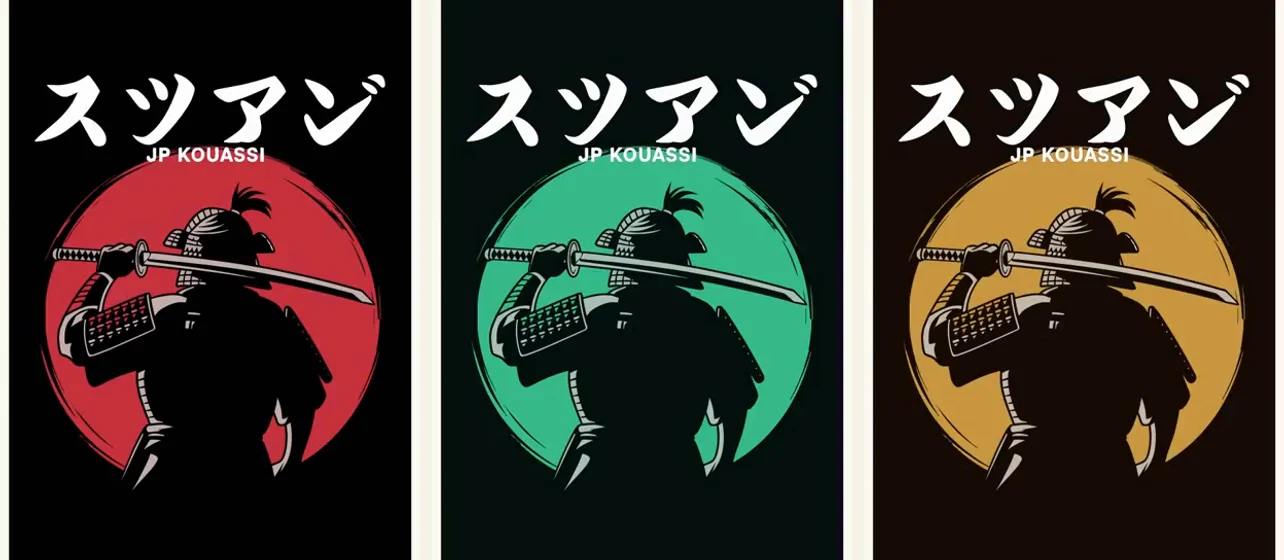
The same official Ideogram Vector samurai artwork in red, green, and gold

04

Turn One Image into an SVG

Upload an existing image and receive SVG paths for print, cutting, and large signage. default keeps finer detail. simple uses fewer, simpler shapes. Both modes are $0.10 per SVG.

  • Convert one uploaded image
  • Choose default or simple
  • Pay $0.10 per SVG for either mode
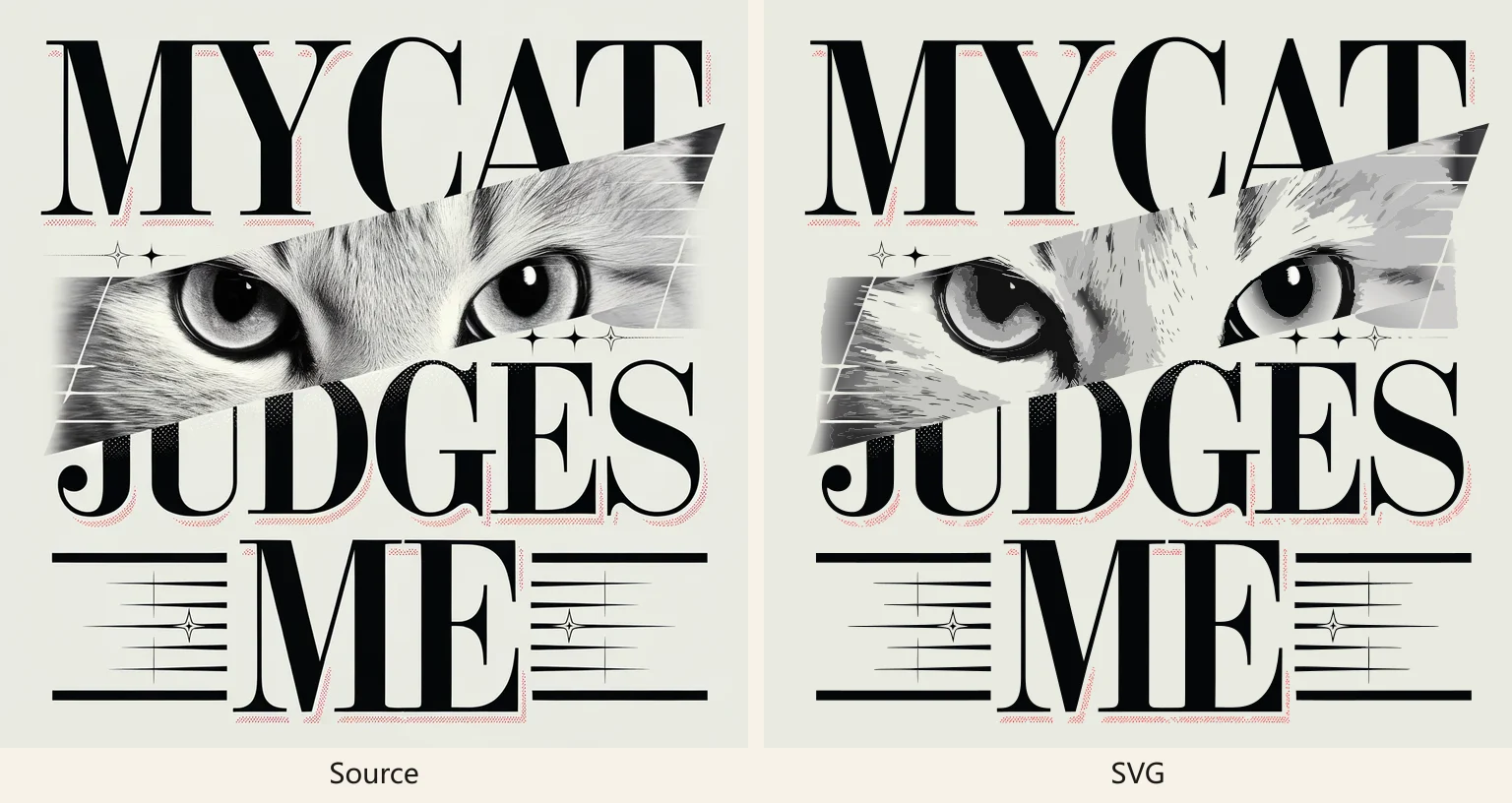
A source image beside the SVG Ideogram Vector produced from it, with the lettering and cat eyes kept as paths

Who Can Benefit from Ideogram Vector 1.0 API?

01

Brand and Logo Designers

Draft wordmarks and logo directions from a short description, then open the SVG and adjust color and shape before a client review.

02

Print and Merchandise Teams

Produce poster, shirt, and sign artwork that stays sharp at print size, instead of enlarging a PNG.

03

Packaging and Label Designers

Generate label and sticker artwork as vectors, then fit the colors to an existing product line.

04

Marketing Teams

Create campaign illustrations and social graphics that can be resized for different placements without redrawing.

05

Illustrators

Use a prompt to get a first vector composition, then refine the shapes in a vector editor.

06

Product Teams

Generate simple icons and spot illustrations as SVG for decks, docs, and marketing pages.

How to Use Ideogram Vector 1.0 API on PoYo

Step 1: Register and create an API key.
Sign in to PoYo and create a key for your application.
Get API Key →

Step 2: Add credits.
Each SVG is billed on its own. Text to vector is $0.13, $0.16, or $0.20 for low, medium, and high. High quality is $0.32 when the request includes reference images. Image to vector is $0.10.
Add Credits →

Step 3: Call ideogram-vector-1.0/text-to-vector or ideogram-vector-1.0/image-to-vector.
Text to vector sends prompt, and can include reference_image_urls, quality, n, and size. Image to vector sends exactly one URL in image_urls and an optional mode. The response files are SVG.

Frequently Asked Questions about Ideogram Vector 1.0 API

What is Ideogram Vector 1.0 API?

Ideogram Vector 1.0 is Ideogram's model for SVG artwork: logos, icons, illustrations, labels, and print designs. On PoYo the model ids are ideogram-vector-1.0/text-to-vector and ideogram-vector-1.0/image-to-vector. Send a text prompt with up to five reference images, or upload one image to convert. Open the SVG in Figma, Illustrator, or Inkscape.

What file does Ideogram Vector 1.0 return?

It returns an SVG made of vector paths. Edges stay sharp at label, poster, and storefront sizes. PoYo returns that SVG directly from the selected Ideogram Vector model.

How can I adjust the shapes after generation?

The artwork is made of separate shapes. In Figma, Illustrator, or Inkscape you can select one shape and recolor, resize, or rotate it. You can also revise the prompt and generate another version.

How does lettering appear in the SVG?

Lettering is drawn as vector shapes, so it recolors and scales with the artwork. It fits wordmarks, badges, and short poster lines.

How do I convert one image into an SVG?

Image to vector takes one image in image_urls and a mode. default keeps finer detail. simple uses fewer, simpler shapes. Both modes are $0.10 per SVG.

How do reference images work, and what do they cost?

Text to vector accepts 1 to 5 reference images. The first is the primary reference. Low stays $0.13 and medium stays $0.16 when reference images are included. A prompt-only high-quality SVG is $0.20, and high quality with reference images is $0.32 per SVG.

How much does Ideogram Vector 1.0 API cost on PoYo?

Billing is per SVG. Text to vector is $0.13 for low, $0.16 for medium, and $0.20 for high. High quality with reference images is $0.32. Image to vector is $0.10. n sets how many SVGs one text-to-vector request returns, from 1 to 8, and each SVG is billed.

Which sizes can I request?

Text to vector uses size. The default is auto, with fixed ratios including 1:4, 9:16, 1:1, 16:9, and 4:1. Image to vector returns an SVG from the one source image you upload.

Why Use PoYo for Ideogram Vector 1.0 API Access

01

Ideogram Models in One Account

Use Ideogram Vector 1.0 alongside Ideogram 4.5 from the same PoYo account and the same API key.

02

Usage-Based Billing

Each SVG is charged at the rate for its task and quality. This page does not add a subscription on top of that rate.

03

Try the Request in the Playground

The Playground sends the published fields for text to vector and image to vector, so you can check a prompt before writing the integration.

04

A Documented Request

Text requests use ideogram-vector-1.0/text-to-vector. Image requests use ideogram-vector-1.0/image-to-vector. Text to vector takes prompt, reference_image_urls, quality, n, and size. Image to vector takes image_urls and mode.