
Buzz Cut Filter
Use PoYo.ai as a buzz cut filter to preview a short buzz cut, buzz cut fade, crew cut, or shaved head look on your own photo before making the real cut.
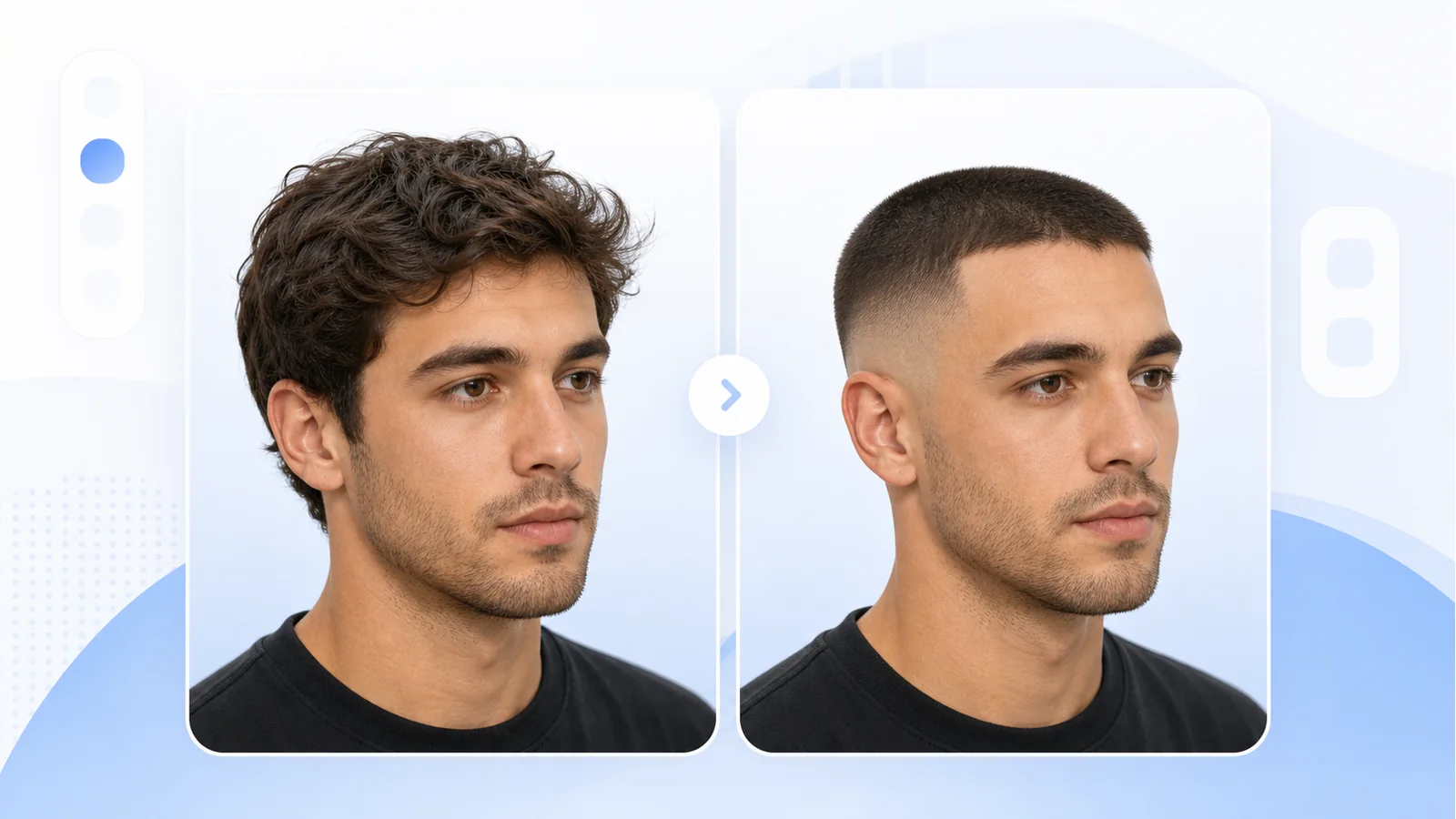
Realistic Buzz Cut Preview
See a close-cropped haircut on your selfie while preserving face shape, skin tone, lighting, and expression.
Fade and Guard Style Control
Try induction cut, crew cut, high fade, low fade, skin fade, or slightly longer guard-length variations.
Prompt-Based Hairstyle Edits
Describe the buzz cut filter result you want, from natural hairline to blonde buzz, sharp lineup, or softer edges.
Before-You-Cut Confidence
Compare different short hair directions before visiting a barber, shaving your head, or sharing a style reference.
Use Cases
Where a Buzz Cut Filter Helps
Before the Barber
Preview the cut before asking for clippers, fades, or a shorter guard length.
Face Shape Check
See whether a buzz cut balances round, square, oval, or longer face shapes.
Fade Planning
Compare low fade, high fade, skin fade, and classic buzz styles in one photo.
Color Experiments
Try blonde, black, copper, or bold buzz cut colors before dyeing short hair.
Social Style Test
Share a realistic buzz cut preview with friends before committing to the look.
Creative Portraits
Make character references, profile images, or campaign concepts with a clean buzz cut style.
How To Use
How to Use Buzz Cut Filter on PoYo.ai
Start with a clear front-facing portrait. A specific buzz cut prompt helps keep the face unchanged while changing only the hair.
1. Upload a Portrait
- Use a sharp selfie or headshot.
- Keep forehead, ears, and hairline visible.
- Avoid hats, heavy shadows, and covered hair.
2. Pick a Buzz Style
- Choose classic buzz cut, crew cut, fade, or shaved head.
- Mention guard length or fade height if you know it.
- Add a hair color only if you want to test one.
3. Write the Prompt
- Ask to keep face and head shape unchanged.
- Mention natural hairline and realistic scalp shadow.
- Try: Give this person a realistic buzz cut with a low fade, natural hairline, even short length, keep the face, head shape, skin tone, lighting, clothing, and background unchanged.
4. Compare Results
- Check hairline, temples, ears, and scalp texture.
- Generate two or three variations.
- Save the best preview as a barber reference.
FAQ
Buzz Cut Filter FAQ
A buzz cut filter is an AI hairstyle preview that shows how you may look with very short hair, a fade, crew cut, or shaved head style.
Upload a clear portrait, describe the buzz cut style, and generate a preview. A direct prompt usually gives the most natural result.
Yes. The buzz cut filter is for anyone who wants to preview short hair, not a gender-specific effect.
Use a high-resolution front or three-quarter portrait with visible hairline, ears, and good lighting.
Use a prompt like: Give this person a realistic buzz cut with a low fade, natural hairline, even short length, keep the face, head shape, skin tone, lighting, clothing, and background unchanged.
Explore More AI Features
Try a Buzz Cut Filter Before the Clippers
Preview buzz cut, fade, crew cut, and shaved head styles online with PoYo.ai.
A clear portrait and a specific buzz cut prompt usually create the most realistic preview.