
Change Background Color
Use PoYo.ai to change background color with AI. Replace gray, white, transparent, or messy backgrounds with brand colors, studio tones, or clean solids.
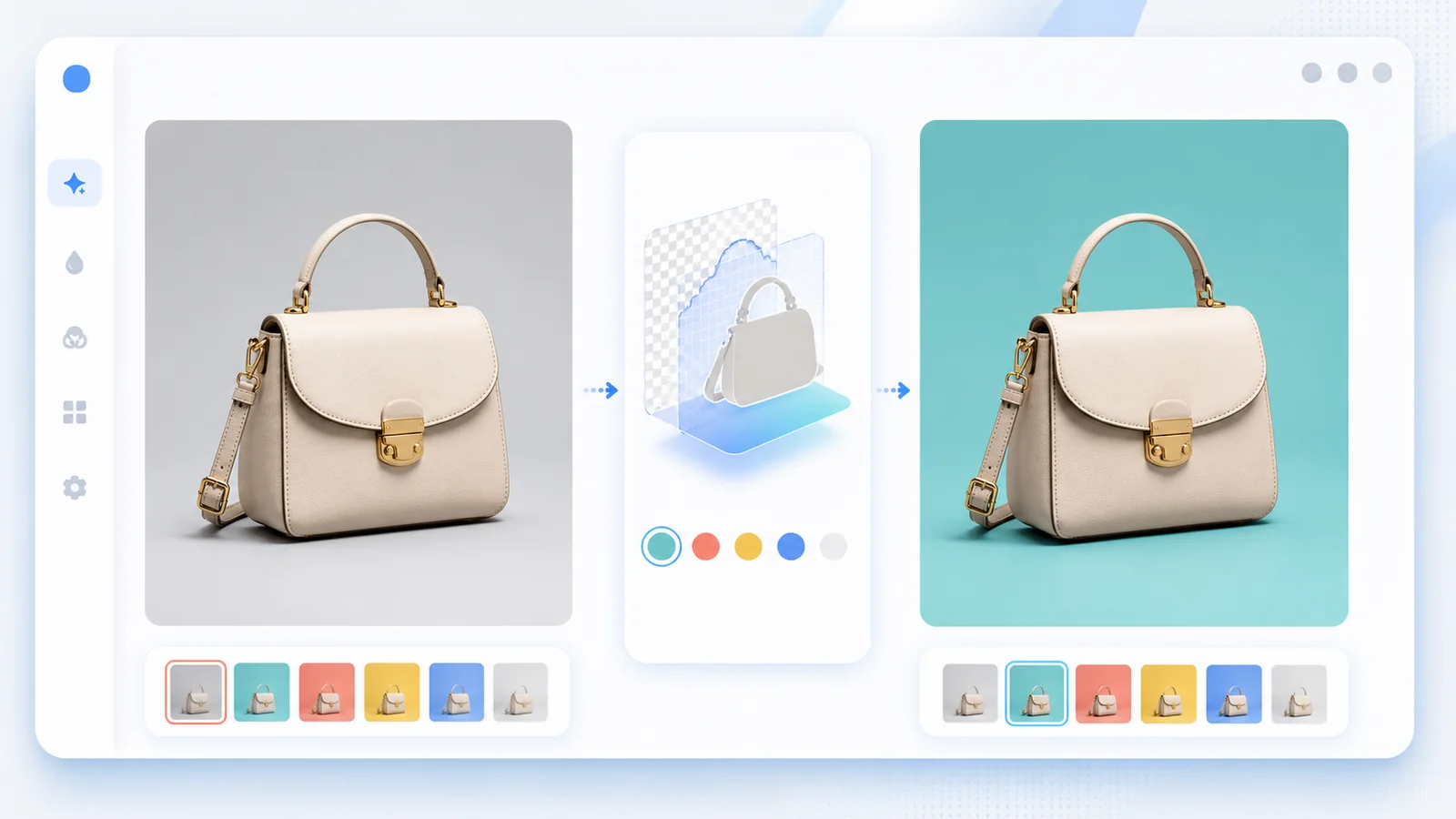
AI Subject Cutout
Separate products, people, and objects from the old background before applying a new color.
Brand Color Control
Use white, black, gray, pastel, hex-style colors, or campaign palettes for consistent visuals.
Natural Shadow Preservation
Keep realistic grounding shadows and soft reflections so the new background does not look flat.
Fast Color Testing
Generate several background color options for shops, ads, profile photos, thumbnails, and marketplaces.
Use Cases
Where Change Background Color Helps
Ecommerce
Switch product photos to white, gray, pastel, or brand-color backgrounds.
Profile Photos
Create clean headshots with solid or soft colored backgrounds.
Social Thumbnails
Test bold background colors for covers, posts, and short-video thumbnails.
Marketplace Listings
Match background rules for product platforms and catalogs.
Campaign Creatives
Create seasonal color variants without another shoot.
Design Mockups
Preview color systems around a product, object, or person quickly.
How To Use
How to Change Background Color on PoYo.ai
A precise color request and subject preservation instruction keep the edit clean.
1. Upload
- Use a clear image with visible edges.
- Avoid very low-resolution cutouts.
- Keep the subject centered when possible.
2. Pick Color
- Name a color or describe a brand tone.
- Ask for a solid, gradient, or studio background.
- Mention if shadow should stay visible.
3. Prompt
- Say what object must stay unchanged.
- Ask to preserve edge detail.
- Try: Change the product background to a clean soft teal color, keep the handbag edges sharp, preserve natural shadow, texture, lighting, and image size.
4. Compare
- Check hair, straps, handles, and transparent edges.
- Generate 2-3 color variants.
- Export the best match for your channel.
FAQ
Change Background Color FAQ
Yes. PoYo.ai can isolate the subject and replace the background with a clean color while preserving the main object.
Yes. White, off-white, gray, black, pastel, and brand-color backgrounds are common choices for product photos.
Ask PoYo.ai to preserve natural shadow and contact shadow so the product does not look pasted on.
Yes. It works for profile photos, headshots, and social images when the person is clear against the original background.
Use a prompt like: Change the product background to a clean soft teal color, keep the handbag edges sharp, preserve natural shadow, texture, lighting, and image size.
Explore More AI Features
Change Background Color With PoYo.ai
Recolor product photos, portraits, and thumbnails online.
Clear subject edges and a specific color request produce cleaner results.