OpenAI DevDay 2026 Recap: GPT-6.1 Sol, Dots and Developer Tools
A source-backed guide to OpenAI DevDay 2026: GPT-6.1 Sol, Dots, ChatGPT Space, Codex Cloud, Agents API and plugins, with availability clearly separated from previews.
OpenAI DevDay 2026 took place on September 29 at Fort Mason in San Francisco. OpenAI’s recap lists more than 20 announcements spanning models, persistent agents, collaboration and developer tools. Here are the changes most relevant to building products and day-to-day work. See the official recap for the full announcement list.
The main direction
The announcements cover more of the workflow: a model to reason, an agent to keep working, an environment to execute tools, and a shared place to keep results. Availability and requirements differ by product, as the table shows.
| Update | Purpose | Availability detail to check |
|---|---|---|
| GPT-6.1 Sol | Coding, computer use and professional work | API and Work/Codex; not regular Chat yet |
| Dots | Ongoing responsibilities | Gradual rollout by account, region and workspace |
| Codex Cloud | Development tasks in the cloud | Repositories, environments and permissions need setup |
| Agents API computer use | Tasks in a hosted browser | Website access, sign-in and result verification still matter |
| Plugin Extensions / MCP Events | Richer interfaces and event-driven work | Some surfaces are rolling out; events use a draft specification |
| ChatGPT Space / Pages | Shared, editable work | Plan and workspace settings apply |
GPT-6.1 Sol: another cost option for complex work
OpenAI positions GPT-6.1 Sol for complex coding, computer use and professional work, with capability approaching GPT-6 Astra at a lower cost. Its guidance recommends comparing the models on your own tasks. Browse related models on PoYo’s OpenAI provider page, or check the GPT-6.1 Sol model page for its PoYo status.
For a development team, a useful evaluation keeps the task set, environment and acceptance criteria stable. Measure successful completion, revisions and total cost. A different model name alone does not establish that a workflow has improved.
Official Standard rates for short-context requests are $2 input and $10 output per million tokens, with cached reads at $0.10. Requests above 272K input tokens use different rates. OpenAI API pricing
Our GPT-6.1 Sol features guide explains the context limits, reasoning controls and integration boundaries.
Dots: agents that keep following a goal
Dots use GPT-6 Astra and have a cloud computer and browser. They can continue working when a user’s computer is off, with documented uses including research, analysis, documents and software development. Users can keep talking to a dot and change its direction while work continues.
That suggests a different task design: instead of asking for one project summary, give the agent an ongoing reporting responsibility. Define its sources, reporting cadence and decisions that need your judgment. Persistence makes those boundaries more consequential.
Access is rolling out gradually. The announcement names eligible Pro and Business Premium markets, with administrator-enabled beta access for Enterprise, Edu and Healthcare. This does not mean every ChatGPT account already has Dots.
Codex Cloud and Agents API: execution matters
Codex Cloud supports code edits, commands and review in the cloud. Its reusable environments contain repositories, dependencies, tools and access settings; new tasks get isolated workspaces from a published environment.
Reproducibility matters when evaluating a model. Missing dependencies, different test commands or unavailable permissions can all change the result. Establishing an environment first makes it easier to identify which improvements actually come from the model.
The Agents API also documents computer use in an OpenAI-hosted browser. Applications start sessions, follow events and handle site access or sign-in, then verify the result. Building this loop is a different integration task from asking a text model to describe what a user should click.
Plugin interfaces and MCP Events
Plugin Extensions add integration surfaces such as sidebar apps, conversation panels and file viewers. The documentation distinguishes rollout details: composer mentions are desktop-only, while web extensions for Free and Go are still marked as coming soon.
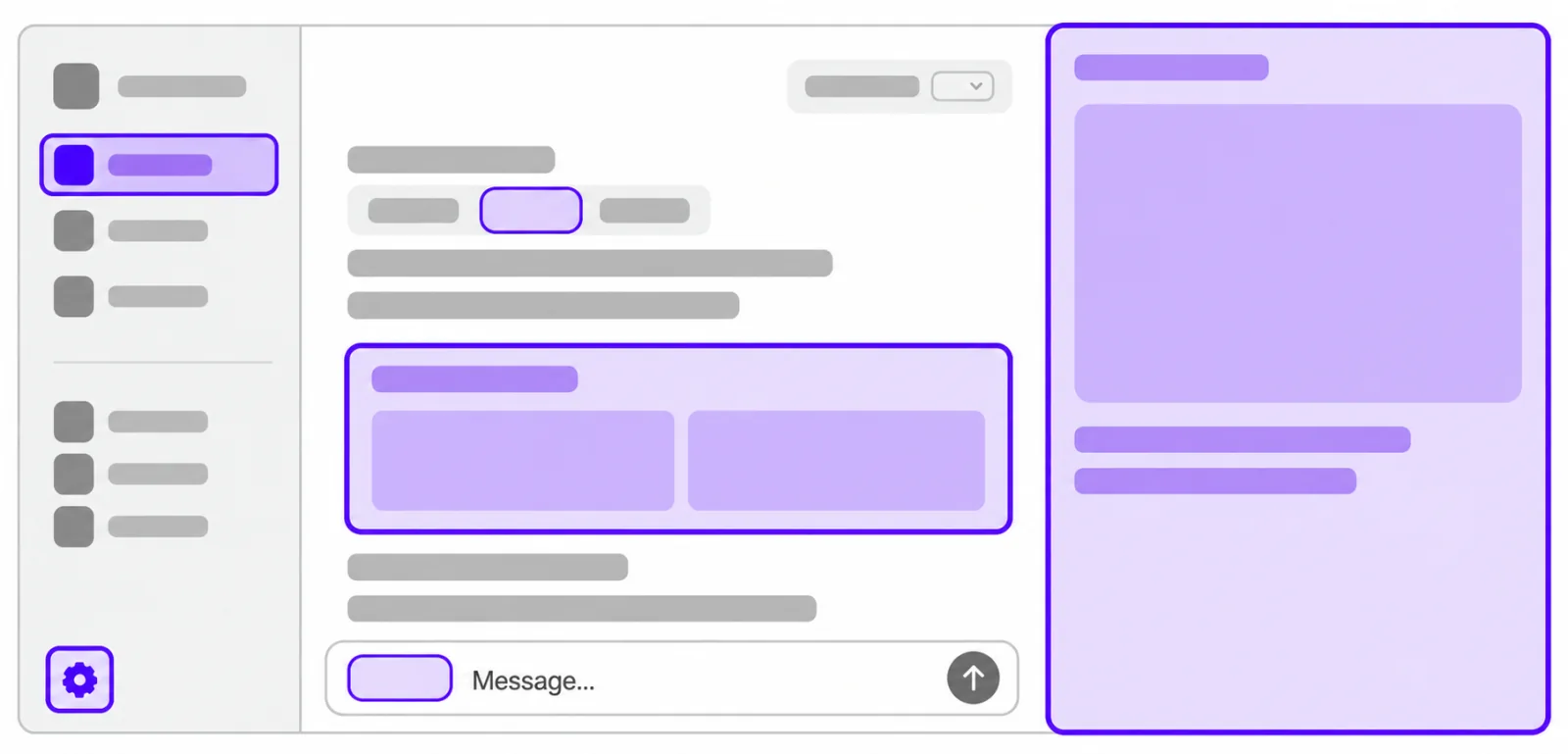
Image: Interface illustration from OpenAI’s Plugin Extensions documentation.
MCP Events allows users to subscribe to app events, such as new messages or document comments, and specify what ChatGPT should do next. The current integration requires MCP 2.0 and implements webhook delivery from a draft specification; polling and streaming are not supported.
For an existing business system, start with one event and one reviewable result—for example, drafting a change proposal when a requirement receives feedback. Observe how that workflow performs before expanding its scope.
ChatGPT Space and Pages
Space organizes pages, files and shared work. A Page is a document that people and ChatGPT can edit together, with direct editing and collaborator comments. Space also brings together spreadsheets, presentations, Sites and saved images.
Source permissions and document permissions are separate. Linked files retain their original permissions, but information copied or summarized onto a Page becomes visible to its readers. Teams should therefore decide who can see the deliverable as well as who can access its inputs.
Collaborative slides were also announced, but the official recap says they will roll out in the coming weeks. Access is still pending.
Other releases to watch
Decisions API was announced in limited preview for questions with predefined answers, such as classification or routing. Astra Ultrafast has announced access routes; Sol Ultrafast is still forthcoming. Other updates include Codex Security Cloud, Sign in with ChatGPT and an enterprise Marketplace.
Check each product’s release status, account eligibility and billing separately; they do not share one set of access requirements.
What this means for PoYo users
When evaluating models through PoYo, first identify the layer you need: a model API, image or video generation, or a complete hosted agent product. The AI Chat API collection lets you browse available chat models. Model access does not automatically include Dots, Space or OpenAI’s hosted browser environment.
Choose a real task, define acceptance criteria and compare the complete delivery cost. For a cross-provider evaluation, continue with our GPT-6.1 Sol vs Claude Opus 5.5 comparison.
Frequently asked questions
When was OpenAI DevDay 2026?
September 29, 2026, at Fort Mason in San Francisco; the official recap linked above confirms the event details.
Are all announced features available now?
No. Some are rolling out, in preview or scheduled for later release. Check the relevant documentation and your account’s actual feature access.
Does a model API on PoYo include the ChatGPT products?
PoYo model APIs, ChatGPT products and OpenAI’s native API have separate access and billing. Check the PoYo website and endpoint documentation for the capabilities available through PoYo.
Cover art: OpenAI’s DevDay 2026 recap.