
01
hunyuan-3d/v3.1/pro/image-to-3d
Convert a front object image into a 3D asset with Pro controls for PBR, geometry mode, custom face count, and optional extra view images.

Transparent pricing with no hidden fees. Pay as you go.
hunyuan-3d/v3.1/pro/text-to-3dhunyuan-3d/v3.1/pro/image-to-3dhunyuan-3d/v3.1/rapid/text-to-3dhunyuan-3d/v3.1/rapid/image-to-3dhunyuan-3d/v3.1/pro/image-to-3dhunyuan-3d/v3.1/pro/image-to-3dhunyuan-3d/v3.1/pro/text-to-3d| Model | Spec | PoYo price | Official price | You save |
|---|---|---|---|---|
| hunyuan-3d/v3.1/pro/text-to-3d | Base generation | $0.300/gen 60 credits /gen | $0.375/gen Official | 20% |
Custom face count add-on | $0.120 24 credits additional | $0.150 Official | 20% | |
| hunyuan-3d/v3.1/pro/image-to-3d | Base generation | $0.300/gen 60 credits /gen | $0.375/gen Official | 20% |
PBR add-on | $0.120 24 credits additional | $0.150 Official | 20% | |
Multi-view add-on | $0.120 24 credits additional | $0.150 Official | 20% | |
| hunyuan-3d/v3.1/rapid/text-to-3d | Base generation | $0.180/gen 36 credits /gen | $0.225/gen Official | 20% |
| hunyuan-3d/v3.1/rapid/image-to-3d | Base generation | $0.180/gen 36 credits /gen | $0.225/gen Official | 20% |
* Actual fees are based on the final output.
Complete guide to using Hunyuan 3D v3.1 API
Choose Pro or Rapid Hunyuan 3D v3.1 models for text-to-3D and image-to-3D generation with PoYo's exposed controls and async API access.
01
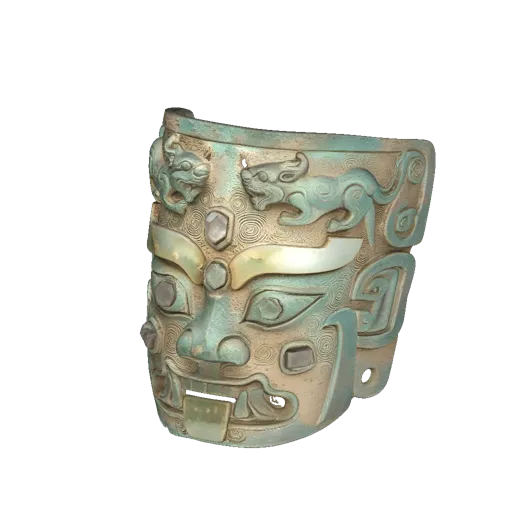
Upload one front object image and add optional side, back, top, bottom, or angled views when you have more reference coverage. The Pro image model can also use PBR, geometry mode, and custom face-count options.
02
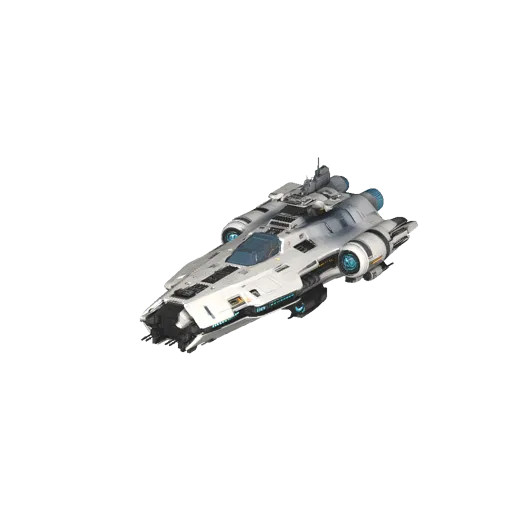
Use Pro text-to-3D when a written object brief should drive the shape, material direction, and overall asset concept. PoYo keeps the API flow async so status polling and callbacks work the same as other 3D models.
03
Rapid text-to-3D is useful for early ideation, object exploration, and lower-cost asset drafts. Use it when short prompts are enough and the team needs fast comparisons before selecting a final direction.

04
Use the Rapid image model when you already have a product, prop, sketch, or object reference and want a fast 3D result. PoYo accepts a simple image_urls input and returns normalized task results.

Generate early prop concepts from prompts or object references before committing time to manual modeling.
Turn front-view or multi-view references into 3D outputs for review, prototyping, and downstream asset pipelines.
Compare Pro and Rapid results under one API format while keeping pricing, task status, and file retrieval consistent.
Submit Hunyuan 3D jobs with callbacks or polling and route completed model files into production tooling.
High-level comparison of the four Hunyuan 3D v3.1 models exposed on PoYo.
| Feature | Pro | Rapid |
|---|---|---|
| Input Models | Text-to-3D and image-to-3D | Text-to-3D and image-to-3D |
| Best Fit | Higher-control jobs that need PBR, geometry mode, face count, or multi-view guidance | Lower-cost drafts and faster iteration from prompts or one image |
| Prompt Length | Up to 1024 characters | Up to 200 characters |
| Image Controls | Front image plus optional additional view URLs on Pro image jobs | Single front image input |
| Pricing Pattern | 60 credits base, with optional add-on charges | 36 credits base, with optional PBR add-on |
Exact available outputs depend on the selected model and returned files.
Step 1: Create an API Key
Sign up on PoYo and create an API key from your dashboard.
Create API Key ->
Step 2: Choose a Hunyuan 3D v3.1 Model
Select one of the four public model IDs: Pro image, Pro text, Rapid text, or Rapid image.
Step 3: Submit PoYo Inputs
Use prompt for text models or image_urls for image models. Add PBR, geometry, face-count, or multi-view fields only when the selected model supports them.
Step 4: Retrieve Generated Assets
Poll the task status endpoint or provide a callback URL, then download returned GLB, OBJ, MTL, texture, thumbnail, or model URL files when available.
View Documentation ->
Hunyuan 3D v3.1 on PoYo uses per-generation pricing with optional add-on charges.
Pro models start at 60 credits ($0.30) per generation. Rapid models start at 36 credits ($0.18) per generation.
Supported add-ons cost 24 credits ($0.12) each. Add-ons include PBR when applicable, multi-view inputs on Pro image jobs, and custom face count on Pro jobs.
Add credits and start testing Hunyuan 3D v3.1 on PoYo. Top up credits ->
Use the same submit, status, callback, and file retrieval pattern across all four Hunyuan 3D v3.1 models.
See base generation credits and add-on charges clearly before submitting a job.
The playground only surfaces controls supported by the selected Pro or Rapid model.
PoYo collects returned model, texture, and thumbnail files into a consistent task result format.