Nano Banana 2.1 vs Nano Banana 2 vs Nano Banana Pro: Price, Features, and Which to Choose
Compare Nano Banana 2.1, Nano Banana 2, and Nano Banana Pro on Poyo: per-image prices at 1K, 2K, and 4K, reference limits, aspect ratios, model IDs, and the best model for each brief.
Google’s Nano Banana family now has three models on Poyo: Nano Banana 2.1, the October 2026 update; Nano Banana 2, the previous generation; and Nano Banana Pro, the premium model for complex briefs. All three generate and edit images at 1K, 2K, and 4K, but they differ in price, reference limits, aspect ratios, and the kind of work they are positioned for.
The short answer: start new projects with Nano Banana 2.1. It is the cheapest of the three at every resolution, from $0.02 per 1K image, and it brings Google’s latest improvements to text rendering and character consistency across edits. Keep Nano Banana 2 when you depend on more than 10 references or extreme aspect ratios such as 1:8. Test Nano Banana Pro when a detailed brand brief, a dense composition, or multi-person consistency justifies a higher price.
Quick Comparison
| Item | Nano Banana 2.1 | Nano Banana 2 | Nano Banana Pro |
|---|---|---|---|
| Positioning | Latest update for efficient everyday generation and editing | Previous generation, built on Gemini 3.1 Flash | Premium model for complex briefs and precise creative control |
| Poyo model IDs | nano-banana-2.1 for both generation and editing |
nano-banana-2-new, nano-banana-2-new-edit |
nano-banana-pro, nano-banana-pro-edit |
| Official-channel route | — | nano-banana-2-official |
nano-banana-pro-official |
| Output resolution | 1K, 2K, 4K | 1K, 2K, 4K | 1K, 2K, 4K |
| Reference images | Up to 10 | Up to 14 | Up to 14, with resemblance for up to 5 people |
| Aspect ratios | 1:1, 2:3, 3:2, 3:4, 4:3, 4:5, 5:4, 9:16, 16:9, 21:9, plus auto for edits |
Standard ratios plus extreme 1:4, 4:1, 1:8, 8:1 | Standard ratios including 21:9 |
| Lowest Poyo price | $0.02 (1K) | $0.025 (1K) | $0.04 (1K/2K) |
| 4K Poyo price | $0.05 | $0.06 standard, $0.10 official | $0.07 standard, $0.175 official |
Prices were checked on the Poyo model pages on October 9, 2026. Verify the Nano Banana 2.1, Nano Banana 2, and Nano Banana Pro pages before a production run.
Price per Image at 1K, 2K, and 4K
Nano Banana 2.1 has a single price list for both text-to-image and editing. Nano Banana 2 and Nano Banana Pro each have a standard route and a higher-priced official-channel route.
| Resolution | Nano Banana 2.1 | Nano Banana 2, standard | Nano Banana 2, official | Nano Banana Pro, standard | Nano Banana Pro, official |
|---|---|---|---|---|---|
| 1K | $0.02 (4 credits) | $0.025 (5 credits) | $0.05 (10 credits) | $0.04 (8 credits) | $0.09 (18 credits) |
| 2K | $0.03 (6 credits) | $0.04 (8 credits) | $0.075 (15 credits) | $0.04 (8 credits) | $0.09 (18 credits) |
| 4K | $0.05 (10 credits) | $0.06 (12 credits) | $0.10 (20 credits) | $0.07 (14 credits) | $0.175 (35 credits) |
Compared with the standard routes, Nano Banana 2.1 costs 20% less than Nano Banana 2 at 1K and 25% less at 2K. Against Nano Banana Pro, it costs half as much at 1K and about 29% less at 4K. Pro’s 1K and 2K share one price, so if you use Pro, 2K costs no more than 1K.
A Realistic Budget
Ten concepts, each explored with three 1K candidates and finished with one 4K image, produce 40 images:
| Model and route | 30 candidates at 1K | 10 finals at 4K | Total |
|---|---|---|---|
| Nano Banana 2.1 | $0.60 | $0.50 | $1.10 |
| Nano Banana 2, standard | $0.75 | $0.60 | $1.35 |
| Nano Banana Pro, standard | $1.20 | $0.70 | $1.90 |
| Nano Banana Pro, official | $2.70 | $1.75 | $4.45 |
Unit price is only part of the cost. If one model needs fewer retries or less retouching for your brief, the cost per accepted image can favor it even with a higher list price. Track how many outputs you discard for each model in your own test.
Where the Three Models Differ
Text Rendering and Layout
Google lists text rendering and infographic layout among the main improvements in Nano Banana 2.1. For signs, posters, labels, and educational images, it is the natural first test, and it costs the least for the 2K resolution where small text becomes legible. Nano Banana 2 also handles multilingual text, so for an existing Nano Banana 2 workflow, compare the same copy on both models before switching. Nano Banana Pro is positioned for detailed, finely specified layouts. Use it when a brief combines many text blocks, products, and brand rules in one composition.
Character Consistency and Reference Images
Nano Banana 2.1 improves character consistency across editing turns and accepts up to 10 references in one request. Nano Banana 2 and Nano Banana Pro accept up to 14, and Poyo’s Pro page notes resemblance for up to 5 people across generations. If your workflow combines 11 to 14 references, for example a team photo, several products, and a style board, keep it on Nano Banana 2 or Pro, or merge some references before switching to 2.1.
Aspect Ratios
Nano Banana 2.1 offers ten explicit ratios from 9:16 to 21:9, and reference edits can use auto to follow the input image. Nano Banana 2 adds extreme ratios such as 1:4, 4:1, 1:8, and 8:1 for tall infographics, vertical banners, and panoramic strips. If you publish in these formats, Nano Banana 2 remains the better fit.
Speed and Delivery Size
All three models produce 4K output. Poyo’s Pro page notes that official 4K generation can take about 10 minutes, so plan queues and timeouts accordingly. For fast iteration, explore at 1K and move to 2K or 4K once the composition is approved. This is cheapest with Nano Banana 2.1.
A Test Brief You Can Run on All Three
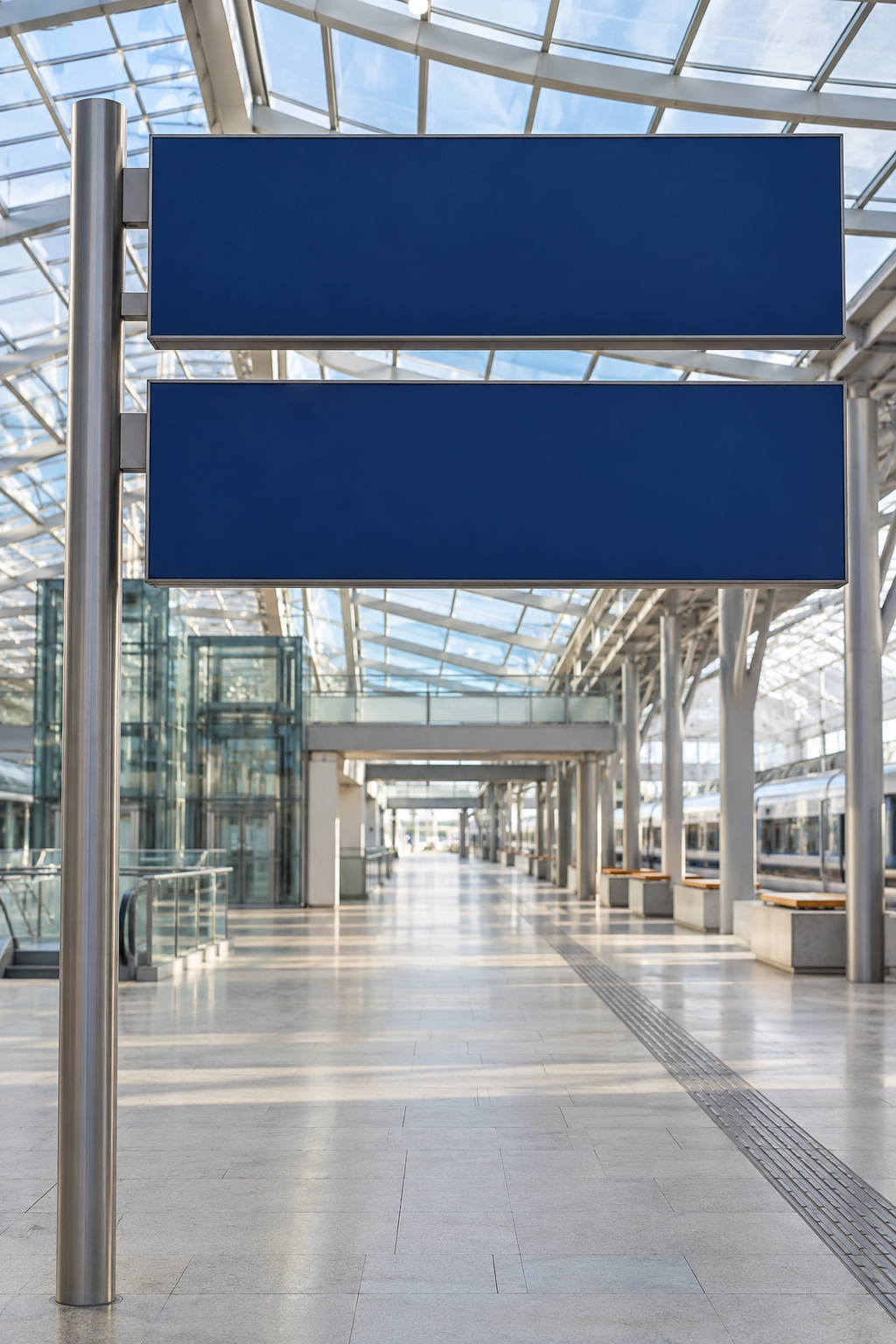
Use a brief whose details you can check, such as exact multilingual text and fixed architecture. This Nano Banana 2.1 output comes from the Nano Banana 2.1 guide. It edits a station photo into two signs with Chinese, English, and Japanese text at 3:4 and 2K:
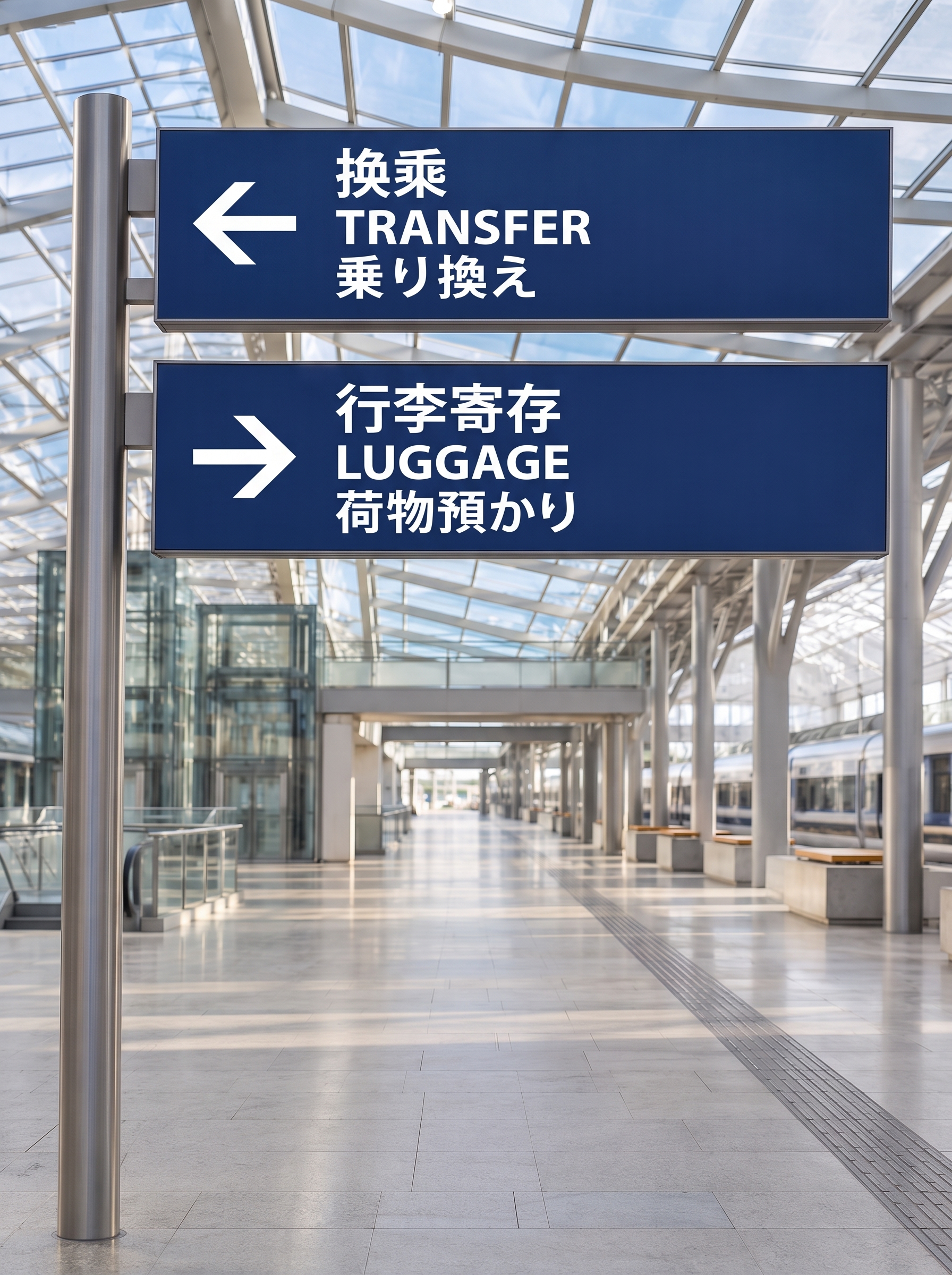
To compare the models, send the same input photo, prompt, ratio, and resolution to each one. Then score:
- Text accuracy: Are all six lines spelled correctly, with complete Chinese and Japanese glyphs?
- Preservation: Did the architecture, perspective, and lighting stay unchanged?
- Layout: Are the arrows pointing the right way, with even line spacing and margins?
- Cost per accepted image: How many attempts did each model need for a usable result?
Repeat the exercise with a character brief, such as one person across four scenes, and a product brief with a fixed logo. Together the three briefs cover most production work.
Which Model to Choose
| Use case | First model to test | Why |
|---|---|---|
| Multilingual signs, posters, labels | Nano Banana 2.1 | Improved text rendering at the lowest 2K price |
| Character storyboards and iterative edits | Nano Banana 2.1 | Improved consistency across editing turns |
| Everyday product scenes and social images | Nano Banana 2.1 | Lowest price at every resolution |
| 11 to 14 reference images in one request | Nano Banana 2 or Pro | 2.1 accepts up to 10 |
| Extreme ratios such as 1:8 or 8:1 | Nano Banana 2 | Lists extreme ratios that 2.1 does not offer |
| Group shots with several recurring people | Nano Banana Pro | Positioned for resemblance across up to 5 people |
| Complex brand campaigns and dense layouts | Nano Banana Pro | Premium model for precise creative control |
| Existing Nano Banana 2 pipelines | Nano Banana 2, then A/B against 2.1 | Saved prompts give you a baseline |
Moving a Workflow from Nano Banana 2 to 2.1
- Change the model ID. Nano Banana 2.1 uses
nano-banana-2.1for both text-to-image and editing, so you no longer route edits to a separate-editmodel. Addimage_urlsto edit. - Check reference counts. Requests with more than 10 references need to be trimmed or kept on Nano Banana 2.
- Check aspect ratios. Map extreme ratios to the nearest supported ratio, or keep those jobs on Nano Banana 2.
- Run your saved prompts. Compare 10 to 20 representative prompts at the same ratio and resolution, then compare acceptance rates, not single outputs.
- Update your budget. At standard prices, the same image volume costs 17% to 25% less on 2.1.
A Nano Banana 2.1 edit request on Poyo looks like this:
curl --request POST \
  --url https://api.poyo.ai/api/generate/submit \
  --header 'Authorization: Bearer YOUR_API_KEY' \
  --header 'Content-Type: application/json' \
  --data '{
    "model": "nano-banana-2.1",
    "input": {
      "prompt": "Preserve the station architecture, perspective and lighting. Set the top sign to three stacked lines: 换乘, TRANSFER, 乗り換え, with a left arrow. Set the lower sign to 行李寄存, LUGGAGE, 荷物預かり, with a right arrow.",
      "image_urls": ["https://storage.poyo.ai/nano-banana-2-1/inputs/railway-v1-6d464d939584.png"],
      "size": "3:4",
      "resolution": "2K"
    }
  }'
Read the task ID from data.task_id, then poll GET https://api.poyo.ai/api/generate/status/YOUR_TASK_ID until data.status is finished. To run the same brief on the other models, change model and check each model’s fields in the Poyo API documentation.
Frequently Asked Questions
Is Nano Banana 2.1 better than Nano Banana 2?
Nano Banana 2.1 is Google’s update to Nano Banana 2, with improvements to visual quality, prompt adherence, text rendering, and character consistency across edits. On Poyo it is also cheaper at every resolution. Nano Banana 2 still accepts more references (14 versus 10) and supports extreme aspect ratios, so keep it for workflows that depend on those.
Is Nano Banana 2.1 better than Nano Banana Pro?
Not for every brief. Nano Banana 2.1 is the efficient everyday model, and Nano Banana Pro is positioned for complex visual briefs, localized brand assets, and precise creative control. Run the same brief on both. If 2.1 produces an acceptable image, it costs half as much at 1K.
Which Nano Banana model is cheapest?
Nano Banana 2.1: $0.02 at 1K, $0.03 at 2K, and $0.05 at 4K per image on Poyo. The standard Nano Banana 2 route costs $0.025, $0.04, and $0.06. The standard Nano Banana Pro route costs $0.04 at 1K/2K and $0.07 at 4K.
What is the difference between the standard and official routes?
Nano Banana 2 and Nano Banana Pro offer two channels on Poyo with different model IDs and prices. The official routes, nano-banana-2-official and nano-banana-pro-official, cost more. Nano Banana 2.1 has one route. Check each model page for the current channels before choosing.
How many reference images does each model accept?
Nano Banana 2.1 accepts up to 10. Nano Banana 2 and Nano Banana Pro accept up to 14, and the Pro page notes resemblance for up to 5 people across generations.
Do all three models support 4K?
Yes. All three offer 1K, 2K, and 4K on Poyo. Nano Banana 2.1 has the lowest 4K price at $0.05 per image. Official Nano Banana Pro 4K costs $0.175 and can take about 10 minutes per image.
Do I need to rewrite my prompts when switching models?
Usually not. Start with your existing prompt, references, ratio, and resolution, then adjust if a model interprets something differently. Prompts that state exact text, the role of each reference, and the features to preserve carry over best. The Nano Banana 2.1 guide covers this prompt structure with examples.
To try them, open the Nano Banana 2.1 model page and run one of your own briefs, then repeat it on Nano Banana 2 or Nano Banana Pro.