
01
poyo-ai/image-translator
Translate one source image per task and return image output compatible with PoYo generation history, callbacks, and status checks.

Drop files here, paste files, or add a URL. image/jpeg,image/png,image/gif,image/webp,image/bmp · 50 MiB

Example Output
This is sample data. Generate a new result to see real output.

Transparent pricing with no hidden fees. Pay as you go.
poyo-ai/image-translator| Model | Spec | PoYo price | Official price | You save |
|---|---|---|---|---|
| poyo-ai/image-translator | Image translation | $0.050/image 10 credits /image | - | - |
* Actual fees are based on the final output.
Complete guide to using Affordable AI Image Translator API on PoYo
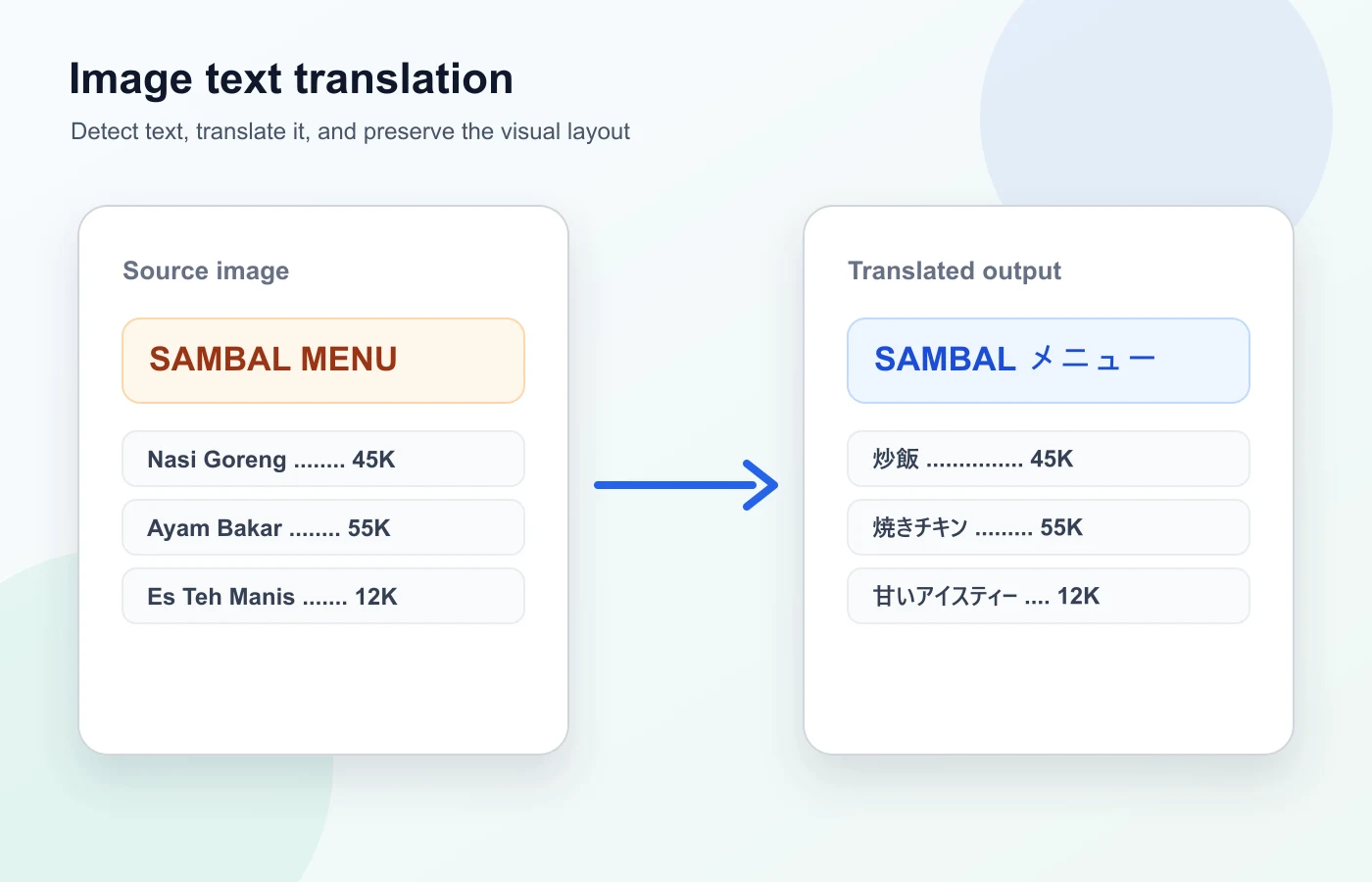
Translate text inside images through the standard PoYo generation workflow. Upload one image, choose the source and target languages, submit the task, and retrieve the translated image from the unified task status endpoint.
PoYo keeps image translation focused on the basic localization workflow: provide an image, choose the source and target languages, and retrieve a translated output file through the same generate task system.
01
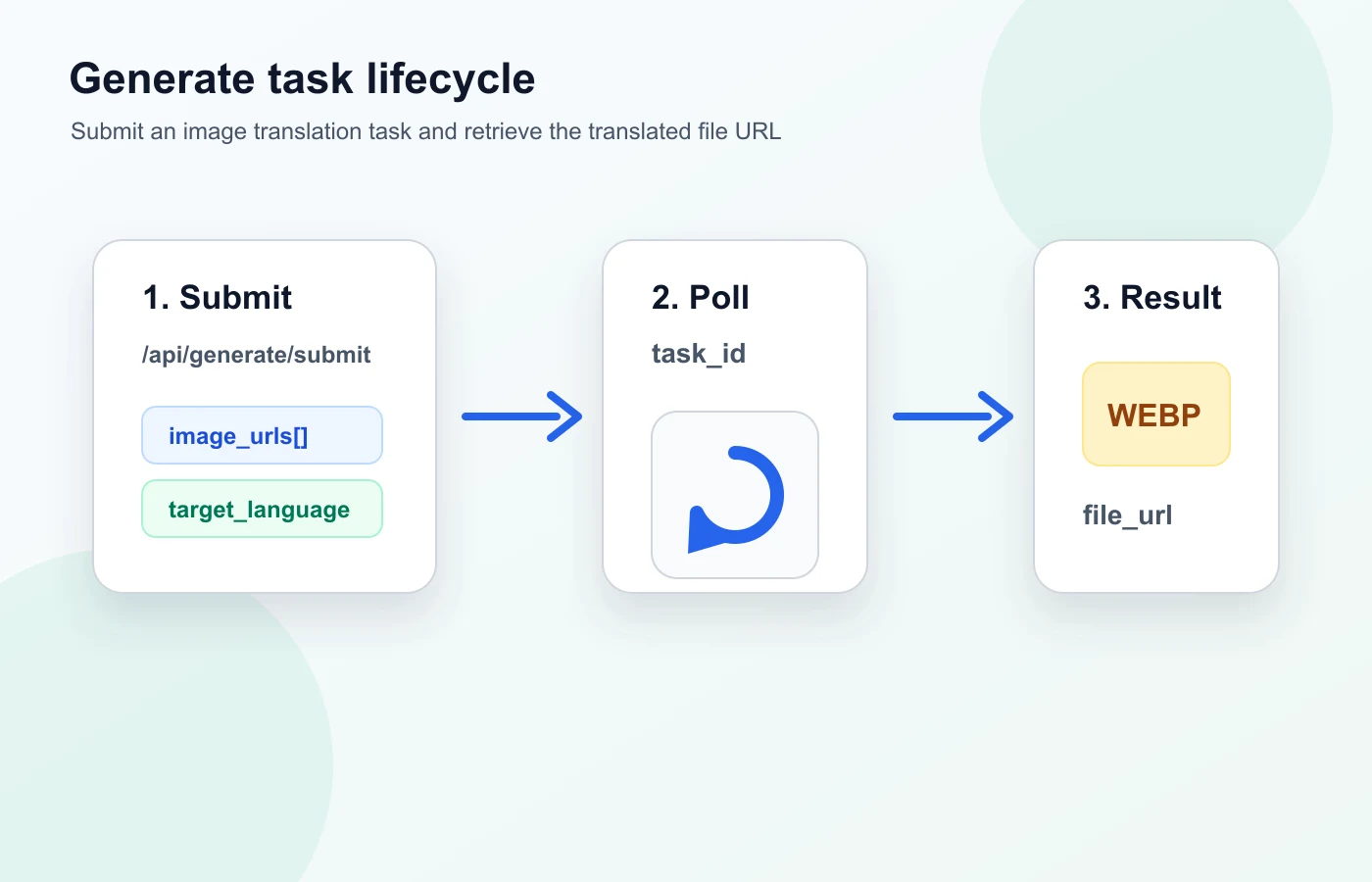
Submit image_urls with a public file_url and optional file_name. The current public workflow supports one image per task, which keeps the UI, pricing, and status handling straightforward.
02
Use source_language for auto detection or explicit source selection, then set target_language for the translated image output. Advanced provider-specific switches stay hidden in this first release.

03
Image translation uses the same PoYo generate endpoints as other model pages. Submit through /api/generate/submit, check /api/generate/status/{task_id}, and receive output through status, history, or callback delivery.
Translate product photos, packaging text, and commerce screenshots for multilingual review.
Translate interface captures, app screens, and support screenshots without manually copying text first.
Prepare localized social cards, announcement graphics, and campaign assets from existing images.
Translate diagrams, slides, classroom screenshots, and visual notes for multilingual audiences.
Translate notices, posters, scanned snippets, and other image assets where the text is not directly selectable.
Give product, content, and support teams a simple image translation workflow in the same PoYo task system.
The first public version exposes only the fields needed for basic image translation. Hidden provider-specific controls are intentionally omitted from the page.
| Area | PoYo Image Translator | Manual OCR Workflow | Generic Image Editing |
|---|---|---|---|
| Primary input | image_urls with one image | Image plus manual copy/paste | Image and prompt |
| Language controls | source_language and target_language | Usually configured across several tools | Prompt-dependent |
| Task lifecycle | Unified PoYo submit, status, callback, and history | Manual steps | Depends on the editor |
| Pricing | 10 credits per image | Varies by tool and labor | Varies by generation model |
The public image translator currently supports one image per task.
Step 1: Upload or host the source image
Use the playground upload control or provide a public image URL in input.image_urls.
Step 2: Choose languages
Set source_language to auto or a known language, then set target_language to the output language.
Step 3: Submit and poll status
Submit through /api/generate/submit. Use the returned task_id with /api/generate/status/{task_id} or provide callback_url.
poyo-ai/image-translator: 10 credits per image.
The first release supports exactly one image per task. Billing is based on submitted image count, so one image translation task costs 10 credits.
Use the same PoYo authentication, submit, status, callback, and history patterns as other generation models.
The first version keeps only the essential fields visible, which makes integration and UI testing easier.
Each image translation task is priced at 10 credits, without hidden mode switches on the public page.
Translated image files appear in the same PoYo task history and status response format used across the platform.